
Notification
Go to Home All Tools Compare Glossary Blog Contact

Time Zone Converter

Compare time zones side by side, plan international meetings, and see overlapping business hours across cities instantly.

Drag Slider to Adjust Reference Time: 00:00 to 23:00
Business Hour Overlap Legend:
Office Hours (09:00 - 17:00)
Social Hours (07:00-09:00, 17:00-22:00)
Off Hours (22:00 - 07:00)
Popular Time Zone Comparisons:
Global Scheduling Strategy

AI Advisor Timezone Analyst

Ask AI
Education

How Our Time Zone Converter Works

01

Why Time Zones Exist

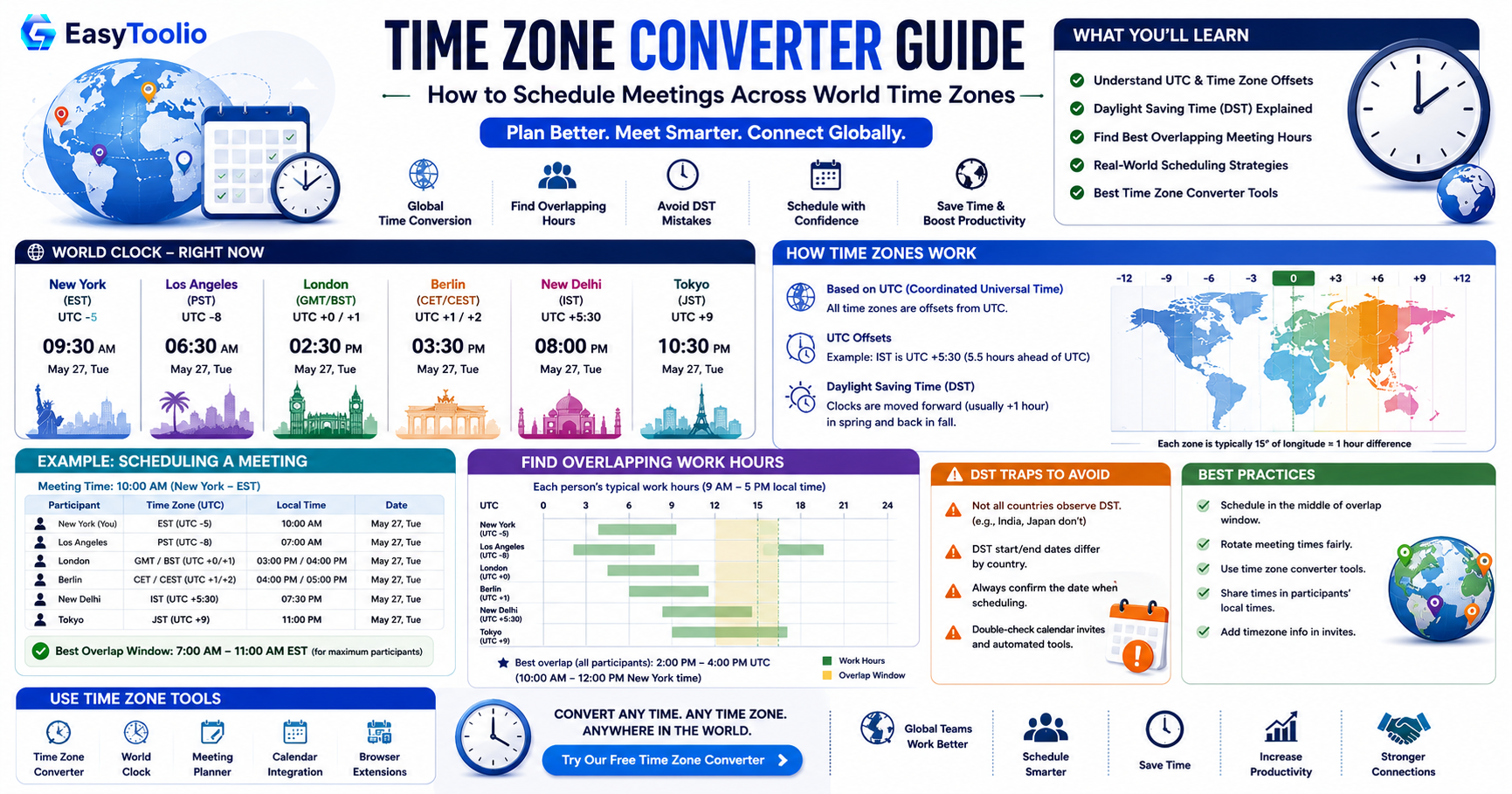
The Earth is divided into roughly 24 time zones, each tied to about 15 degrees of longitude, so that local clocks stay loosely aligned with the sun (noon is roughly when the sun is highest). A time zone converter simply translates a moment in one of these zones into the equivalent local moment in another.
02

Standard Coordinated Time (UTC)

Coordinated Universal Time (UTC) is the primary time standard by which the world regulates clocks and time. It is not tied to any single country and is never adjusted for daylight saving, making it the neutral reference point every other time zone offset is measured against.

03

Daylight Saving Time (DST) Transitions

Many countries shift their clocks forward in spring (saving daylight) and back in autumn, but not every country observes DST, and the ones that do rarely switch on the same dates. Because our time zone converter is built on native system time zone databases, it automatically tracks these transition dates so you never plan a meeting off by an hour.

04

Why Offsets Shift Twice a Year

Since DST start and end dates vary by region, the gap between two cities can literally change depending on the time of year, even though neither city moved. A reliable time zone converter recalculates the live offset for the exact date you select instead of relying on a single fixed number.

05

Everyday Uses for a Time Zone Converter

Remote and distributed teams use a time zone converter to line up meeting slots without guesswork, travelers use it to check when a flight actually lands in local time, and families abroad use it to plan calls around each other's waking hours.

06

A Common Mistake: Assuming a Fixed Offset

A frequent error is memorizing "New York is always 5 hours behind London" and applying it year-round. Because DST changes don't always align between regions, that gap can shrink or grow for part of the year, so it is safer to look up the exact offset for the date in question.

07

Tip: Double-Check the Date, Not Just the Time

Converting across time zones can push you into a different calendar day entirely, a 9 PM call in Tokyo might land at breakfast time the previous day in Los Angeles. Always confirm the resulting date alongside the time so you never show up, or schedule an event, a day early or late.

Good to know

Questions, answered

Quick answers about how this tool works.

The Meeting Planner helps you find overlapping working or waking hours across different time zones. It marks suitable times with colors (Green for business hours, Yellow for waking hours, Red for non-business/sleeping hours) to make scheduling easier.

Yes, our Time Zone Converter uses native PHP timezone databases, which automatically adjust for Daylight Saving Time rules in all regions.

Yes, you can add multiple time zones to the comparison board to compare them side-by-side and keep track of world times simultaneously.

Coordinated Universal Time (UTC) is the primary time standard. Local times are expressed as positive or negative offsets from UTC.

Yes, our time zone converter automatically adjusts for local Daylight Saving Time transitions based on the date selected.

What do you need to work out next?

Search 190+ free tools by name, or pick a category below. Every one runs instantly in your browser — no signup, nothing to install.

More Conversion Tools