Notification
Go to Home All Tools Compare Glossary Blog Contact
Be the first to rate
International Meeting Planner & World Clock

Time Zone Converter

Convert times across global timezones, plan international meetings with color-coded business hour grids, and check live daylight saving offsets.

Drag Slider to Adjust Reference Time: 00:00 to 23:00
Business Hour Overlap Legend:
Office Hours (09:00 - 17:00)
Social / Waking Hours (07:00-09:00, 17:00-22:00)
Off Hours / Sleeping (22:00 - 07:00)
Popular Time Zone Comparisons:
Global Scheduling Strategy

AI Advisor Timezone Analyst

Get personalized advice on overlapping meeting times, daylight saving transitions, and global shift schedules.

Topics this feature will cover:

🤝 Multi-Region Meeting Slot Finder 🕒 DST Adjustment Guidelines 🏢 Global Work Shift Design

Be first to access it when it launches.

We'll notify you the moment AI Advisor goes live. One email, no spam.

Education

How Timezone Conversion Works

1 Standard Coordinated Time (UTC)

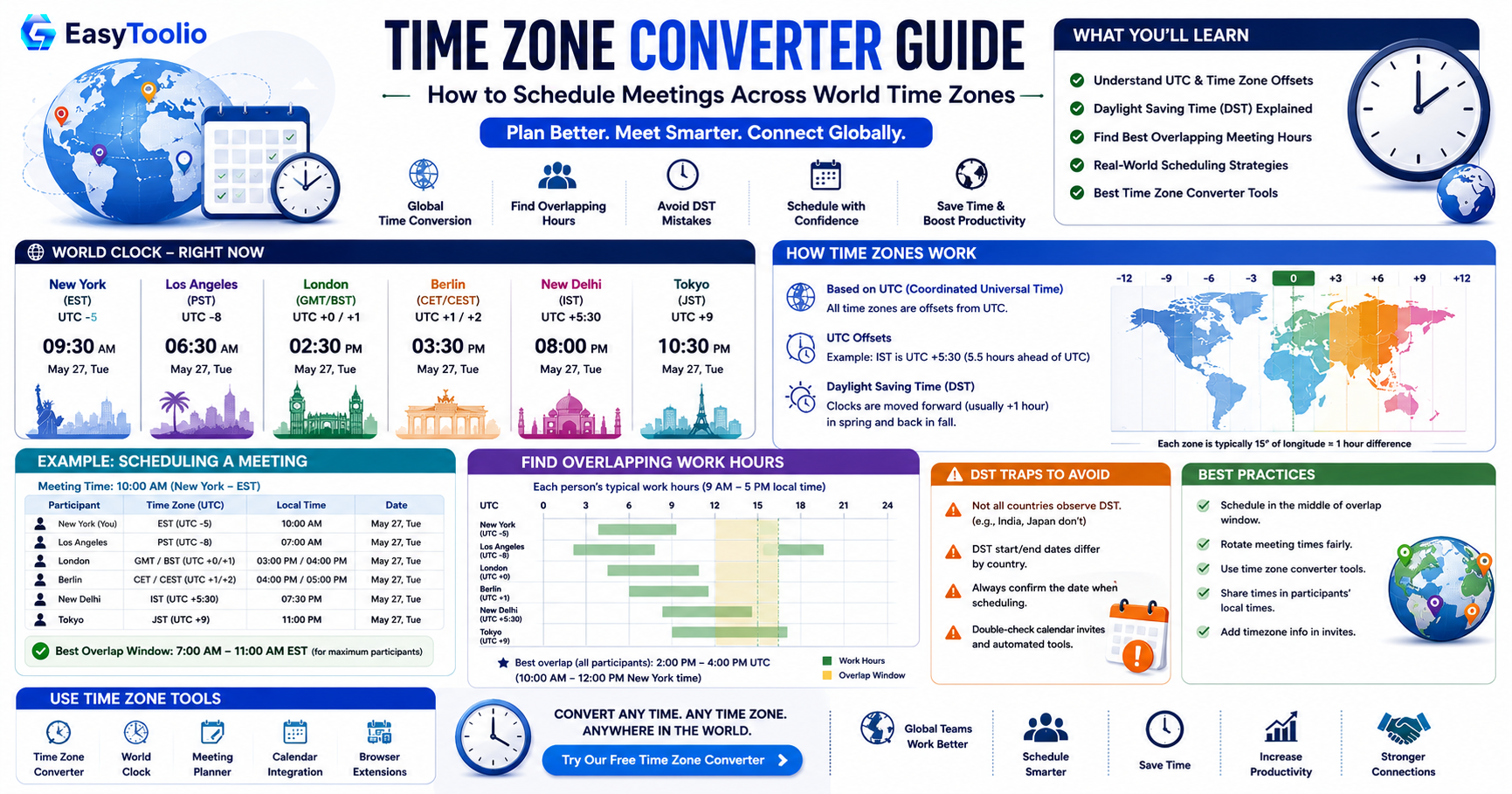
Coordinated Universal Time (UTC) is the primary time standard by which the world regulates clocks and time. It is not adjusted for daylight saving time, making it the perfect reference baseline for all timezone calculations.

2 Daylight Saving Time (DST) Transitions

Many countries shift their clocks forward in spring (saving daylight) and back in autumn. Because our timezone calculator is built using native system databases, it automatically tracks these transition dates so you never plan a meeting off by an hour.

3 Finding overlapping Business Hours

To find ideal meeting slots, look for the overlapping Green blocks in the scheduler. This represents standard working hours (9:00 AM - 5:00 PM local time) for all participant regions, minimizing late-night or early-morning calls.

FAQs

Frequently Asked Questions

The Meeting Planner helps you find overlapping working or waking hours across different time zones. It marks suitable times with colors (Green for business hours, Yellow for waking hours, Red for non-business/sleeping hours) to make scheduling easier.

Yes, our Time Zone Converter uses native PHP timezone databases, which automatically adjust for Daylight Saving Time rules in all regions.

Yes, you can add multiple time zones to the comparison board to compare them side-by-side and keep track of world times simultaneously.

Platform Spotlight

Popular Tools on EasyToolio

Explore More Tools Like Time Zone Converter

loved the Time Zone Converter? Convert global currencies with live rates or calculate financial compound schedules instantly.