Notification
Go to Home All Tools Compare Glossary Blog Contact
Be the first to rate
Developer Tools

Base64 Encoder Decoder

Base64 Encoder Decoder

Encode and decode Base64 strings and files instantly. Ensure UTF-8 compatibility, check formatting validation rules, and parse binary data securely and locally.

Raw Text Input

Real-time conversion
Character Count: 0
Presets:

Base64 Encoded Output

Character Count: 0

Recent Copies History

Access recent conversions copied during this session.

No history logged yet. Copy results to preserve details.
Education

Understanding Base64 Encoding

1 Base64 Converts Binary to Text

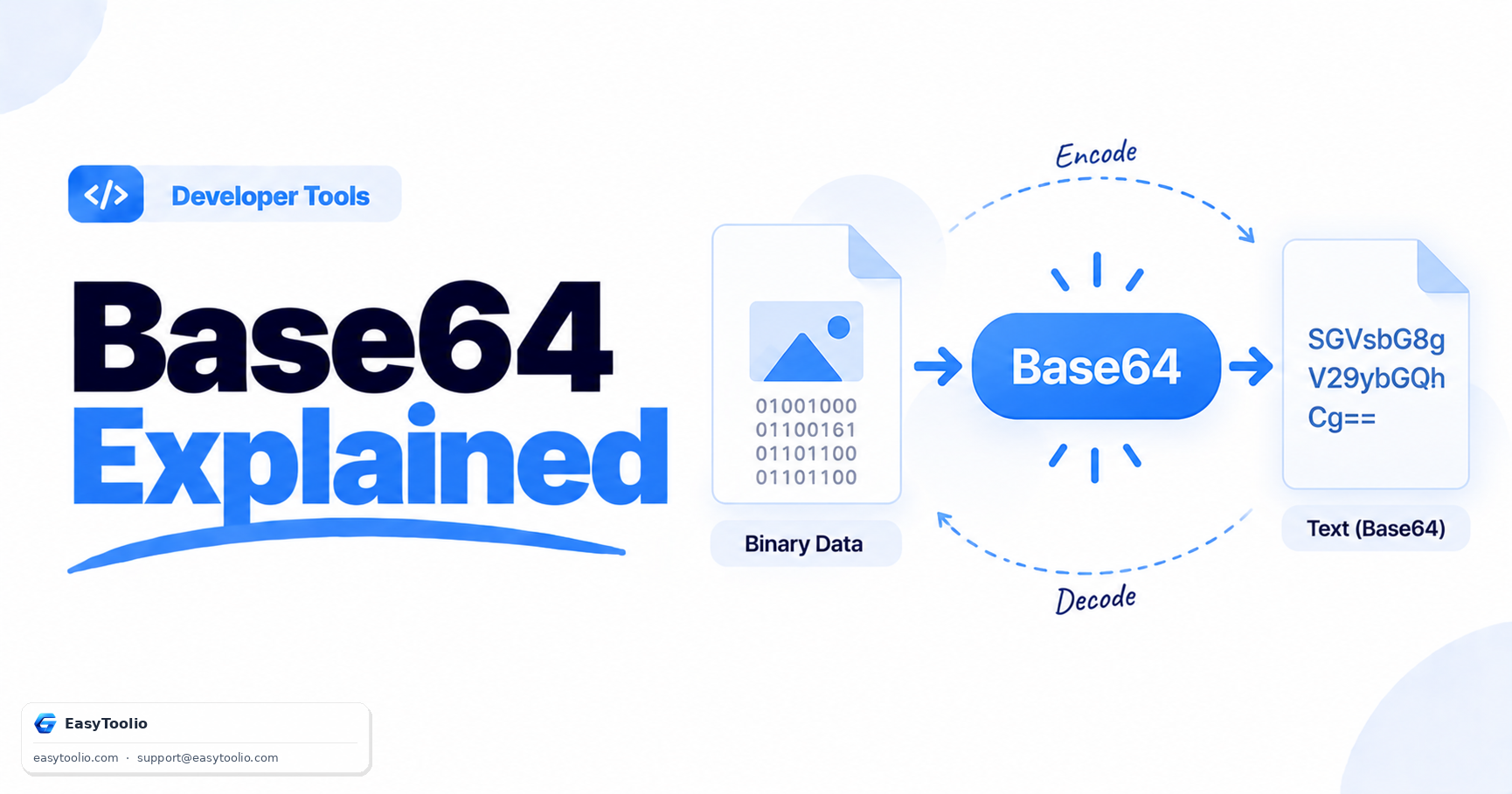
Base64 encoding transforms binary data into a text-based format using a set of 64 printable characters. This allows files, images, and other binary content to be transmitted through systems that are designed to handle text data.

2 Base64 Is Not a Security Feature

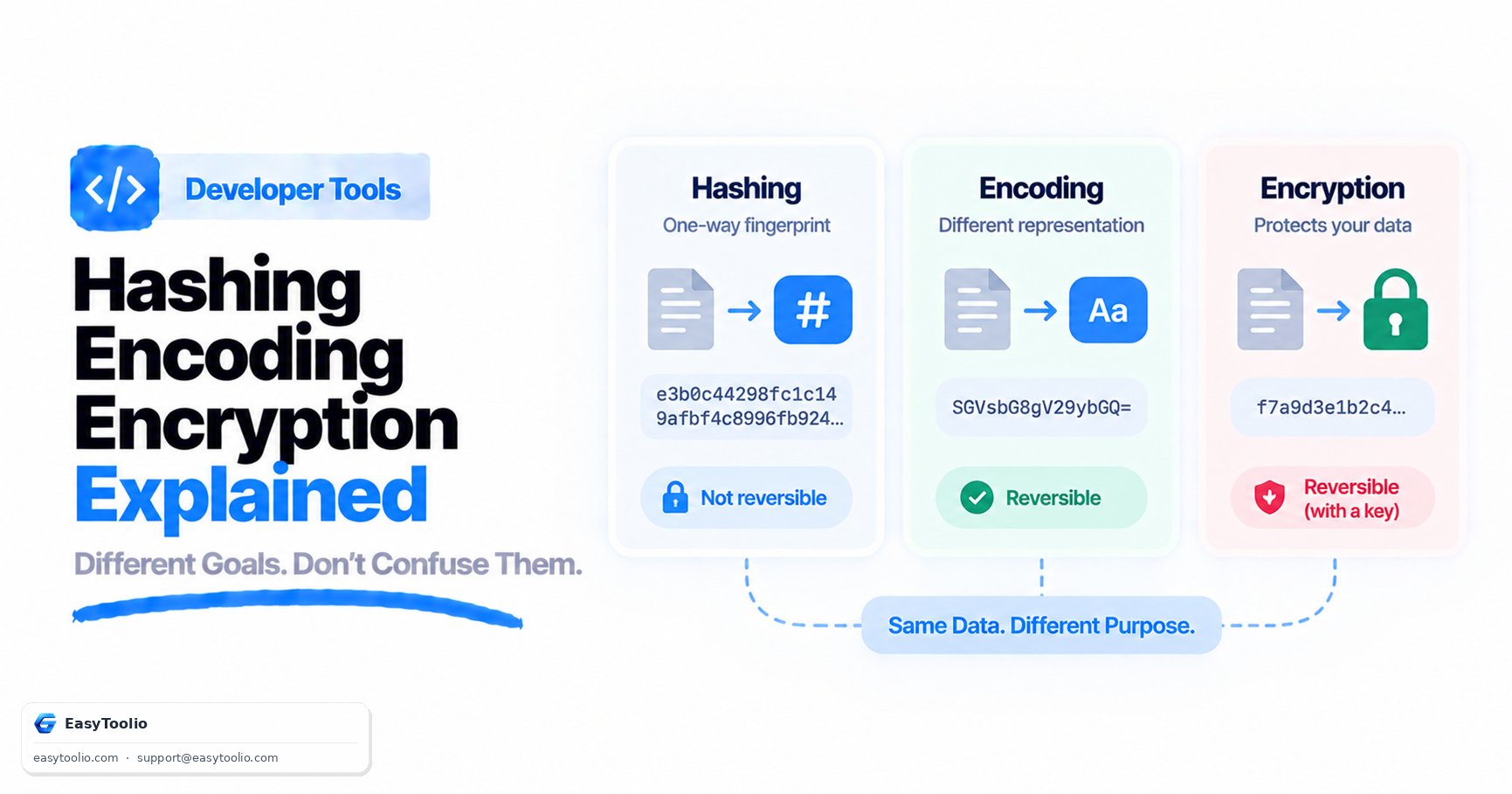
Encoding data with Base64 does not protect it from being read. Anyone can easily decode a Base64 string back into its original form, so sensitive information should always be encrypted before transmission if confidentiality is required.

3 Widely Used Across the Web

Base64 is commonly used in email attachments, data URLs, API payloads, authentication headers, and JSON Web Tokens (JWTs). Its universal compatibility makes it a standard tool for transferring binary data through text-based protocols.

4 Efficiency Compared to Hexadecimal

Base64 represents data more efficiently than hexadecimal encoding. While Base64 increases data size by roughly 33%, hexadecimal encoding typically doubles the original size, making Base64 a more compact option for many applications.

FAQs

Frequently Asked Questions

Yes, entirely. All encoding and decoding operations, including file reads and conversions, are executed directly in your browser using local client-side JavaScript. No content is ever uploaded to our servers or processed externally.

Encoding (such as Base64) is a public algorithm designed to translate data formats to ensure compatibility across different systems and transport layers; it does not require a secret key and can be decoded by anyone. Encryption is a secure method designed to keep data confidential using mathematical algorithms and secret keys; it can only be decrypted by those who hold the correct decryption key.

Standard JavaScript atob() and btoa() functions only support 8-bit binary strings (Latin-1 characters). If you pass multi-byte Unicode characters (like emojis or foreign alphabets), it throws a Character Out of Range exception. This tool resolves this by converting Unicode strings to UTF-8 percent-encoded bytes before encoding, and reversing the process when decoding, ensuring safe representation of all symbols.

Base64 groups binary data into chunks of 24 bits, representing them as four 6-bit characters. If the final binary block contains only 8 or 16 bits, padding characters ("=") are appended to the end of the encoded string to ensure the total string length is a multiple of 4.

Standard Base64 uses "+" and "/" characters, which have special meanings in URLs and can cause issues. URL-safe Base64 replaces "+" with "-" and "/" with "_", and often removes the trailing "=" padding characters to prevent transmission and parsing errors.

Workflow Suggestions

Recommended for Your Workflow

Category Showcase

More from Developer Tools

Platform Spotlight

Popular Tools on EasyToolio

Explore More Tools Like Base64 Encoder Decoder

Loved the Base64 Encoder Decoder? Explore our suite of related utilities to boost your productivity even further.