Notification
Go to Home All Tools Compare Glossary Blog Contact
Be the first to rate
Developer Tools

JWT Decoder

JWT Decoder

Decode and analyze JSON Web Tokens (JWT) instantly. View header, payload, and signature data, check expiration status, and review security properties locally.

Load Preset Token:

Encoded Token (JWT)

Local parsing

Awaiting Token

Paste your raw JSON Web Token above to begin real-time decoding.

Decoded segments

1. Header (Metadata)
Header properties will appear here.
2. Payload (Claims)
Payload claims will appear here.
3. Signature
Signature hash segment will appear here.

Token Claims & Security Metadata

Standard Claims parameters extracted and validated from the token payload.

Claim name JSON key Extracted parameter value
Subject sub -
Issuer iss -
Audience aud -
Expiration Time exp -
Issued At iat -
Not Before nbf -
Algorithm alg (Header) -
Token Type typ (Header) -

Recent JWT Drafts

Access recent JWT tokens cached in your browser storage.

No draft history found. Paste some JWTs to save draft records.
Education

Understanding JWT Tokens & Security

1 JWT Enables Stateless Authentication

JSON Web Tokens (JWTs) allow applications to authenticate users without storing session data on the server. All required identity and authorization information can be carried within the token itself, making JWTs popular in modern APIs and microservices.

2 JWT Consists of Three Parts

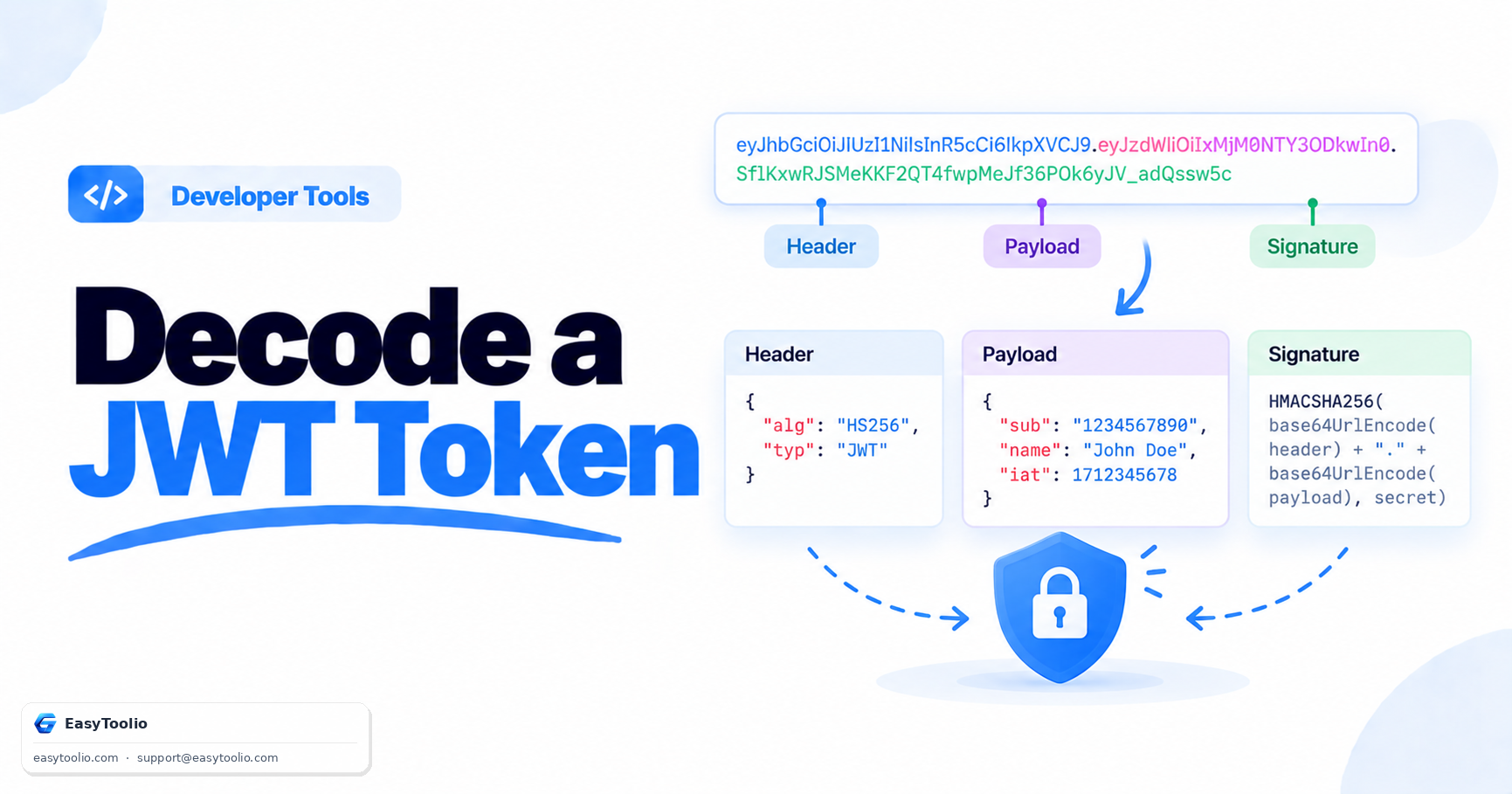
Every JWT contains a Header, Payload, and Signature. The header defines token metadata, the payload contains claims and user information, and the signature helps verify that the token has not been modified after issuance.

3 Encoded Does Not Mean Encrypted

JWT payloads are typically Base64URL encoded, which means their contents can be easily decoded and viewed. Sensitive information such as passwords, API keys, or financial data should never be stored directly inside JWT claims.

4 Short Expiration Improves Security

Limiting token lifetime reduces the risk associated with stolen credentials. Many systems use short-lived access tokens together with refresh tokens to balance security and user convenience.

FAQs

Frequently Asked Questions

Absolutely. All string splitting, base64url decoding, and JSON parsing operations occur entirely client-side using JavaScript inside your browser. No token payloads, credentials, or keys are ever sent across the network.

This tool splits and displays the signature section and warns if the signature part is completely missing. However, verifying cryptographic signatures requires you to input a secret key or public certificate, which we advise against doing on online tools to avoid key leakage.

These are RFC 7519 registered claims: "sub" (Subject) identifies the user/entity, "iss" (Issuer) identifies the auth server, "aud" (Audience) defines intended recipients, "exp" (Expiration Time) marks when the token becomes invalid, and "iat" (Issued At) details when the token was created.

The "none" algorithm indicates that the JWT is unsecured and contains no signature verification. Accepting tokens with "alg: none" makes systems highly vulnerable to spoofing and privilege escalation attacks.

Workflow Suggestions

Recommended for Your Workflow

Category Showcase

More from Developer Tools

Platform Spotlight

Popular Tools on EasyToolio

Explore More Tools Like JWT Decoder

Loved the Jwt Decoder? Explore our suite of related utilities to boost your productivity even further.