Notification
Go to Home All Tools Compare Glossary Blog Contact

JavaScript Minifier

Minify JavaScript online by removing comments and whitespace and shortening syntax, cutting file size without breaking your code.

Load Preset Script:

Raw JS Input

Real-time compiler
1

Awaiting Script

Enter raw JS code above to begin real-time minification.

Minify JS to see optimized code here.

Compression Analytics

Real-time statistics displaying file size reductions achieved through code formatting compaction.

Before Size 0 B
After Size 0 B
Payload Saved 0 B
Size Reduction 0%

Recent JS Drafts

Access recent JavaScript source structures cached locally inside your browser.

No draft history found. Minify some JavaScript code to save draft records.
Education

Understanding JavaScript Minification

01

Smaller Files Load Faster

JavaScript minification removes unnecessary whitespace, comments, and formatting characters without changing functionality. Smaller file sizes reduce download times and improve website performance, especially on slower network connections.

02

Minification Helps Browser Performance

Before JavaScript can run, browsers must parse and compile it. Smaller and cleaner files generally require less processing time, helping pages become interactive more quickly and improving the overall user experience.

03

Minification Is Different from Obfuscation

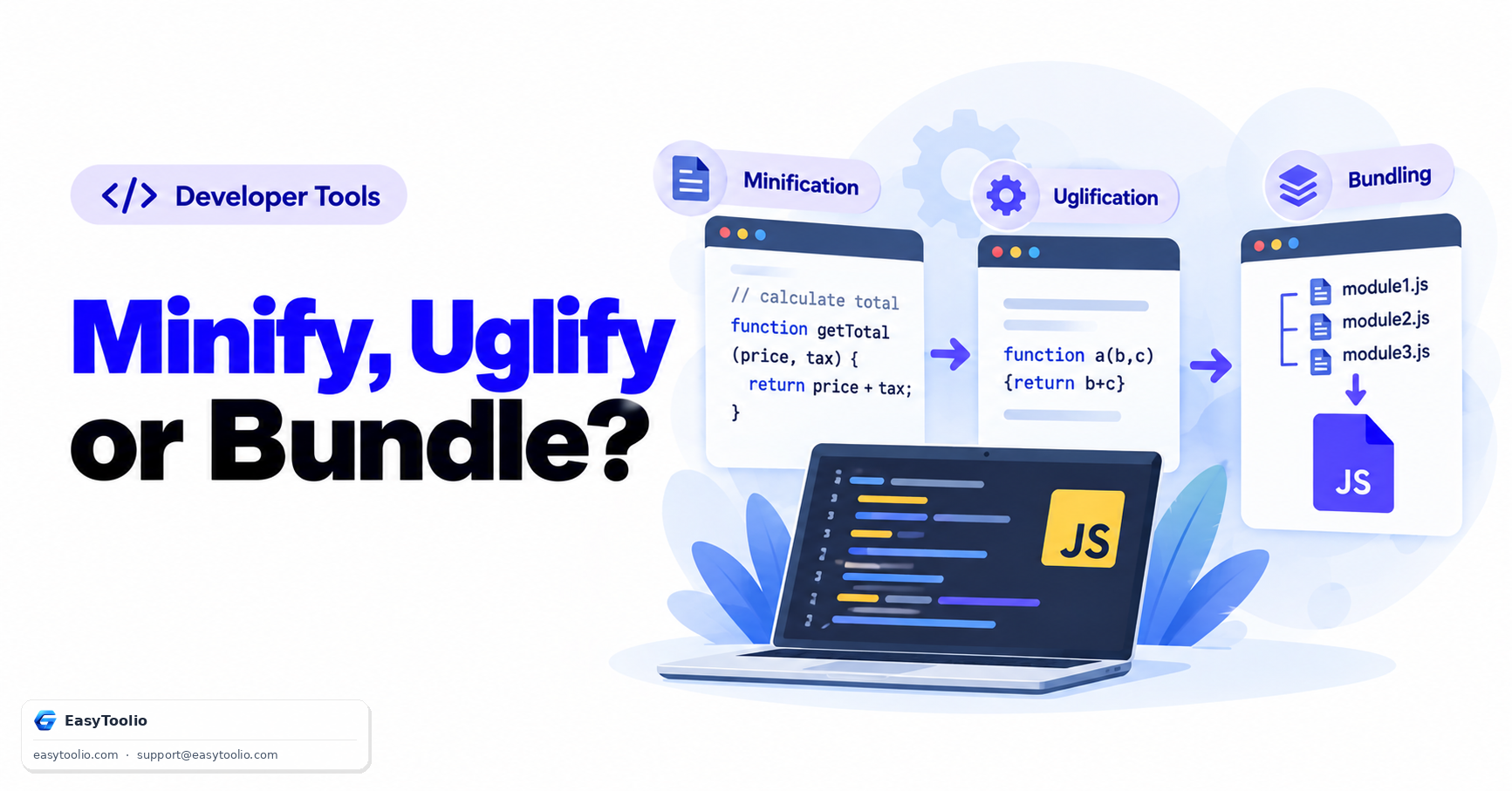
Minification focuses on reducing file size while preserving readability to some extent. Obfuscation goes further by intentionally making code difficult to understand, often for intellectual property protection or security-related purposes.

04

Safe Minifiers Preserve Functionality

Professional JavaScript minifiers analyze code structure before optimization. This prevents issues that could occur from simply removing spaces or line breaks, ensuring operators, strings, regular expressions, and syntax remain valid.

05

What This JS Minifier Does — and Does Not Do

This tool strips whitespace and comments from your JavaScript, and can optionally drop the trailing semicolon before a closing brace, while keeping license banners that start with /*! intact. It does not rename variables, remove console.log calls, or change how your code behaves — the logic stays exactly the same, just smaller.

06

Minification vs. Bundling vs. Transpiling

Minification only shrinks JavaScript that is already valid for the browser running it. Bundling combines multiple files or modules into one, and transpiling (e.g. Babel) rewrites modern syntax into an older form for legacy browsers. This JavaScript minifier handles the size-reduction step only, so bundling and transpiling still need separate tools if your project requires them.

07

Common Mistake: Leftover Debug Code

Minifying does not clean up console.log statements, debugger keywords, or dead code you forgot to remove — it only compresses whatever you paste in. Review and remove debug lines before you minify for production, and avoid running an already-minified file back through the minifier, since the missing whitespace can make any remaining syntax issues harder to spot.

08

Keep a Source Copy and Know When to Skip Minifying

Always keep the original, readable JavaScript in version control and treat the minified output as a build artifact — real projects also generate a source map so errors in production can be traced back to the original line. For small internal scripts or while you are still actively developing, the readability of unminified code is usually more valuable than the bytes a minifier would save.

Good to know

Questions, answered

Quick answers about how this tool works.

Yes. All parsing, lexical tokenizing, and minification operations occur entirely in your browser using JavaScript. No source code payload or script structure is ever uploaded to a server.

Minification reduces file size, resulting in faster asset download times. Furthermore, smaller files require less tokenizing and syntax compilation work by the browser's JavaScript engine (like V8), which speeds up startup times and improves responsiveness metrics like INP (Interaction to Next Paint).

Yes! If you enable the "Keep License Comments" option, the minifier will identify special comments that start with an exclamation mark (/*! ... */) or contain inline licenses and preserve them in the minified script.

Absolutely. The minifier uses a context-aware lexical tokenizer rather than simple regex. It explicitly identifies adjacent boundaries, preventing issues like operator collisions (e.g. joining a + and + remains "a + +b" to prevent compilation errors or incorrect post-increments).

Minification reduces file size by stripping spaces and comments. Obfuscation renames variables to make the code harder to reverse-engineer.

Popular Tools on EasyToolio

Swipe

What do you need to work out next?

Search 190+ free tools by name, or pick a category below. Every one runs instantly in your browser — no signup, nothing to install.

More Developer Tools