Notification
Go to Home All Tools Compare Glossary Blog Contact
Be the first to rate
Developer Tools

CSV to JSON Converter

CSV to JSON Converter

Convert CSV text or files into formatted JSON structures instantly. Supports custom delimiters, auto-detect, primitive type parsing, header rows, and array/object layout formats.

Load Preset CSV:

Raw CSV Data

Drag & Drop File Supported
Drop CSV File Here Maximum size 5 MB
1

Awaiting Payload

Enter CSV content above to validate structural formatting.

Format CSV to see syntax-highlighted JSON here.

Structure & Payload Metrics

Real-time stats about the parsed CSV schema and generated JSON footprint.

JSON File Size 0 B
Characters 0
JSON Lines 0
CSV Columns 0
Parsed Records 0

Recent CSV Drafts

Access recent CSV datasets saved in your browser local storage.

No draft history found. Convert some CSV payloads to save draft records.
Education

Understanding CSV to JSON Conversion

1 Why Convert CSV to JSON?

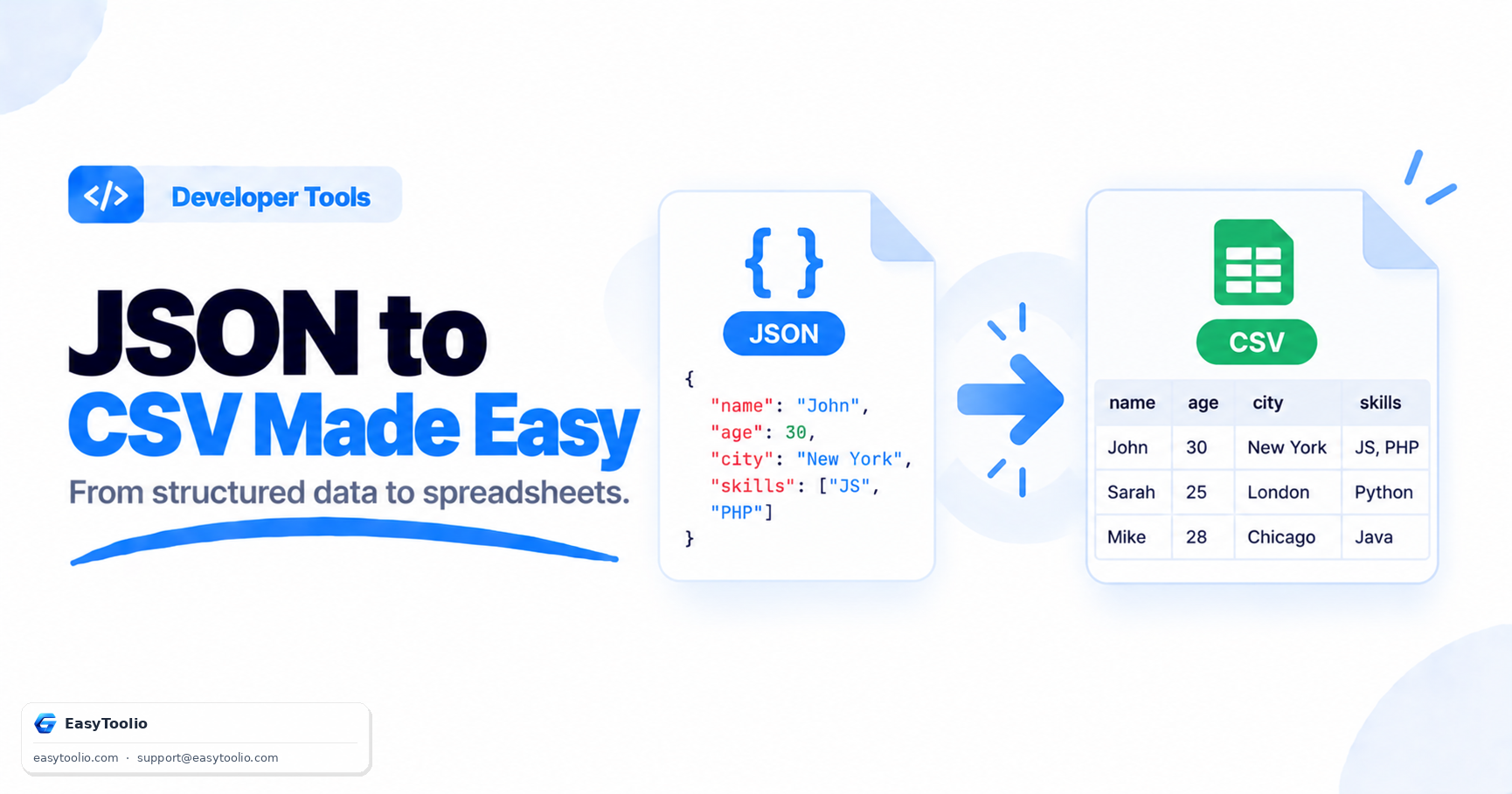
CSV files are ideal for spreadsheets and tabular data, while JSON is the preferred format for APIs, web applications, and modern databases. Converting CSV to JSON makes data easier to integrate into software systems and development workflows.
2 Headers Become JSON Properties

During conversion, each CSV column header becomes a property name in the resulting JSON objects. Every row is transformed into a structured record, making the data easier to read and process programmatically.

3 Data Types Matter

CSV values are typically stored as plain text. Converters can automatically recognize numbers, booleans, and empty values, transforming them into proper JSON data types that improve API compatibility and data accuracy.

4 JSON Simplifies API Integration

Most modern APIs exchange information using JSON. Converting CSV datasets into JSON format allows developers to import spreadsheet data into applications, databases, dashboards, and automation workflows with minimal effort.

FAQs

Frequently Asked Questions

Yes, 100%. All parsing, formatting, type casting, and JSON serialization calculations occur locally within your browser using JavaScript. No CSV inputs or generated JSON files are ever uploaded or transmitted to any external server.

The converter supports standard Comma (,), Semicolon (;), Tab (\t), Pipe (|), and an Auto-Detect option which analyzes the input to find the most frequent delimiter character.

By default, CSV values are parsed as strings. However, by enabling the "Parse Numbers & Booleans" option, the tool will automatically convert numeric strings (like "42.50") into integers/floats and literal keywords ("true"/"false") into boolean values.

Yes. If you disable the "First Row is Header" option, the converter will treat the first line as regular data and generate generic keys (like "column1", "column2", etc.) to construct the JSON elements.

You can export data in three formats: an Array of Objects (default row-by-row key-value mapping), an Array of Arrays (pure values representing the rows and columns), or a Keyed Object (linked by the values in your first column).

Workflow Suggestions

Recommended for Your Workflow

Category Showcase

More from Developer Tools

Platform Spotlight

Popular Tools on EasyToolio

Explore More Tools Like CSV to JSON Converter

Loved the Csv To Json? Explore our suite of related utilities to boost your productivity even further.