Notification
Go to Home All Tools Compare Glossary Blog Contact
Be the first to rate
Developer Tools

JSON to CSV Converter

JSON to CSV Converter

Convert JSON data into clean CSV tables instantly. Supports nested object flattening, delimiter options, header mapping/reordering, and visual table grid previews.

Load Preset:

Raw JSON Input

Drag & Drop Supported
Drop JSON file here Maximum size 5 MB
1

Awaiting Payload

Enter JSON data above to begin real-time syntactic analysis.

No data converted yet. Paste JSON or load preset above.
* Grid displays up to the first 10 records for swift UI performance. Instant reactive calculation active

Structure & Conversion Metrics

Real-time stats about the parsed JSON hierarchy and generated CSV contents.

CSV Size 0 B
Characters 0
Total Rows 0
Export Columns 0
Total Records 0

Recent JSON Drafts

Access recent JSON files converted in your browser's local memory.

No draft history found. Convert some JSON payloads to save draft records.
Education

Understanding JSON to CSV Conversion

1 Why Convert JSON to CSV?

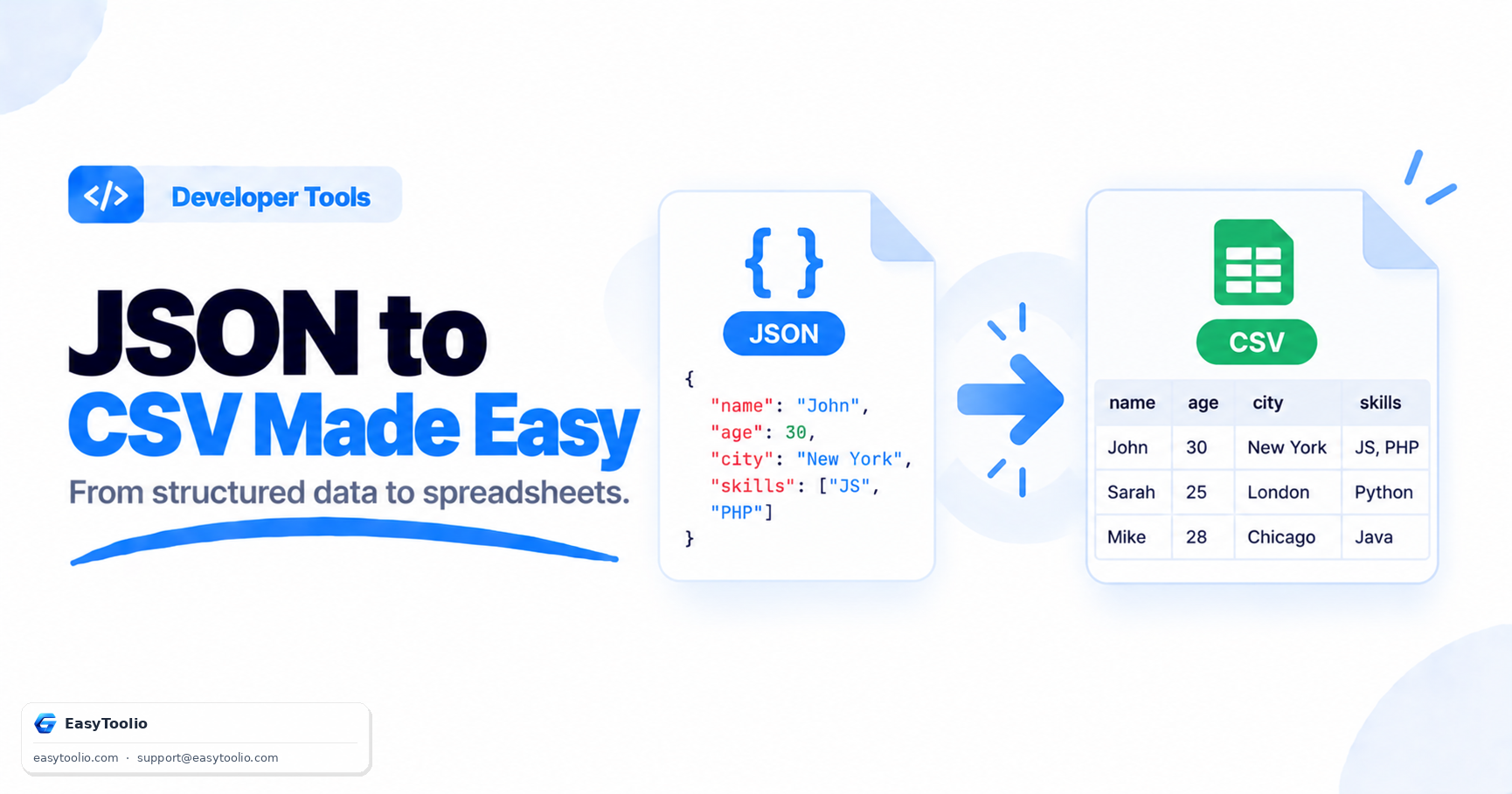
JSON is ideal for APIs and applications, while CSV is easier to analyze in spreadsheet software such as Excel and Google Sheets. Converting JSON to CSV helps transform structured data into a format suitable for reporting, filtering, and analysis.

2 Handling Nested Data Structures

JSON often contains nested objects and arrays that do not fit naturally into spreadsheet columns. Conversion tools can flatten nested properties, stringify complex values, or exclude them depending on the desired output format.

3 CSV Works Across Many Platforms

CSV files are supported by databases, business intelligence tools, spreadsheet applications, and data processing platforms. This makes CSV one of the most widely accepted formats for importing and exporting tabular data.

4 Clean Data Improves Analysis

Well-structured CSV files make it easier to sort, filter, visualize, and analyze information. Ensuring consistent column names and properly formatted values helps prevent import errors and improves data quality.

FAQs

Frequently Asked Questions

No. To guarantee absolute data privacy and security, all parsing, filtering, flattening, and CSV formatting calculations occur entirely inside your browser. No JSON files or data payloads are ever transmitted to any external server.

You can select how to handle nested objects: either flatten them using a separator (like "user.name.first"), ignore/skip them entirely, or keep them as JSON-string values. Arrays can similarly be joined with delimiters or stringified.

Yes! Our custom header options list lets you choose which columns to include in the final CSV and rename keys (e.g., mapping "address.zip" to "Zip Code") dynamically.

The converter automatically wraps a single JSON object into an array of one item, allowing you to convert single-object data into a valid single-row CSV structure.

The tool can comfortably parse and convert JSON files up to 5MB to 10MB in size. Since processing is done directly by your browser's V8 engine, performance will depend on your local system memory.

Workflow Suggestions

Recommended for Your Workflow

Category Showcase

More from Developer Tools

Platform Spotlight

Popular Tools on EasyToolio

Explore More Tools Like JSON to CSV Converter

Loved the Json To Csv? Explore our suite of related utilities to boost your productivity even further.