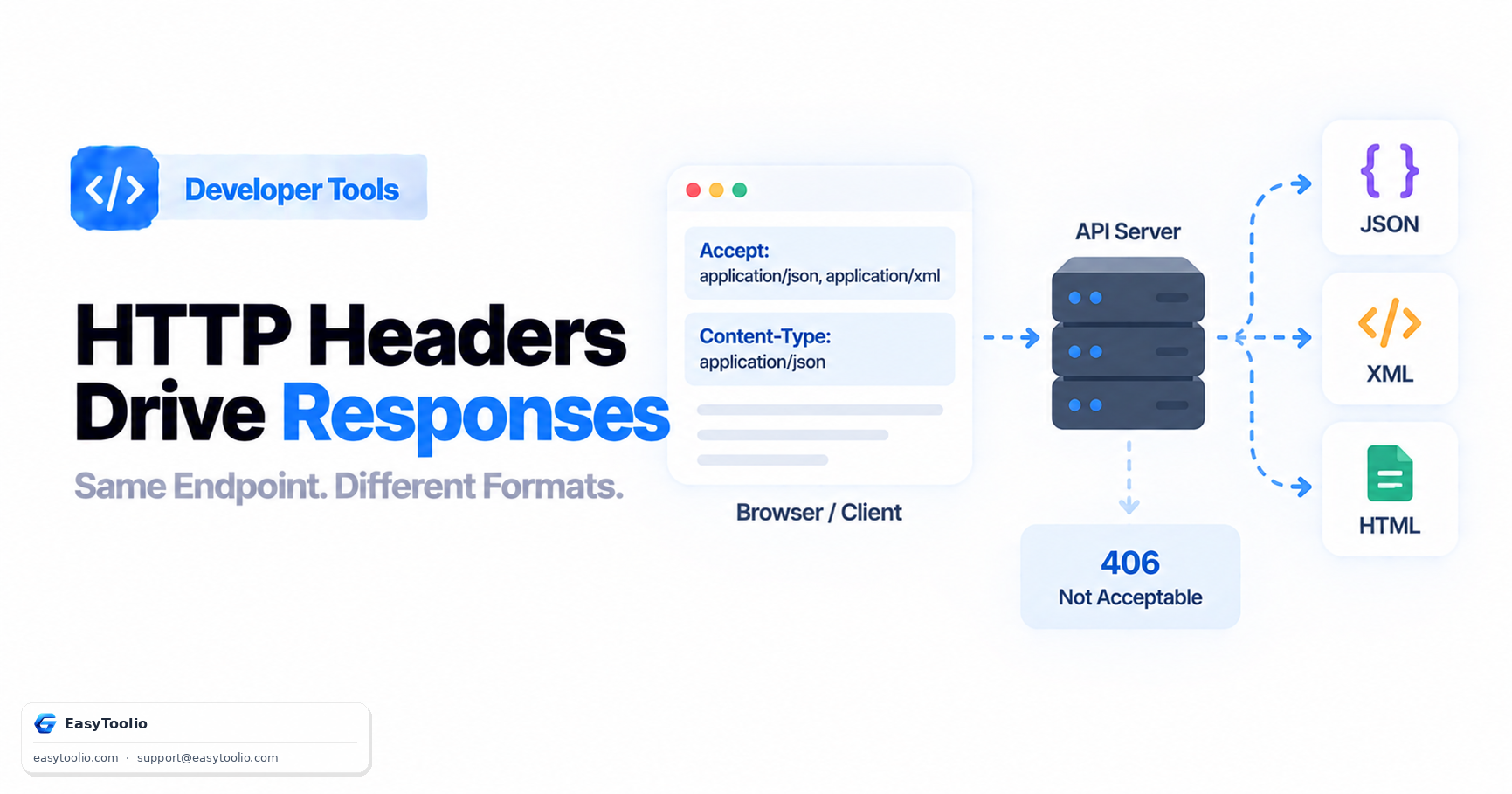
The same API endpoint, hit with the exact same URL, can return a JSON object, an XML document, or a fully rendered HTML page — and which one you get is decided entirely by a single request header you set before the request even reaches the server. This mechanism, content negotiation, is one of HTTP's oldest and most underused features, and understanding it explains a category of bugs that look mysterious until you check the headers.
Content negotiation lets a single URL serve different representations of the same underlying resource, and it works through a simple but easily-confused pair of headers — one that the client sends to state what it wants, and one that the server sends back to state what it actually gave.
Direct Answer: The Accept header is sent by the client to tell the server which response formats it can handle, listed as MIME types with optional quality values indicating preference order (e.g., Accept: application/json, text/html;q=0.8 says "prefer JSON, but HTML is acceptable too"). The Content-Type header is sent by the server in its response to state what format the response body is actually in. These are not the same header serving two purposes — they are two distinct headers on two different sides of the exchange, and confusing them is a common source of integration bugs. When a server cannot produce any format the client's Accept header says it can handle, the correct response is 406 Not Acceptable, though in practice many APIs instead just fall back to a default format rather than strictly enforcing this.
1. How the Client States What It Wants
The Accept request header lists acceptable MIME types, optionally with a q (quality) value from 0 to 1 indicating relative preference — no q value means an implicit preference of 1 (highest).
GET /users/482 HTTP/1.1
Host: api.example.com
Accept: application/json, application/xml;q=0.9, text/html;q=0.5
This tells the server: "I most prefer JSON; XML is fine if JSON isn't available; HTML is acceptable as a last resort." A well-behaved server picks the highest-preference format from that list that it's actually capable of producing.
2. How the Server States What It Sent
The Content-Type response header states, unambiguously, what format the body actually is — this is what the receiving client should trust and parse against, not assume based on what it originally requested.
HTTP/1.1 200 OK
Content-Type: application/json; charset=utf-8

{"id": 482, "name": "Jane Doe", "role": "admin"}
A common and confusing bug happens when a client sends a body in a request (say, a POST) and also needs to specify what format that body is in — this is a separate use of Content-Type, this time on the request side, describing the request body rather than negotiating the response:
POST /users HTTP/1.1
Content-Type: application/json
Accept: application/json

{"name": "New User"}
Here, Content-Type describes the format of the JSON being sent in this request, while Accept separately states what format the client wants the response to be in — the two headers can specify different formats entirely, and mixing up which one governs which direction is a frequent source of confusion.
3. The Header Roles at a Glance
| Header | Sent by | Describes | Example |
|---|---|---|---|
Accept |
Client (in the request) | What response formats the client can handle, in preference order | Accept: application/json |
Content-Type (on a request) |
Client (in the request) | What format the request body itself is in | Content-Type: application/json |
Content-Type (on a response) |
Server (in the response) | What format the response body actually is | Content-Type: application/xml |
406 Not Acceptable |
Server (as a response status) | None of the client's acceptable formats can be produced | HTTP/1.1 406 Not Acceptable |
4. A Worked Example: One Endpoint, Three Formats
Consider a single endpoint GET /reports/quarterly that supports content negotiation across three formats:
Request 1:
GET /reports/quarterly HTTP/1.1
Accept: application/json
→ Response Content-Type: application/json
→ Body: {"quarter": "Q2", "revenue": 482000}

Request 2:
GET /reports/quarterly HTTP/1.1
Accept: application/xml
→ Response Content-Type: application/xml
→ Body: <report><quarter>Q2</quarter><revenue>482000</revenue></report>

Request 3:
GET /reports/quarterly HTTP/1.1
Accept: text/html
→ Response Content-Type: text/html
→ Body: <html>...a rendered report page...</html>
Same URL, same underlying data, three completely different representations — decided purely by what the client asked for in Accept. This is exactly how many public APIs support both a JSON API and a human-browsable HTML view from identical URL paths.
5. What Happens on a Mismatch: 406 Not Acceptable
If a client's Accept header lists only formats the server genuinely cannot produce for that resource, the technically correct response is:
HTTP/1.1 406 Not Acceptable
Content-Type: application/json

{"error": "Cannot produce a response matching the requested Accept header"}
In practice, 406 is relatively rare in the wild — many real-world APIs choose to be lenient and fall back to a sensible default format (often JSON) rather than strictly rejecting the request, treating strict enforcement as more likely to break integrations than help them. Still, encountering an actual 406 is a strong, specific signal to check exactly what your Accept header contains versus what the endpoint can actually produce.
You can inspect exactly what headers a request is sending and receiving using an HTTP header analyzer, and test how a specific endpoint responds to different Accept values directly with an API tester — invaluable for debugging a content-negotiation mismatch without needing to write a test script.
Frequently Asked Questions
What's the difference between Accept and Content-Type?
Accept is a request header stating what response formats the client can handle; Content-Type states what format a specific body (either the request body or the response body) actually is — they answer different questions and can specify different formats within the same exchange.
What does a 406 status code mean?
It means the server cannot produce a response in any of the formats listed in the client's Accept header — though in practice many APIs fall back to a default format instead of strictly returning 406.
If I don't send an Accept header, what happens?
Most servers treat a missing Accept header as "any format is acceptable" and return their default representation — commonly JSON for APIs — rather than rejecting the request.
Can Content-Type include more than just the format?
Yes — it commonly includes a charset parameter, like Content-Type: application/json; charset=utf-8, specifying the character encoding of the body alongside the MIME type itself.
Why would an API return HTML and JSON from the same URL?
This is a deliberate content-negotiation design choice, letting a browser navigating directly to the URL see a readable HTML page while a program calling the same URL with Accept: application/json gets a machine-parseable response — without needing two separate endpoints.
References: RFC 9110 (HTTP Semantics — Accept, Content-Type, and 406 Not Acceptable), RFC 2046 (MIME media types).