How to Use QR Codes on Business Cards: A vCard Generator Guide
Print business cards are making a high-tech comeback. Learn how to embed a digital contact card (vCard) directly into a QR code so clients can save your contact details in a single scan.
Generate MD5, SHA-1, SHA-256, SHA-384, and SHA-512 hashes instantly from text or files. Compare hashes, toggle casing, and verify data integrity.
Paste a checksum/signature hash to automatically verify and match it against the computed outputs.
Access recent hashes copied to your clipboard during this session.
Cryptographic hash functions generate a unique fingerprint for data. By comparing hash values before and after transfer, users can verify that files, messages, or downloads have not been altered or corrupted.
Hash algorithms exhibit the avalanche effect, meaning even a tiny change in the input produces a dramatically different output. This property makes hashes effective for detecting modifications and tampering.
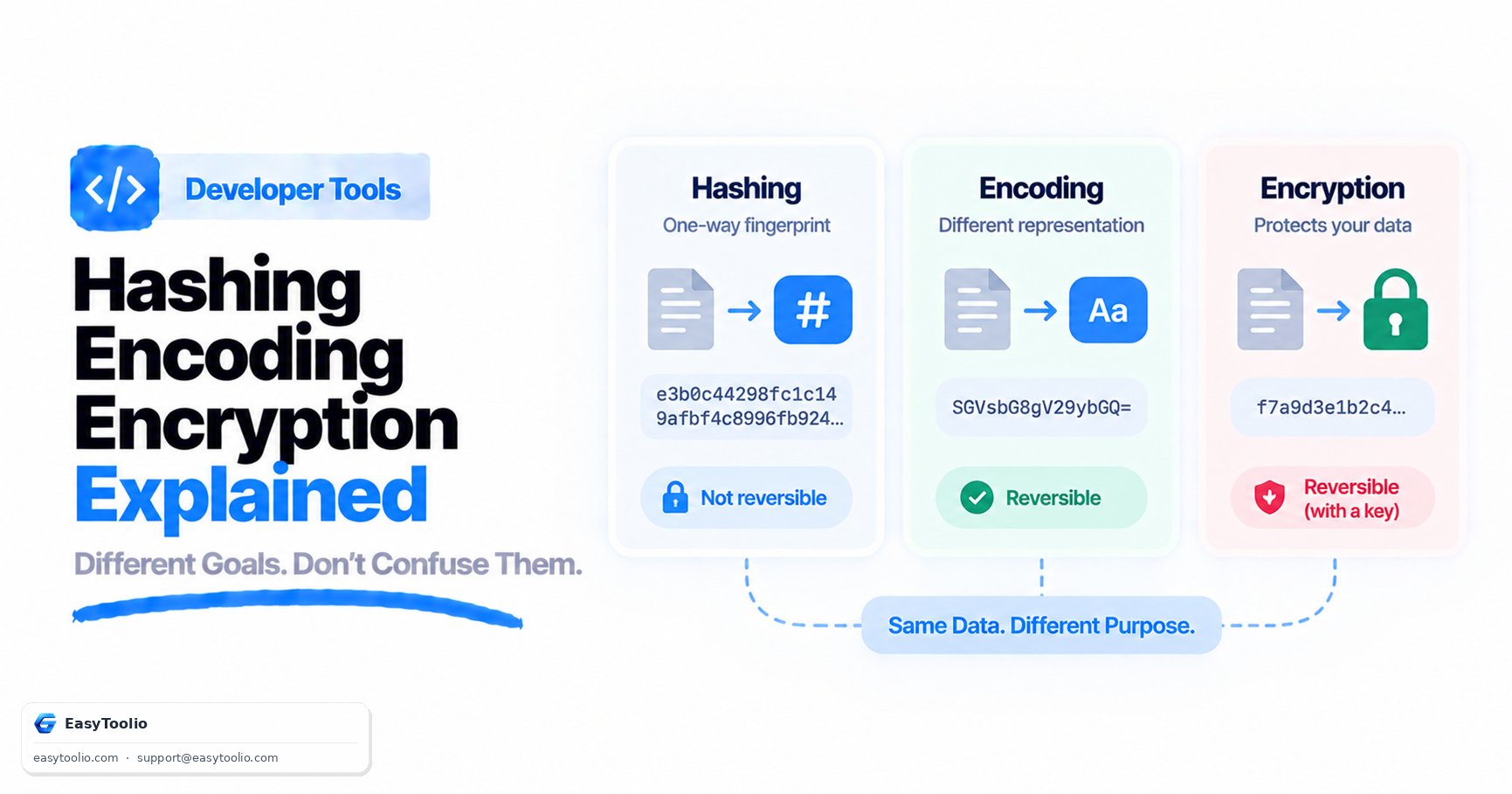
Hashing is a one-way process designed for verification and integrity checks, while encryption is a reversible process used to protect confidential information. A hash cannot normally be converted back into the original data.
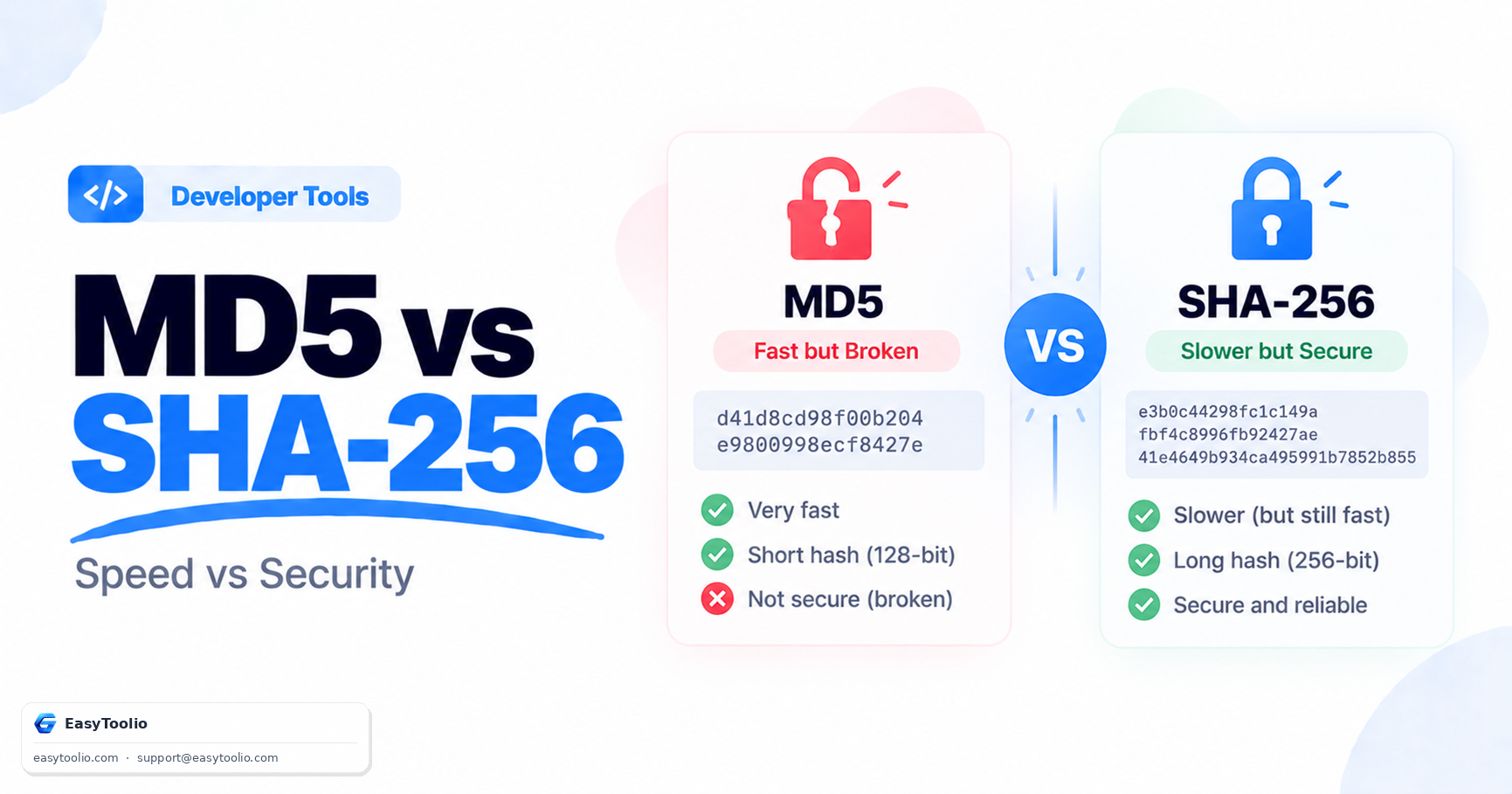
Older algorithms such as MD5 and SHA-1 are no longer recommended for security-sensitive applications. Modern systems typically rely on stronger algorithms like SHA-256, SHA-384, and SHA-512 for improved protection against attacks.
Yes, 100%. All hashing algorithms, text conversions, and file readings are computed locally using JavaScript and standard browser Web Crypto APIs. No information is ever uploaded or transmitted to any external server.
Hashing is a one-way function; it converts data into a fixed-length string that cannot be reversed. Encryption is a two-way function; it transforms data into ciphertext using a key, which can later be decrypted back into plaintext using the correct decryption key.
No. Cryptographic hashes are designed mathematically to be one-way processes. You cannot reverse a hash back to its original input. However, weak or common inputs can sometimes be identified using precomputed lookup tables (known as rainbow tables).
A hash collision occurs when two different inputs produce the exact same hash output. While theoretically possible for all algorithms, algorithms like MD5 and SHA-1 have known collision vulnerabilities, making them unsuitable for secure digital signatures or password hashing. SHA-256, SHA-384, and SHA-512 remain highly secure.
Raw hashes can be computed extremely quickly, allowing hackers to perform billions of guesses per second during a brute-force attack. Modern password security requires slow, iterative, salted algorithms like bcrypt, scrypt, or Argon2, which increase computation time and are highly resistant to hardware acceleration.
Upload the file to the "File Hash" tab of this tool. The generator will compute the file's SHA-256 or SHA-512 checksum. Compare this output with the official checksum published on the download page. If they match exactly, the file has not been altered or corrupted.
Read our in-depth articles and guides related to this tool to help you make smarter decisions.
Create strong, randomly generated customizable passwords. 100% private, local generation using cryptographic APIs.
Decode and analyze JSON Web Tokens (JWT) instantly. View header, payload, and signature data, check expiration status, and review security properties locally.
Generate RFC-compliant UUIDs (v1, v4, v5, v7) instantly. Supports bulk generation, formatting customization (uppercase, no hyphens), validation, and export to TXT, CSV, or JSON.
Pick, convert, preview, copy, and generate color palettes in HEX, RGB, RGBA, HSL, HSV/HSB, and CMYK formats instantly.
Beautify, format, minify, and compact JSON strings. Clean data structures, inspect objects with an interactive tree view, and download formatted JSON files.
Validate JSON data against RFC 8259 standards. Detect trailing commas, duplicate keys, mismatched brackets, and run visual diff comparisons.
Convert JSON data into clean CSV tables instantly. Supports nested object flattening, delimiter options, header mapping/reordering, and visual table grid previews.
See how systematic small savings grow into monumental long-term fortunes. Compute compound schedules instantly with zero registration required.
Convert any baseline salary metric instantly across multiple frequencies. Factor in working times, holidays, and unpaid vacations to reveal your effective time value with intelligent AI diagnostics.
Unleash the mathematical force of compounding. Model initial capital, recurring contributions, variable compound intervals, and analyze exponential progress instantly.
Easily add or subtract GST taxes with customizable percentages. Designed with large touch interfaces optimized specifically for mobile-first tax management.
Loved the Hash Generator? Explore our suite of related utilities to boost your productivity even further.