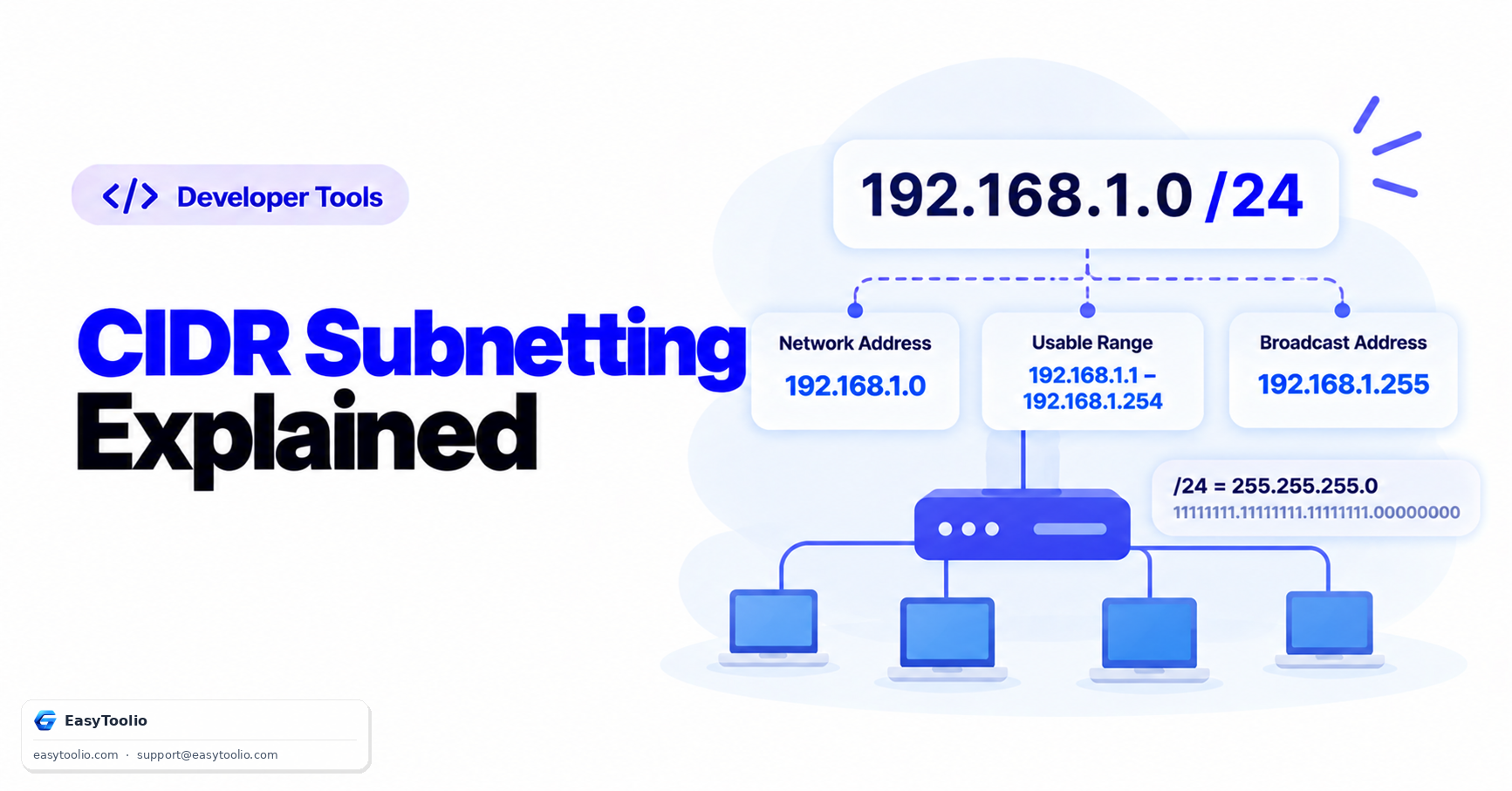
CIDR notation — the "/24" you see appended to an IP address — packs two pieces of information into a few characters: which part of the address identifies the network, and which part identifies individual hosts on it. Reading it correctly is one thing; calculating the actual address range it covers by hand is where most people get stuck.
What the Prefix Number Actually Means
An IPv4 address is 32 bits long. The number after the slash — the prefix length — tells you how many of those 32 bits are fixed as the "network" portion. The remaining bits are available for host addresses.
Host bits = 32 − Prefix length
Usable addresses = 2^(Host bits) − 2
The "−2" accounts for the network address (all host bits zero) and the broadcast address (all host bits one), neither of which can be assigned to a device — this applies to traditional subnetting; some contexts (like point-to-point /31 links, defined in RFC 3021) are a deliberate exception.
A Worked Example
Take 192.168.1.0/24:
- Host bits = 32 − 24 = 8
- Total addresses = 2⁸ = 256
- Usable addresses = 256 − 2 = 254
- Range:
192.168.1.0(network address, unusable) to192.168.1.255(broadcast address, unusable) — so hosts can use192.168.1.1through192.168.1.254
Now take a smaller subnet, 192.168.1.0/28:
- Host bits = 32 − 28 = 4
- Total addresses = 2⁴ = 16
- Usable addresses = 16 − 2 = 14
- Range:
192.168.1.0to192.168.1.15, with192.168.1.1–192.168.1.14usable
Quick Reference Table
| Prefix | Subnet mask | Total addresses | Usable addresses |
|---|---|---|---|
| /24 | 255.255.255.0 | 256 | 254 |
| /25 | 255.255.255.128 | 128 | 126 |
| /26 | 255.255.255.192 | 64 | 62 |
| /27 | 255.255.255.224 | 32 | 30 |
| /28 | 255.255.255.240 | 16 | 14 |
| /29 | 255.255.255.248 | 8 | 6 |
| /30 | 255.255.255.252 | 4 | 2 |
Why the Prefix Has to Match Across a Network
Every device on the same subnet needs to agree on the same prefix length — a device configured with the wrong subnet mask will miscalculate which addresses are "local" versus which need to go through a router, causing exactly the kind of intermittent connectivity issues that are miserable to debug. When troubleshooting, checking that every device's subnet mask matches is one of the first things worth ruling out.
Common Mistakes
- Forgetting to subtract network and broadcast addresses. A /24 has 256 total addresses but only 254 usable ones.
- Confusing the prefix length with the number of hosts directly. /24 doesn't mean "24 hosts" — it means 24 network bits, leaving 8 host bits.
- Mismatched subnet masks between devices on the same network, which causes routing confusion that looks like a random connectivity problem.
Frequently Asked Questions
What's the difference between /24 and a "Class C" network? Historically, "Class C" specifically meant /24 under the older classful addressing system. CIDR replaced that rigid system, allowing any prefix length, not just the fixed class boundaries.
Can I have a /31 or /32 subnet? Yes — /32 identifies a single host (often used for loopback addresses), and /31 is specifically permitted for point-to-point links under RFC 3021, since a link between exactly two devices doesn't need separate network/broadcast addresses.
Does this work the same way for IPv6? The prefix-length concept is the same, but IPv6's address space is vastly larger (128 bits instead of 32), so the specific host-count math and typical prefix lengths used in practice differ substantially.
Use the CIDR Subnet Calculator to check your own ranges instantly. See also our guide on public vs private IP addressing and NAT for the broader addressing picture this fits into.
Source: RFC 4632 (Classless Inter-Domain Routing), the IETF standard defining CIDR.