You open a GitHub Actions workflow file and it's YAML; you call a REST API and the response is JSON. Both formats represent the exact same kinds of data — objects, arrays, strings, numbers, booleans — yet nobody writes API responses in YAML or CI config in JSON. The reason comes down to genuine structural tradeoffs, not habit.
Both formats are ways of serializing structured data as plain text, but they make opposite bets on what matters most: JSON optimizes for unambiguous, machine-parseable structure; YAML optimizes for human readability and hand-editing.
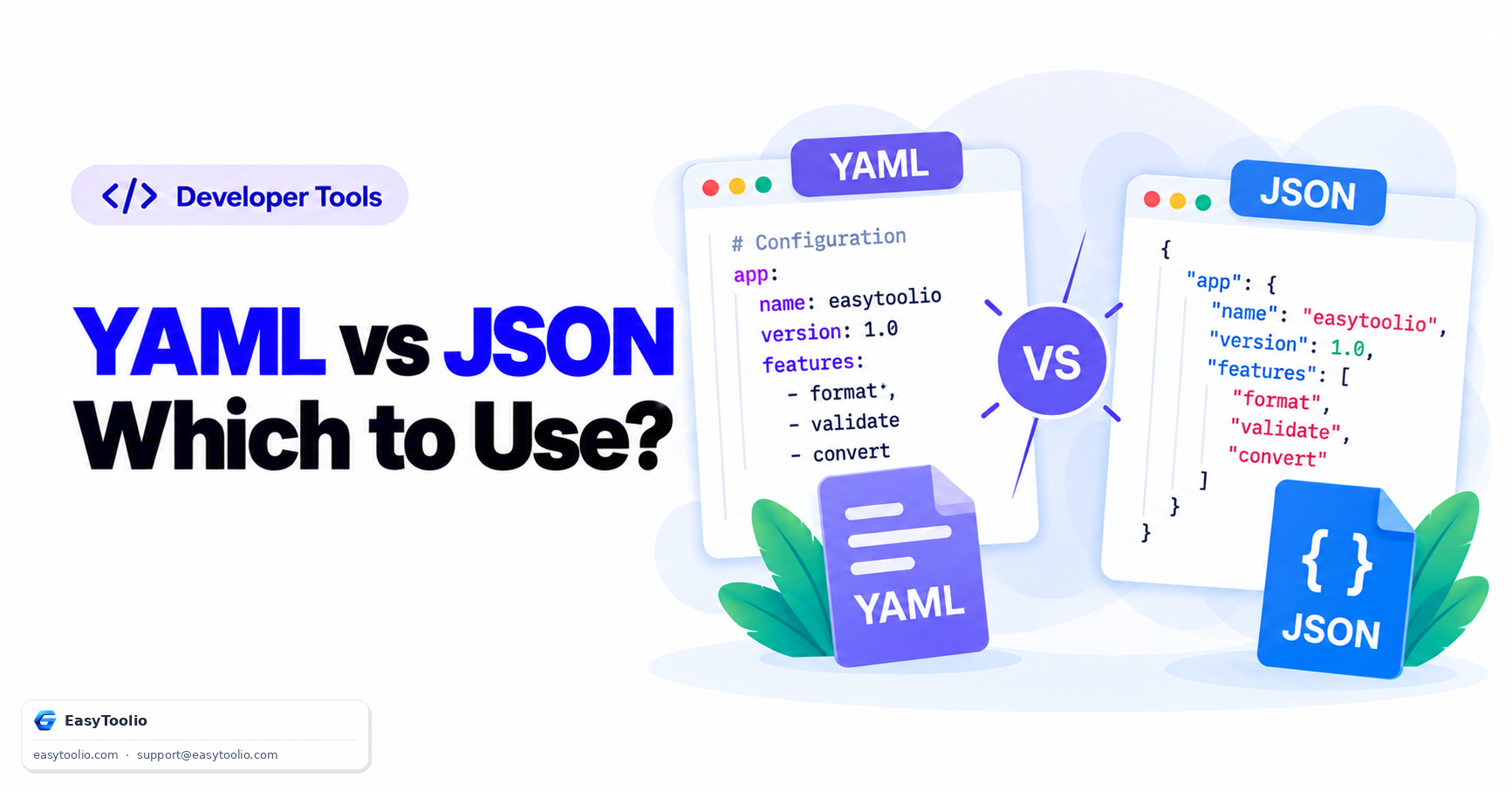
Direct Answer: JSON uses explicit brackets and braces ({}, []) and quoted keys to delimit structure, has no support for comments, and is strict about trailing commas and quoting — this strictness makes it fast and unambiguous to parse, which is why it's the standard format for APIs. YAML uses indentation and line breaks instead of brackets, supports # comments, and allows unquoted strings — this makes it far more readable and editable by hand, which is why it dominates configuration files like GitHub Actions workflows, Docker Compose, and Kubernetes manifests, at the cost of being more sensitive to subtle formatting mistakes like mixed tabs and spaces.
1. Side-by-Side Syntax
The exact same data, structurally identical, in both formats:
{
  "name": "web-service",
  "port": 8080,
  "debug": false,
  "tags": ["api", "production"],
  "database": {
    "host": "localhost",
    "retries": 3
  }
}
# Service configuration
name: web-service
port: 8080
debug: false
tags:
  - api
  - production
database:
  host: localhost
  retries: 3
Both describe an identical object structure. JSON needs quotes around every string key and value and delimits nesting with {} and []; YAML needs neither — nesting is expressed purely through consistent indentation, and unquoted strings are the default.
2. Feature Comparison
| Feature | JSON | YAML |
|---|---|---|
| Comments | Not supported | Supported via # |
| Structure delimiters | Braces {} and brackets [] |
Indentation (spaces only) |
| Quoting strings | Required for all string keys/values | Optional in most cases |
| Trailing commas | Syntax error | Not applicable (no commas used for structure) |
| Multi-line strings | Requires escaped \n |
Native support (| and > block styles) |
| Human readability | Moderate | High |
| Parsing strictness | High, unambiguous | Lower, more room for subtle errors |
| Typical use case | APIs, data interchange | Config files (CI/CD, infra-as-code) |
3. Why YAML Dominates CI/CD and Config Files
Configuration files are read and hand-edited by people constantly — tweaking a build step, adding an environment variable, adjusting a deploy trigger. GitHub Actions workflows, Docker Compose files, Kubernetes manifests, and Ansible playbooks are all YAML for the same reason: the format is built to be scanned and edited visually, with comments available to explain non-obvious settings inline, and without the visual noise of matching braces and commas across a hundred-line nested file.
JSON's strictness is exactly what makes it the better fit for APIs instead: a client and server exchanging JSON need a format that parses identically and unambiguously every time with zero room for interpretation, and neither side is hand-editing the payload — it's generated and consumed programmatically, where JSON's terseness and near-universal native parser support (JSON.parse, json.loads, etc.) matter far more than readability.
4. Common YAML Gotchas
YAML's flexibility is also where it causes the most subtle bugs:
- Tabs are not allowed for indentation. YAML requires spaces only; a single tab character in an indented block is a parse error in strict parsers, and this is one of the most common YAML failures for anyone editing with an editor that auto-inserts tabs.
- Boolean coercion of unquoted words. YAML 1.1 parsers (used by many older tools) interpret unquoted
yes,no,on,off,true, andfalse— in various cases — as booleans automatically. This has caused real, documented bugs where a country code field containing the unquoted valueNO(Norway) was silently coerced to the booleanfalse. Quoting the value ("NO") avoids the coercion entirely. - Inconsistent indentation across sibling keys. Unlike JSON where whitespace is cosmetic, in YAML a misaligned indent changes which parent a key nests under, silently restructuring the document rather than throwing an error in some cases.
- Anchors and aliases confusion. YAML supports
&anchorand*aliasto reuse blocks of config, a feature JSON has no equivalent for — powerful for reducing duplication in large config files, but a source of confusion for anyone unfamiliar with the syntax reading the file for the first time.
Before committing a YAML config file, running it through a linter or yaml formatter catches indentation and structural issues that are easy to miss by eye — and if you need to convert or validate the JSON side of an API payload, our json formatter handles that half of the comparison.
Frequently Asked Questions
Can I convert YAML to JSON without losing data?
Generally yes for standard structures — since both formats represent the same underlying data model (objects, arrays, scalars) — but YAML-specific features like comments, anchors/aliases, and multi-document files (separated by ---) have no JSON equivalent and will be lost or need to be flattened in conversion.
Why does my YAML file break when I add a comment in JSON?
JSON has no comment syntax at all — any # or // in a JSON file is a syntax error. If you need inline documentation in a data file, YAML is generally the better choice, or JSON5/JSONC variants that specifically extend JSON to allow comments.
Is YAML slower to parse than JSON?
Yes, generally — YAML's more complex grammar (indentation sensitivity, multiple scalar styles, anchors) makes parsing meaningfully slower than JSON's simpler, more rigid grammar, which is one more reason JSON remains preferred for high-throughput API traffic.
What causes the "Norway problem" in YAML?
It refers to YAML 1.1's automatic boolean coercion of unquoted words like no, yes, on, and off — a two-letter country code NO written unquoted gets silently interpreted as the boolean false by many parsers, a well-documented and still-common YAML gotcha. Quoting the value prevents it.
Can I use tabs to indent a YAML file?
No — the YAML specification does not allow tab characters for indentation; only spaces are valid, and most parsers will throw an error if a tab is used, which is a frequent source of confusion for developers copying config from tab-indented sources.
References: YAML Specification 1.2 (yaml.org); ECMA-404, The JSON Data Interchange Syntax.