A page loads slower than it should, or a browser flags a security warning, and the fix in both cases often lives somewhere neither the HTML nor the CSS — it's in the HTTP headers, the metadata exchanged before the actual page content, which most developers only look at when something is already broken.
HTTP headers are key-value pairs sent alongside every request and response, carrying instructions about caching, content format, authentication, and security policy that the body of the message itself doesn't communicate.
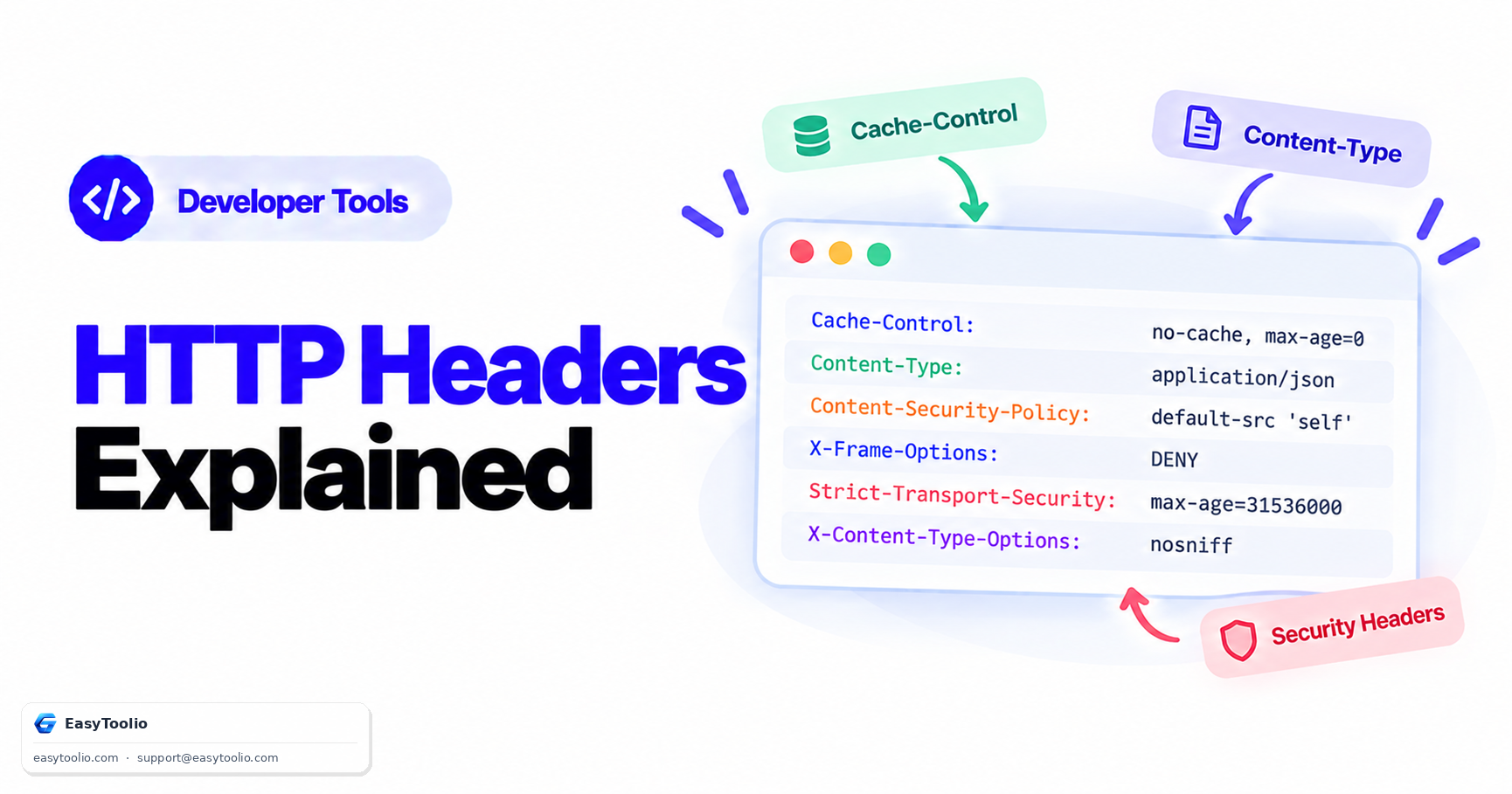
Direct Answer: HTTP headers split into request headers (sent by the client, like Authorization or Accept) and response headers (sent by the server, like Content-Type or Cache-Control). Cache-Control governs whether and how long a browser or CDN may reuse a cached copy of a resource instead of re-fetching it, Content-Type tells the client how to interpret the body (as HTML, JSON, an image, etc.), and a group of dedicated security headers — Content-Security-Policy, X-Frame-Options, and Strict-Transport-Security among them — instruct the browser to enforce restrictions that block common attack classes like cross-site scripting and clickjacking, independent of anything the page's own JavaScript does.
1. Request Headers vs. Response Headers
| Type | Sent By | Examples | Purpose |
|---|---|---|---|
| Request | Client (browser, app) | Authorization, Accept, User-Agent, Cookie |
Tells the server what the client wants and who it is |
| Response | Server | Content-Type, Cache-Control, Set-Cookie, ETag |
Tells the client how to handle what it received |
Some headers, like Cache-Control, can appear on both a request (a client asking the server to bypass cache) and a response (the server instructing downstream caches how to treat this resource) — the direction changes what the same header name actually means.
2. Key Headers Reference Table
| Header | Type | What It Controls |
|---|---|---|
Cache-Control |
Response (and request) | Caching duration and rules for browsers/CDNs |
Content-Type |
Response | The MIME type of the body (text/html, application/json, image/png) |
Content-Security-Policy |
Response | Restricts which sources scripts, styles, and other resources may load from |
X-Frame-Options |
Response | Whether the page may be embedded in an <iframe> on another site |
Strict-Transport-Security |
Response | Forces the browser to only connect via HTTPS for a specified duration |
ETag |
Response | A version fingerprint of a resource, used for conditional re-validation |
Authorization |
Request | Carries credentials (e.g., a Bearer token) for authenticated requests |
3. Cache-Control Directives That Actually Differ
Cache-Control directives are frequently confused with each other despite meaning quite different things:
max-age=<seconds>— the resource may be reused from cache without re-checking the server at all until this many seconds have passed. This is the most direct performance lever: a static asset withmax-age=31536000(one year) is never re-requested during that window unless the URL itself changes.no-cache— despite the name, this does not forbid caching. It means the resource may be cached, but the cache must revalidate with the server (typically via anETagorIf-Modified-Sincecheck) before serving the cached copy, so the server can respond with a lightweight304 Not Modifiedinstead of resending the full body.no-store— this is the directive that actually forbids caching entirely. No copy of the response may be stored anywhere, by any cache, at any layer — appropriate for genuinely sensitive responses like account balances or one-time tokens.privatevspublic—privaterestricts caching to the end user's own browser only, disallowing shared caches like a CDN or corporate proxy from storing the response;publicexplicitly allows any cache layer to store it.
Mixing up no-cache and no-store is one of the most common header mistakes — engineers reaching for "don't cache this" reflexively write no-cache when they actually mean no-store.
4. Why Security Headers Matter
Security headers don't change what a page's own code does; they instruct the browser to enforce restrictions regardless of what the page's JavaScript tries to do, which is exactly what makes them effective against attacks that exploit trust in the browser rather than a server-side bug.
Content-Security-Policy (CSP) restricts which origins scripts, stylesheets, images, and other resources may be loaded from, which substantially reduces the impact of a cross-site scripting (XSS) vulnerability — even if an attacker manages to inject a malicious script tag, a correctly configured CSP will block the browser from executing script from any origin not on the allowlist. X-Frame-Options (or the newer frame-ancestors CSP directive) prevents a page from being embedded inside an <iframe> on an attacker's site, which is the core defense against clickjacking, where a hidden iframe tricks a user into clicking something they can't actually see. Strict-Transport-Security (HSTS) tells the browser to never attempt an HTTP connection to this domain again for a specified duration, closing the window an attacker would otherwise have to intercept a single unencrypted request and redirect or strip HTTPS before the user notices.
Because these headers operate at the browser-enforcement layer rather than in application code, misconfiguring or omitting them is a common finding in security audits even on applications with otherwise solid code — the header is the actual control, not a suggestion the app can partially implement. You can inspect the exact headers any live site is sending, including caching and security headers, with our http header analyzer.
Frequently Asked Questions
What's the actual difference between Cache-Control's no-cache and no-store?
no-cache still allows storage but requires the cache to revalidate with the server before reuse; no-store forbids storing the response anywhere at all. They are commonly confused, and no-store is the stricter, "truly don't cache this" directive.
Why would a browser ignore my Content-Type header?
Some older browsers perform "MIME sniffing," inspecting the actual content to guess its type even when a Content-Type header is present, which can create security issues. The X-Content-Type-Options: nosniff header disables this behavior and forces the browser to trust the declared Content-Type exactly.
Do I need Content-Security-Policy if I already use HTTPS?
Yes — HTTPS only protects data in transit between client and server; it does nothing to prevent a cross-site scripting vulnerability in your own page from executing an attacker's injected script. CSP addresses a completely different attack surface and is not a substitute for HTTPS, nor vice versa.
What happens if Strict-Transport-Security is missing?
Without HSTS, a user's first connection attempt (or any connection after a cache expiry) can still be made over plain HTTP, giving an attacker on the network path a window to intercept that request before any redirect to HTTPS occurs — a scenario known as SSL stripping.
How can I check what headers a website is actually sending?
Browser DevTools' Network tab shows headers for any request, or you can use a dedicated header inspection tool to view the full set of response headers for any public URL without needing to open DevTools manually.
References: RFC 9111 (HTTP Caching); MDN Web Docs, "HTTP headers" reference; OWASP Secure Headers Project.