You bought an ultrawide monitor expecting your favorite shooter to feel more immersive, and instead distant enemies look smaller and your aim timing feels off. Field of view isn't just an "immersion" slider — it directly changes how large targets appear on screen and how fast your camera needs to rotate to track them, which is exactly why serious players tune it deliberately rather than leaving it on default.
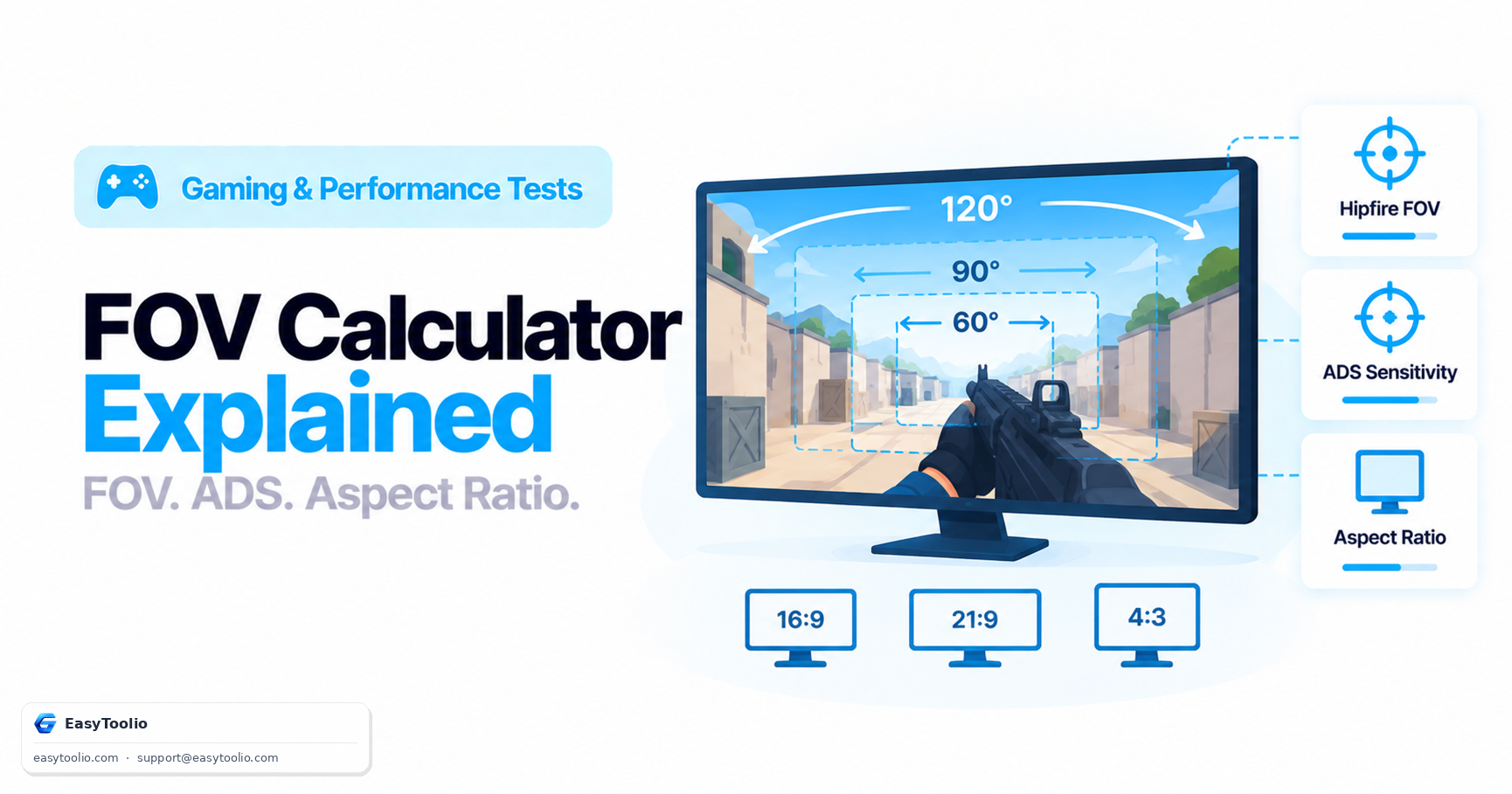
Direct Answer: Field of view (FOV) is the extent of the observable game world visible on screen at once, measured in degrees, and comes in horizontal (hFOV) and vertical (vFOV) variants that scale differently with aspect ratio. A wider FOV shows more of the world but makes distant objects appear smaller and requires faster camera rotation to track a target moving across the screen, while a narrower FOV magnifies distant targets at the cost of peripheral awareness. Aim-down-sights (ADS) sensitivity needs its own multiplier separate from hipfire sensitivity because the effective FOV shrinks dramatically when scoped in, and without a distinct ADS multiplier, the same raw mouse movement produces a wildly different turn speed at each zoom level.
Horizontal vs. Vertical FOV
Most shooters let you set FOV as a single number, but that number is anchored to either the horizontal or vertical axis depending on the engine, and the difference matters:
| FOV Type | What It Measures | Common Engines |
|---|---|---|
| Horizontal FOV (hFOV) | Degrees visible left-to-right | Source engine (CS2), many Valve/id Software titles |
| Vertical FOV (vFOV) | Degrees visible top-to-bottom | Unreal Engine titles by default, many console shooters |
Because monitors come in different aspect ratios, a fixed vertical FOV automatically shows more horizontal FOV on a wider screen (a scaling behavior called "Hor+", short for horizontal-plus) — while a fixed horizontal FOV setting shows less vertical FOV on a wider screen if not properly compensated. This is why the "same" FOV number can look and feel completely different depending on whether the underlying engine anchors to horizontal or vertical, and on what aspect ratio you're running.
How FOV Affects Perceived Size and Peripheral Vision
Widening FOV spreads the same 3D scene across a larger angular range, which shrinks how large distant objects appear on your screen — a target that looks clearly hittable at 90° FOV can look noticeably smaller and more distant at 110° FOV, even though nothing in the actual game world changed. In exchange, wider FOV gives you more peripheral awareness, letting you spot flanking enemies or incoming threats at the edges of your vision sooner. This is the core FOV tradeoff: precision and target size at narrow FOV, versus awareness and peripheral coverage at wide FOV.
Run your resolution and target FOV through our FOV calculator to see the horizontal/vertical conversion and how it compares to your current setting, rather than guessing at a number that "feels right."
Why ADS Sensitivity Needs Its Own Multiplier
Aiming down sights or zooming in effectively narrows your FOV to a fraction of hipfire FOV — a 4x scope, for example, might reduce your effective FOV from 90° down to roughly 25-30°. If your mouse sensitivity stayed identical between hipfire and ADS, the same physical mouse movement would rotate your view far more aggressively while scoped in, because you're now looking through a much narrower angular slice of the world for the same rotation amount. Most games solve this with a separate ADS sensitivity multiplier (commonly expressed as a percentage of hipfire sensitivity, e.g., "ADS Sens: 1.0" meaning identical, or "0.5" meaning half-speed while scoped), letting you tune scoped precision independently from your base turning speed.
| Scope/Zoom Level | Typical Effective FOV Reduction | Common ADS Multiplier Range |
|---|---|---|
| Red dot / holographic (1x) | Minimal | 0.9 - 1.0 |
| 2x-3x scope | Moderate | 0.7 - 0.9 |
| 4x-6x scope | Significant | 0.4 - 0.7 |
| 8x+ sniper scope | Severe | 0.2 - 0.4 |
Aspect Ratio's Effect on FOV Conversion
Switching monitors — say from a 16:9 to a 21:9 ultrawide — changes how much extra horizontal FOV you gain from the same vertical FOV setting, because the Hor+ scaling behavior adds width proportional to the aspect ratio difference. A game set to 100° hFOV on a 16:9 monitor does not show the same vertical slice of the world as 100° hFOV on a 21:9 monitor set up as vertical-anchored — converting correctly between them requires the actual trigonometric FOV conversion formula, not a simple ratio guess, since FOV doesn't scale linearly with aspect ratio.
Frequently Asked Questions
What FOV do most competitive players use?
Competitive FPS players commonly run FOV in the 90-110° horizontal range, balancing target size (important for precision aiming) against peripheral awareness (important for spotting flanks), though preference varies with monitor size, viewing distance, and personal comfort with wider fields of view.
Does higher FOV cause motion sickness?
For some players, yes — very wide FOV combined with fast camera movement can trigger vection-related discomfort in players sensitive to it, while an FOV that's too narrow relative to physical screen size and viewing distance can also feel uncomfortable. There's a personal comfort range worth testing rather than assuming wider is always better.
Should I change FOV when I switch monitor size?
Yes, generally — moving to a larger or differently-shaped monitor changes your effective viewing angle relative to your eyes, so a FOV setting that felt correct on your old monitor may need adjustment to preserve the same real-world sense of scale and peripheral coverage.
Why does my ADS sensitivity feel wrong after changing FOV?
Because ADS sensitivity multipliers in many games are calculated relative to your hipfire FOV and sensitivity. Changing your base FOV or hipfire sensitivity without re-checking your ADS multiplier can leave scoped aiming feeling too fast or too slow relative to your new baseline.
Is vertical or horizontal FOV "better"?
Neither is objectively better — they're just different anchoring conventions. What matters is understanding which one your game uses so you can correctly compare or convert FOV values between different titles and aspect ratios instead of assuming the number itself is directly comparable.
References: Valve Source engine FOV documentation; Unreal Engine camera field-of-view documentation; community FOV/aspect-ratio conversion research (Hor+ vs Vert- scaling behavior).