If you have ever pasted an email list into a spreadsheet, merged two CSV exports, or copied a block of code and ended up with the same line repeated five times, you already know how annoying duplicate lines are. They inflate file sizes, throw off counts, and can cause real problems if you're importing data into a CRM or mailing tool that rejects or mishandles repeats. The good news is that removing them is a solved problem, and you don't need to write a script to do it.
Why Duplicate Lines Happen
Duplicates usually creep in for a few predictable reasons: merging exports from multiple sources, copy-pasting from a document multiple times, scraping data from a webpage, or accumulating log entries over time. Spreadsheet tools can technically remove duplicates, but they often struggle with plain text, code snippets, or lists that aren't in neat columns. That's where a dedicated line-based approach works better than a spreadsheet formula.
Step-by-Step: Removing Duplicate Lines
- Paste your list into a plain text editor or a duplicate-line tool. Avoid pasting directly from rich text sources like Word, since hidden formatting can make identical-looking lines register as different strings.
- Decide on case sensitivity. "Apple" and "apple" are different strings to a computer even though a human reads them as the same word. Decide up front whether you want case-insensitive matching.
- Decide whether to trim whitespace. A trailing space at the end of a line will make two otherwise identical lines register as unique. Trimming whitespace before comparing avoids this trap.
- Choose whether to preserve order. Some methods (like sorting first) will reorder your list. If the original sequence matters — for example, a prioritized task list — use a method that keeps the first occurrence of each line in place rather than alphabetizing everything.
- Run the deduplication and spot-check the output against your original count. If you started with 500 lines and ended with 500, nothing was actually removed, which usually means a formatting mismatch (extra spaces, mixed casing, invisible characters) is preventing matches.
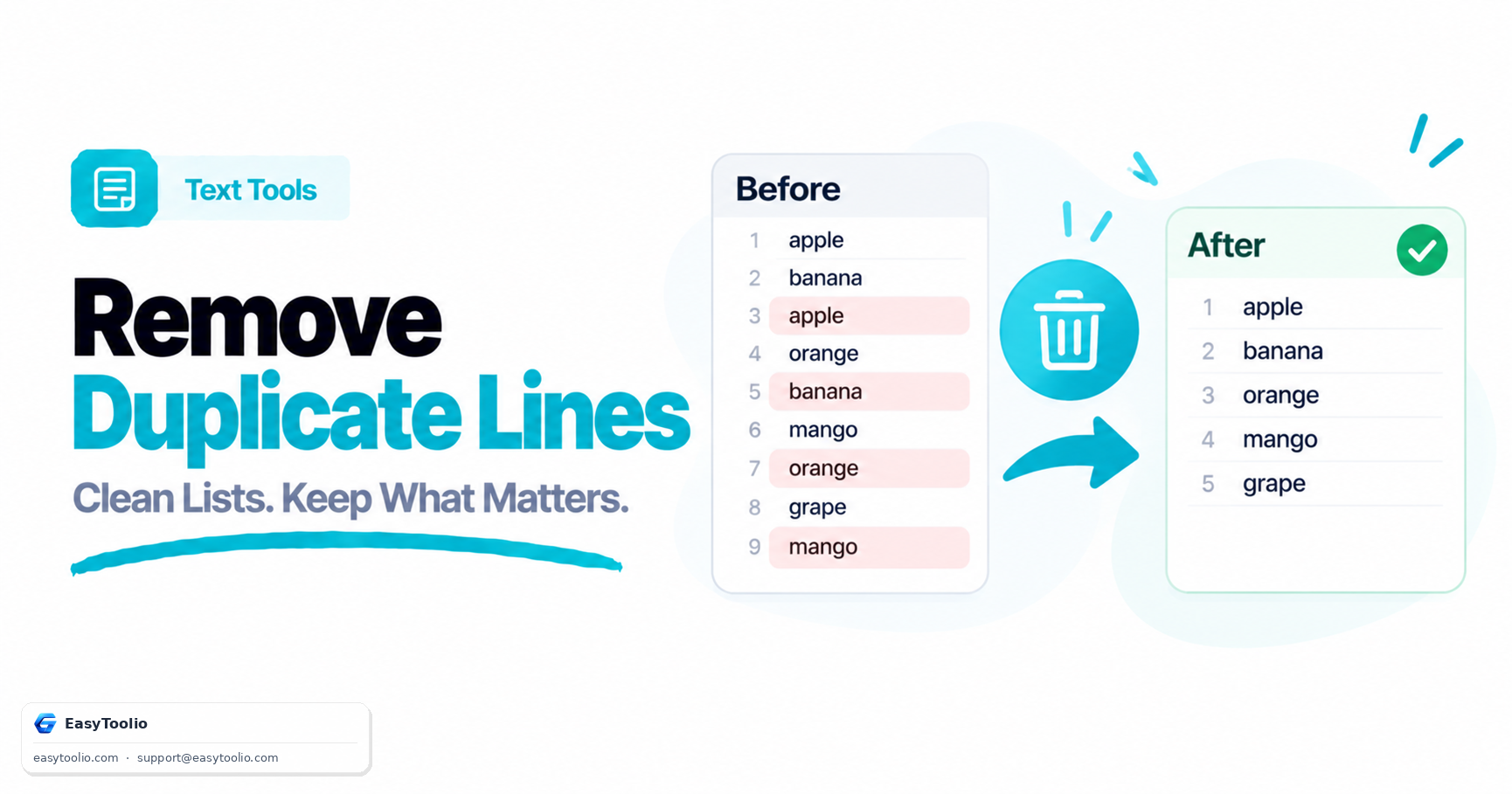
Toolio's Remove Duplicate Lines tool handles all of this in the browser: paste your text, toggle case sensitivity and whitespace trimming, and get a cleaned list back instantly while preserving the original order of first occurrences.
Worked Example
Say you have this list of email addresses collected from two different sign-up forms:
jane@example.com
mike@example.com
JANE@example.com
sara@example.com
mike@example.com
A naive exact-match dedupe would keep both jane@example.com and JANE@example.com because they differ in case, leaving you with four lines instead of three. Turning on case-insensitive matching correctly collapses them into a single entry, giving you a clean list of three unique addresses: jane@example.com, mike@example.com, and sara@example.com. This kind of case mismatch is one of the most common reasons "duplicate" removal tools appear to fail — they're working correctly, just with the wrong sensitivity setting for your data.
Best Practices for Clean Lists
- Always trim leading and trailing whitespace before comparing lines.
- Standardize case (lowercase everything) if the list represents things like emails, usernames, or tags where case shouldn't matter.
- Keep a backup of the original file before running any bulk deduplication, in case you need to recover a line that looked like a duplicate but wasn't.
- For code or log files, be cautious: two lines that look identical might have meaningfully different indentation or trailing characters that matter for execution.
Frequently Asked Questions
Q: Will removing duplicate lines change the order of my list? A: It depends on the method. Sorting-based approaches typically reorder everything alphabetically, while first-occurrence-based tools like Toolio's Remove Duplicate Lines preserve your original sequence and simply drop repeats after the first appearance.
Q: Does capitalization affect what counts as a duplicate? A: Yes, by default most tools treat "Text" and "text" as different lines because they compare exact characters. If you want them treated as the same, you need to explicitly enable case-insensitive matching.
Q: Can I remove duplicates from a huge file, like tens of thousands of lines? A: Browser-based tools can typically handle several thousand lines instantly, but for very large files (100,000+ lines), a script-based approach or a tool built for streaming large files will be more reliable and faster.