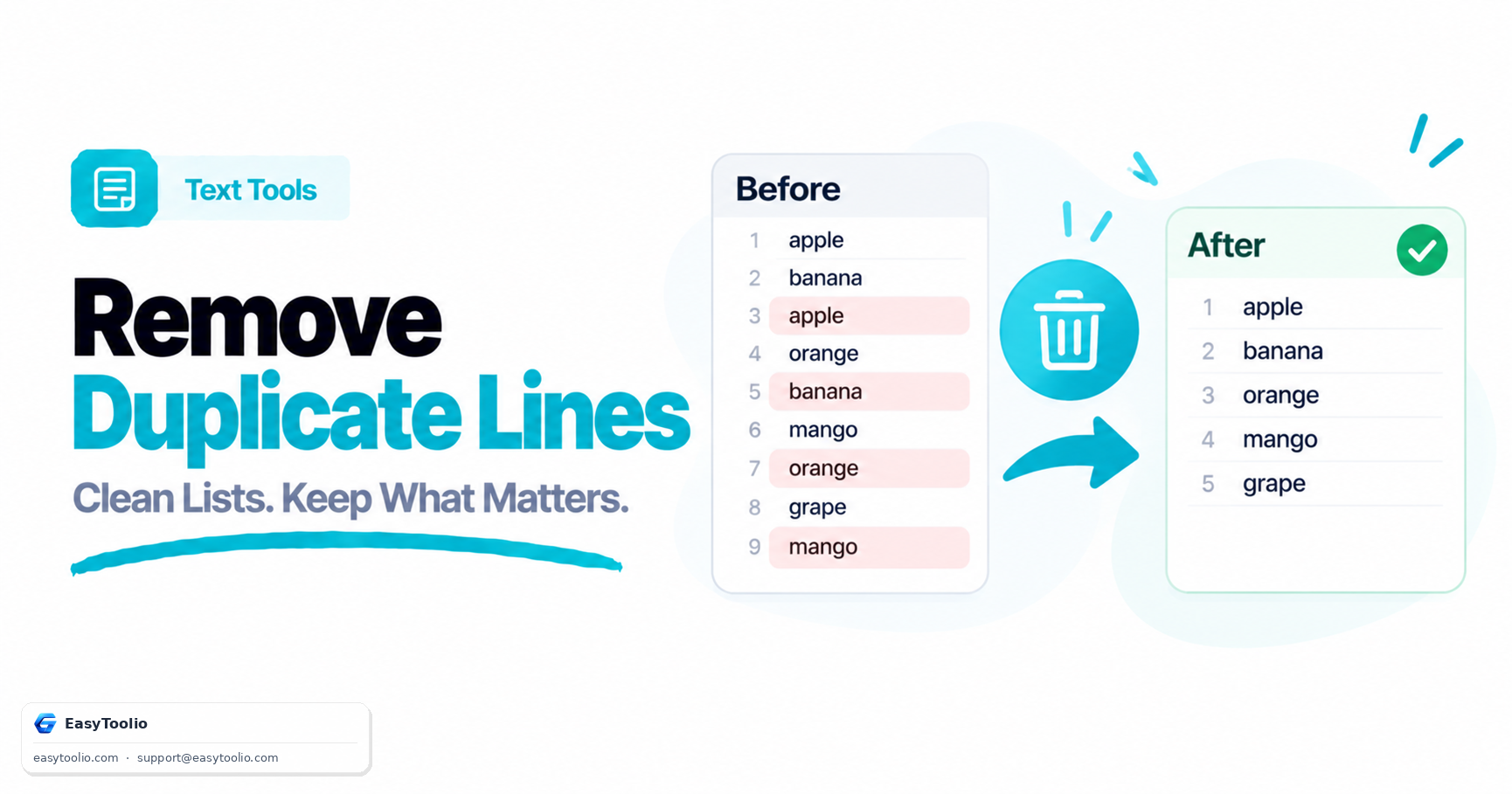
You've got a text file of email addresses copy-pasted from three different sources, or a raw server log with repeated lines you need collapsed down, and there's no spreadsheet structure anywhere in sight — just plain lines of text. Opening Excel, pasting the data into column A, running Remove Duplicates, and pasting the result back out is a valid workflow, but it's also five extra steps for a job that a plain-text dedup tool does in one paste.
Direct Answer: Excel's "Remove Duplicates" feature is built for structured, tabular data — it compares entire rows across one or more selected columns and is the right tool when your data already lives in a spreadsheet with meaningful column structure. A plain-text line-dedup tool is built for unstructured text with no column structure at all — log files, word lists, or copy-pasted lists — and for that use case it's faster because there's no setup step: no opening a spreadsheet, no selecting a range, no choosing which columns to compare. The deciding factor isn't which tool is "better" in general, it's whether your data already has row/column structure worth preserving.
How Excel's Remove Duplicates Actually Works
Excel's Remove Duplicates feature operates on a selected range, comparing full rows (or a chosen subset of columns you designate as the comparison key) and deleting every row after the first occurrence of a match. This is genuinely the right tool when duplication is a row-level, multi-column concept — for example, removing duplicate customer records where "duplicate" means the same combination of email and phone number, not just a repeated single value. Excel's dialog lets you choose exactly which columns count toward the duplicate check, which a plain-text tool has no equivalent for since it has no concept of columns at all.
The setup cost, though, is real: opening a spreadsheet, pasting or importing the data into cells, selecting the correct range, opening the Data tab, choosing Remove Duplicates, and specifying which columns to compare — all before you get to the actual dedup step. For a genuinely tabular dataset with several meaningful columns, that overhead is justified by the precision it buys you. For a simple list of one thing per line, it's overhead with no corresponding benefit.
How a Plain-Text Line Dedup Tool Works
A tool built for removing duplicate lines treats the entire input as a list of lines with nothing else — no columns, no headers, no data types. It compares each line as a whole string against every other line and removes exact repeats, typically keeping either the first or last occurrence. There's no range to select and no dialog to configure column comparisons, because there's only one comparison unit: the line itself.
This is exactly the right shape for unstructured text: a list of email addresses pasted from multiple sources, repeated lines in a raw server or application log, a word list being deduplicated for a dictionary or word-game build, or a set of URLs collected from several different exports. None of these have meaningful "columns" to select in the first place — forcing them into a spreadsheet just to run a dedup pass adds structure that wasn't there and doesn't need to be.
Decision Table: Spreadsheet Structure vs. Plain Text
| Your Data Looks Like | Better Tool | Why |
|---|---|---|
| Customer records with name, email, phone in separate columns | Excel Remove Duplicates | Multi-column comparison key genuinely matters |
| A plain list of email addresses, one per line | Line dedup tool | No column structure exists to select in the first place |
| Raw server log with repeated lines | Line dedup tool | Unstructured text; pasting into a spreadsheet adds unneeded steps |
| A word list or dictionary build | Line dedup tool | Single-column-equivalent data; spreadsheet setup is pure overhead |
| Sales data already open in a working spreadsheet | Excel Remove Duplicates | Data's already there — no reason to export it elsewhere |
| A list collected from multiple copy-pastes with mixed formatting | Line dedup tool | Fast to paste and clean without an import/export round trip |
Case-Sensitivity and Whitespace Gotchas in Both Approaches
Both approaches share the same two silent failure modes, and neither handles them automatically by default:
- Case sensitivity — Excel's Remove Duplicates treats "Email@test.com" and "email@test.com" as different values by default, since it does an exact string comparison, not a case-insensitive one. A dedicated line-dedup tool often gives you an explicit case-insensitive toggle, but if it doesn't, it has the identical blind spot.
- Trailing/leading whitespace — a line with an invisible trailing space is not equal to the same line without one under exact string comparison, in either Excel or a plain-text tool. This is a common reason "duplicate" lines don't get removed even though they look identical on screen — copy-pasting from different sources frequently introduces inconsistent whitespace that's invisible until it silently breaks the comparison.
The practical fix in both cases is the same: trim whitespace and normalize case (usually by converting everything to lowercase for comparison purposes only) before running the dedup pass, rather than assuming visual similarity guarantees an exact match.
When Pasting Into a Web Tool Is Genuinely Faster
For a one-off list with no meaningful column structure, the web tool workflow is strictly shorter: copy the text, paste it into the tool, copy the deduplicated result back out. There's no file to save, no range to select, and no dialog to configure. This isn't a knock on Excel — Excel's feature is doing more sophisticated, structured work that a plain-text tool simply can't replicate — it's that for a genuinely unstructured list, that sophistication isn't needed and its setup cost is pure friction.
Frequently Asked Questions
Does removing duplicate lines online handle case-insensitive matching?
It depends on the specific tool, but a well-built one offers a case-insensitive toggle so "Test" and "test" are treated as duplicates when you want that behavior, and treated as distinct when you don't. Always check which mode is active before relying on the result for anything sensitive.
Can Excel's Remove Duplicates work on a single column of plain text?
Yes — you can paste a plain list into a single Excel column and run Remove Duplicates against just that one column, which effectively replicates what a line-dedup tool does, just with the extra spreadsheet setup steps in between.
What happens to blank lines when removing duplicates?
Most tools treat all blank lines as duplicates of each other and collapse them down to a single blank line (or remove them entirely, depending on the tool's settings), the same way any other repeated line would be handled — check the specific tool's behavior if preserving intentional blank-line spacing matters for your output.
Does the order of the remaining lines change after deduplication?
Typically no — most dedup tools and Excel's Remove Duplicates preserve the original order of the first occurrence of each unique line, simply deleting later repeats, rather than re-sorting the list alphabetically or otherwise.
References: Microsoft Excel documentation on the Remove Duplicates data tool; general string-comparison conventions (case sensitivity, whitespace normalization) as implemented in standard text-processing libraries.