Notification
Go to Home All Tools Compare Glossary Blog Contact

Browser Information Tool

See detailed information about your browser, operating system, screen size, device type, and network connection in one glance.

Primary Environment

Desktop
Detected Browser Detecting...
Operating System Detecting...

Screen & Viewport

Screen Resolution -
Viewport Size -
Color Depth -
Device Pixel Ratio -

Locale & System Time

System Language -
Local Timezone -
Connection Status -
Local Time -

Engine & Hardware

Rendering Engine -
CPU Cores (Threads) -
Device Memory (RAM) -
GPU Renderer -

Storage & Security

Cookies Enabled -
LocalStorage Status -
SessionStorage Status -
Do Not Track (DNT) -

Full User Agent String

Detecting...

Export & Refresh

Viewport Dynamic Tracker

Resize your browser window to see the viewport size adjust in real-time. This helps developers test fluid layouts across standard responsive breakpoints (Mobile: 320px-480px, Tablet: 768px-1024px, Desktop: 1024px+).

Knowledge Hub

Deep Dive: Web Browser & Compatibility Testing

What is a User Agent?

The User Agent (UA) is a text string sent by your browser to web servers. It acts as an identifier containing your browser brand, layout engine, and client operating system details. For example, Chrome's user agent contains references to "Safari", "WebKit", and "Mozilla" for historical compatibility reasons, allowing it to load standard web content correctly.

Browser Rendering Engines

Modern browsers use rendering engines to interpret HTML, CSS, and JS:

  • Blink: Developed by Google and used in Chrome, Edge, Opera, and Brave. Based on WebKit.
  • Gecko: Developed by Mozilla and powers Firefox. Designed for extensibility and standards compliance.
  • WebKit: Developed by Apple and powers Safari. Native to macOS and iOS.

Viewport vs Screen Resolution

Screen Resolution is the hardware pixel density of your monitor (e.g. 1920x1080). The Viewport is the actual canvas area of the browser page displaying the website content, which excludes the address bar, bookmark bars, borders, and sidebar panels. In responsive web design, websites are styled to adapt to the Viewport dimensions rather than the hardware screen size.

Client Storage Types

Browsers provide different client-side data storage options:

  • Cookies: Small text files containing session identifiers, sent to the server with every HTTP request.
  • LocalStorage: Persistent key-value storage locally on the client. Survives browser restarts and has a capacity of 5-10MB.
  • SessionStorage: Temporary storage that lasts only as long as the specific browser tab is open. Clearing or closing the tab destroys this data.
Education

What Your Browser Diagnostics Report Reveals

01

What the Report Reads From Your Browser

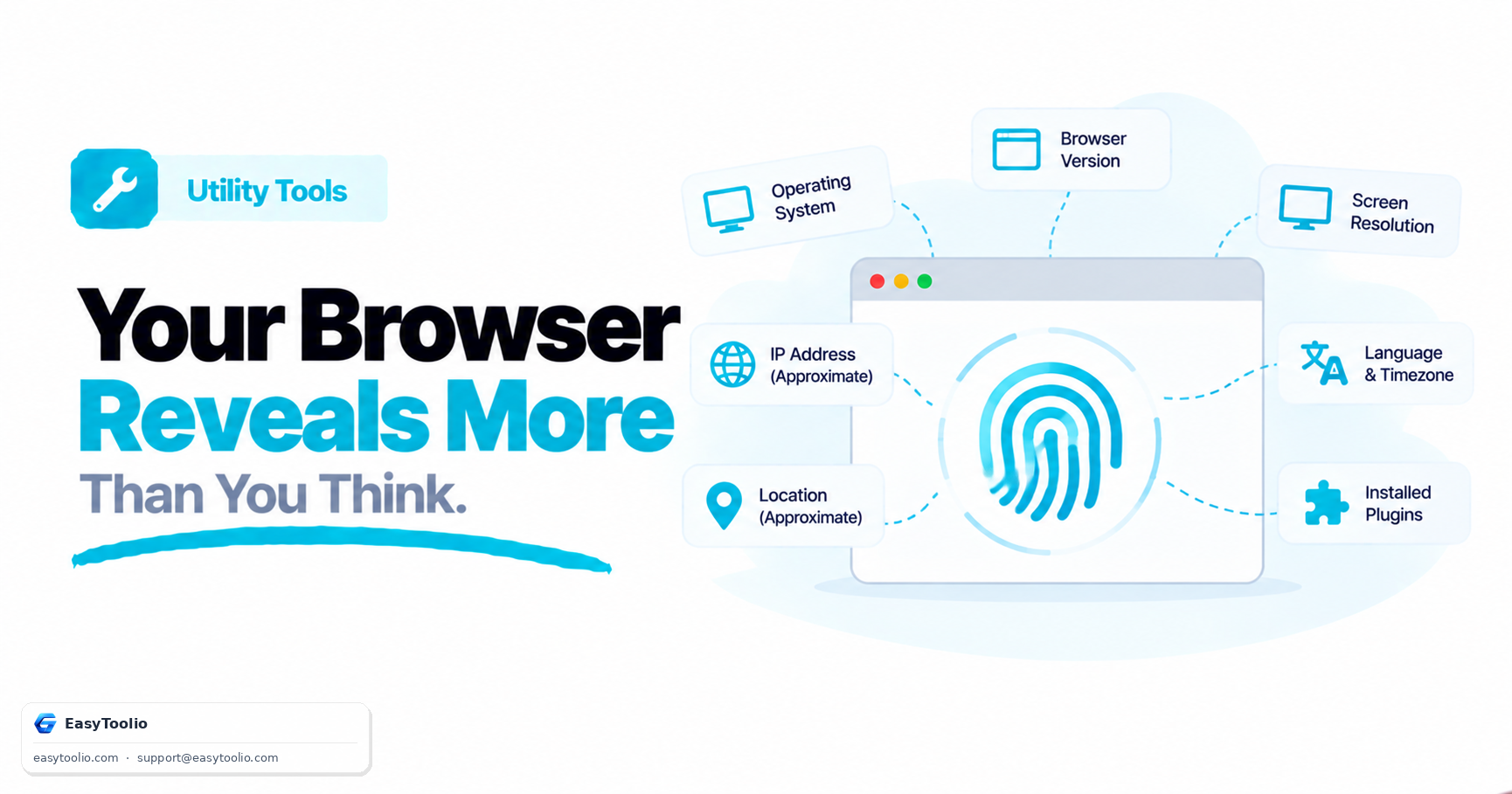
The Browser Information tool reads values directly from the navigator, screen, and window JavaScript objects built into every browser, covering browser name and version, operating system, rendering engine, screen resolution, viewport size, device pixel ratio, language, timezone, and storage availability. Because every value is read locally, the report reflects exactly what the browser is currently exposing to any website being visited, not a server-side estimate.

02

Viewport Size vs Screen Resolution

Screen resolution is the fixed number of physical pixels on the monitor, for example 1920x1080, while viewport size is the visible content area inside the browser window, which shrinks whenever toolbars, bookmark bars, or side panels take up space. A laptop with a 1920x1080 screen might report a viewport closer to 1920x950 once browser chrome is accounted for. Responsive web design is built around viewport size, not raw screen resolution.

03

Cookies, LocalStorage, and SessionStorage

Cookies are small values sent to a server with every request and are commonly used to keep a user logged in, while LocalStorage and SessionStorage keep data only inside the browser, with LocalStorage persisting after the tab closes and SessionStorage clearing as soon as the tab is closed. The Do Not Track (DNT) signal indicates a preference not to be tracked, though sites are not required to honor it. If cookies report as disabled, many login flows will fail.

04

Using This Report for Troubleshooting

Support teams and QA testers frequently need exact browser, OS, and viewport details when diagnosing a rendering bug, and this tool exports that data as a ready-to-paste text block or a JSON file. Pair it with the Screen Resolution Checker for a deeper breakdown of responsive breakpoints, or the User Agent Parser to decode a raw user agent string field by field.

Good to know

Questions, answered

Quick answers about how this tool works.

A User Agent is a text header sent by your browser to websites, telling them details about your browser name, version, rendering engine, and operating system. Web servers use this string to optimize layouts and assets for specific browsers.

Screen Resolution is the total physical pixel dimensions of your monitor or screen. Viewport Size represents the actual visible area of the web page inside your browser window, excluding toolbars, scrollbars, and bookmarks panels. Viewport size changes when you resize the browser window.

No. All diagnostic data is extracted directly from the window, navigator, and screen JavaScript objects in your web browser. No details are transmitted or saved remotely, maintaining complete data confidentiality.

Many modern web applications depend on cookies for authentication and JavaScript for interactivity. Knowing if these configurations are blocked by safety extensions or privacy settings helps developers debug application failures.

You can click the "Copy Specifications" button to copy a structured text table of your configuration to your clipboard, or download it as a JSON file, which can be pasted directly into bug reports, emails, or support chat channels.

Popular Tools on EasyToolio

Swipe

What do you need to work out next?

Search 190+ free tools by name, or pick a category below. Every one runs instantly in your browser — no signup, nothing to install.

More Utility Tools