Notification
Go to Home All Tools Compare Glossary Blog Contact

Bulk QR Code Generator (CSV to ZIP or Label Sheet)

Make hundreds of QR codes from a list or CSV in one click: links, table menus, tickets, Wi-Fi logins and contact cards. Download a ZIP of PNG or SVG files or a print-ready label sheet.

1 clickHundreds of QR codes at once
5,000 rowsPer run, in seconds
4 content typesLinks, Wi-Fi, contacts, custom
0 bytesUploaded to a server

1. Your list

2. What goes in each QR code

3. Design

4. Download

Tokens: {value} the QR content, {n} row number, {n3} row number padded to 3 digits, {type} code type, {col:Header} another column. Unsafe characters are replaced and duplicates get -2, -3.

0Rows read
0QR codes ready
0Skipped (errors)
0Repeats removed
Paste a list or drop a CSV file and your QR codes appear here. Every value is checked first, so a wrong code is never produced.

How to make QR codes in bulk (4 steps)

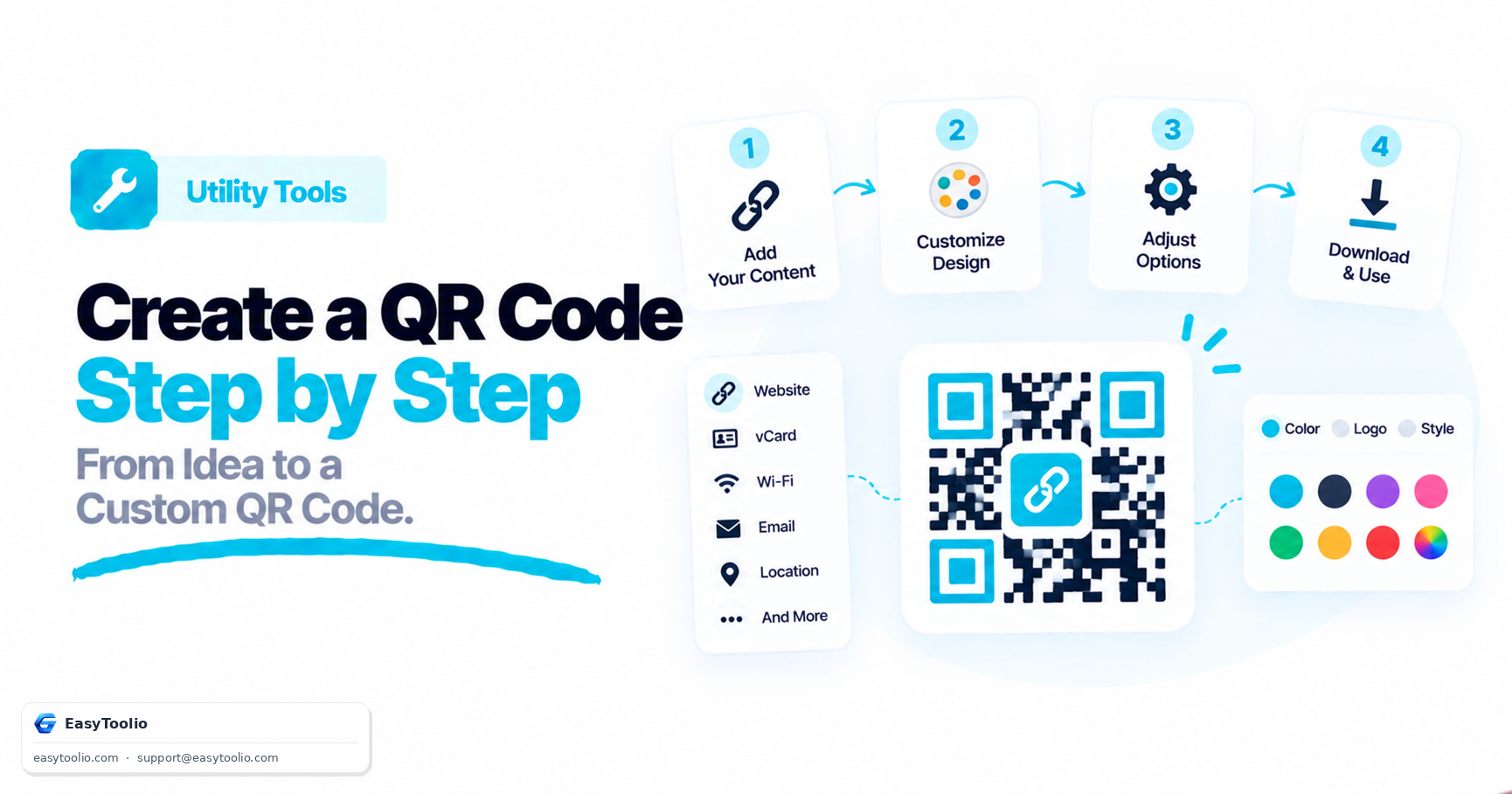
  1. Add your list. Paste it, or drop a CSV exported from Excel or Google Sheets. Keep a header row (for example table, code, ssid) so each column has a name.
  2. Choose what goes in each code. Use the column as it is, build a link or message from several columns, or switch to Wi-Fi or contact-card mode. Mistakes show up row by row before anything is generated.
  3. Style it. Pick the size, colours and the text printed under each code. Keep strong contrast, ideally black on white, so every phone reads it.
  4. Download. Get a ZIP of PNG or SVG files, or a print-ready PDF label sheet. File names come from your own columns, so they drop straight into a design or print workflow.

Making just one code? Use the single QR code generator, which has logos and more styling. Need barcodes too? See the bulk barcode generator.

What you can put in a bulk QR code

Each row of your list becomes its own QR code. These are the patterns people use most.

Content typePattern or settingTypical use
Link per rowhttps://example.com/p/{code|enc}Product pages, manuals, warranty registration
Table menuhttps://example.com/menu?table={table|enc}Restaurant and café tables
Ticket or passhttps://example.com/t/{ticket|enc}Events, classes, entry passes with unique IDs
WhatsApp chathttps://wa.me/{phone|digits}?text={message|enc}Order or enquiry codes on packaging
Emailmailto:{email}?subject={subject|enc}Support and feedback codes
Phone calltel:{phone}Delivery vehicles, shop counters
Map pinhttps://www.google.com/maps/search/?api=1&query={lat},{lng}Branches, field sites, assets
Wi-Fi loginWi-Fi mode: network, password, securityGuest houses, offices, rental rooms
Contact cardvCard mode: name, phone, email, websiteTeam business cards, event badges
Plain textAs it is: the column unchangedSerial numbers, asset IDs, notes
table,code
1,A1001
2,A1002
3,A1003

With the pattern https://example.com/menu?table={table|enc} that list makes three QR codes: …?table=1, …?table=2 and …?table=3.

Where vendors and teams use bulk QR codes

Restaurant and café tablesOne code per table that opens the menu or order page with the table number in the link.
Product packagingA code per SKU pointing to a manual, warranty form or reorder page, printed on one label sheet.
Asset and stock tagsUnique IDs for laptops, tools or bins that a phone scans to open the record.
Events and classesA different ticket link per attendee so every code can be checked once at the door.
Rooms and guest Wi-FiA card per room or floor with its own network and password, scanned instead of typed.
Business cardsA contact card for every team member from one spreadsheet, ready to save in a phone.

Size and printing rules of thumb

SituationStarting point
Small label or packaging, scanned from hand distanceAbout 2 × 2 cm or larger, with a clear margin around it
Table tent or counter signAbout 4 to 5 cm
Poster or window, scanned from further awayMake the code roughly one tenth of the scanning distance
Long link or lots of dataUse a shorter link, or a larger print size, because more data means a denser code

These are rules of thumb, not guarantees. Always scan a printed test with the oldest phone your customers might use before printing a full run.

What this tool does not do

It makes ordinary QR codes from your list. It does not create UPI or other payment QR codes, so use your bank or payment app for those. It does not track scans or host your pages, and a link you encode must point to a page you already have. A QR code cannot be edited after printing, so check each link before you print a full run.

Education

Bulk QR Code Guide: Lists, Links, Wi-Fi Cards and Printing

01

Why Make QR Codes From a List

A single QR code is easy. Forty table menus, three hundred product labels or a hundred event tickets are not. Building them from a list keeps every code consistent, removes copy and paste mistakes, and lets you regenerate the whole set in seconds when a link or design changes. Each row becomes one code, and the file names come from your own columns so nothing has to be renamed afterwards.
02

Building Links From Columns

Pattern mode joins a fixed base link with values from each row. In https://example.com/menu?table={table|enc} the part in braces is replaced by the value in your table column, and the enc filter makes the value safe inside a link, so spaces and symbols cannot break it. An empty required value is reported as an error instead of printing a code that opens the wrong page.

03

Wi-Fi QR Codes in Bulk

A Wi-Fi code carries the network name, password and security type, so guests join without typing. The tool checks each row as it builds the code: a name longer than 32 bytes or a WPA password outside 8 to 63 characters is flagged, special characters are escaped, and open networks are written without a password. Treat a printed Wi-Fi code like the password itself: anyone who can see it can join.

04

Contact Cards (vCard) for a Whole Team

Contact mode builds a vCard 3.0 for every person in your sheet, with name, organisation, title, phone, email, website and optional address. Scanning one offers to save it to the phone contacts. Each card makes a denser code than a link does, so keep only the fields people need and print the codes a little larger.

05

Error Correction and Damage Tolerance

QR codes include redundancy so a scuffed or partly covered code still reads. Level M (about 15%) is a good default. Use Q or H for codes that will be handled, outdoors or partly covered by a logo or sticker, and L when you want the smallest possible code for a short link. Higher levels make the code denser, so print it larger.

06

Privacy and Limits

Your list never leaves your device. Reading the file, building the codes, zipping and PDF creation all run in your browser, so customer lists, network passwords and contact details stay private. One run handles up to 5,000 rows. For a bigger list, split the file first and process the parts one after another.

Good to know

Questions, answered

Quick answers about how this tool works.

Save your sheet as CSV (File, Save As, CSV in Excel or Google Sheets), then drop the file onto the tool or paste the rows. Keep a header row so each column has a name. Choose what goes in each code, and download a ZIP of PNG or SVG files or a PDF label sheet. One run handles up to 5,000 rows.

Yes. Pick "Build from columns" and write a pattern such as https://example.com/menu?table={table|enc}. The part in braces is replaced by the value in your table column on every row, so row 1 makes ?table=1, row 2 makes ?table=2 and so on. Add |enc to make a value safe inside a link, or use "As it is" if the column already holds the full link.

Create a CSV with columns such as ssid, password, security and hidden, choose Wi-Fi login as the content type, and map the columns (they are matched by name automatically). Each row becomes a code that phones read to join the network. The tool checks the network name (at most 32 bytes) and the WPA password (8 to 63 characters) and lists any row that breaks a rule.

Yes. Choose Contact card and map your columns for name, organisation, title, phone, email, website and optional address. Each row becomes a vCard 3.0 contact that a phone offers to save when scanned. Email addresses, phone numbers and websites are checked, and rows with a problem are listed instead of printed.

Was this tool helpful?

Be the first to rate Bulk QR Code Generator (CSV to ZIP or Label Sheet)

Tap a star to rate instantly

What do you need to work out next?

Search 276+ free tools by name, or pick a category below. Every one runs instantly in your browser — no signup, nothing to install.

More Utility Tools
AI ADVISOR & COACH

Ask AI Advisor

Ask AI