Picking a domain name feels simple until you actually try to do it—the name you want is taken, the acronym sounds awkward out loud, and the .com is registered to a domain squatter asking four figures for it. A domain name generator speeds up the brainstorming stage, but understanding the difference between a name that merely sounds fine and a name that is genuinely brandable saves you from locking in something forgettable.
Direct Answer: A brandable domain name is short (ideally under 12–15 characters), easy to pronounce out loud from a single reading, memorable enough to recall after hearing it once, and free of hyphens or numbers that create ambiguity when spoken. Domain name generators help by combining relevant keywords with prefixes/suffixes or blending two words into a portmanteau, then checking availability across multiple TLD extensions simultaneously. A generator can suggest hundreds of candidates in seconds, but it cannot tell you whether a name creates unwanted trademark conflicts or brand confusion—that step still requires manual verification.
1. What "Brandable" Actually Means
Marketers use "brandable" loosely, but it breaks down into a few concrete, testable properties:
| Property | Why It Matters | Quick Test |
|---|---|---|
| Short Length | Shorter names are easier to type correctly and remember | Aim for roughly 6–12 characters in the core name |
| Pronounceable | If people can't say it confidently, they won't recommend it verbally | Read it aloud to someone with no context; ask them to repeat it back |
| Spellable from Sound | A name that sounds one way but is spelled another loses direct-navigation traffic | Say it aloud and ask a listener to spell what they heard |
| No Hyphens or Numbers | Hyphenated or numeral-substituted domains ("get-2-fit") are frequently mistyped and look less trustworthy | If the name needs a hyphen or a digit standing in for a word, reconsider it |
| Distinct from Competitors | A name that's one letter off from an established brand invites confusion (and legal risk) | Search the name alongside your industry term and see what else surfaces |
None of these properties alone makes a name "good"—a name can be short and pronounceable and still be a poor fit if it doesn't hint at what the business does. The properties are filters for eliminating weak candidates, not a formula for guaranteeing a great one.
2. How a Domain Name Generator Actually Builds Suggestions
Most domain name generator tools use a handful of repeatable generation strategies rather than anything mysterious:
1. Keyword + Prefix/Suffix   ──►  "get" + "fit" + "ly"      = getfitly
2. Portmanteau Blending      ──►  "spend" + "wisely"        = spendwise
3. Synonym Substitution      ──►  "fast"  →  "swift", "rapid", "quick"
4. Compound Keyword Pairing  ──►  "cloud" + "stack"         = cloudstack
5. Multi-TLD Availability Pass ──► Check the same candidate across .com, .io, .co, .app, .dev
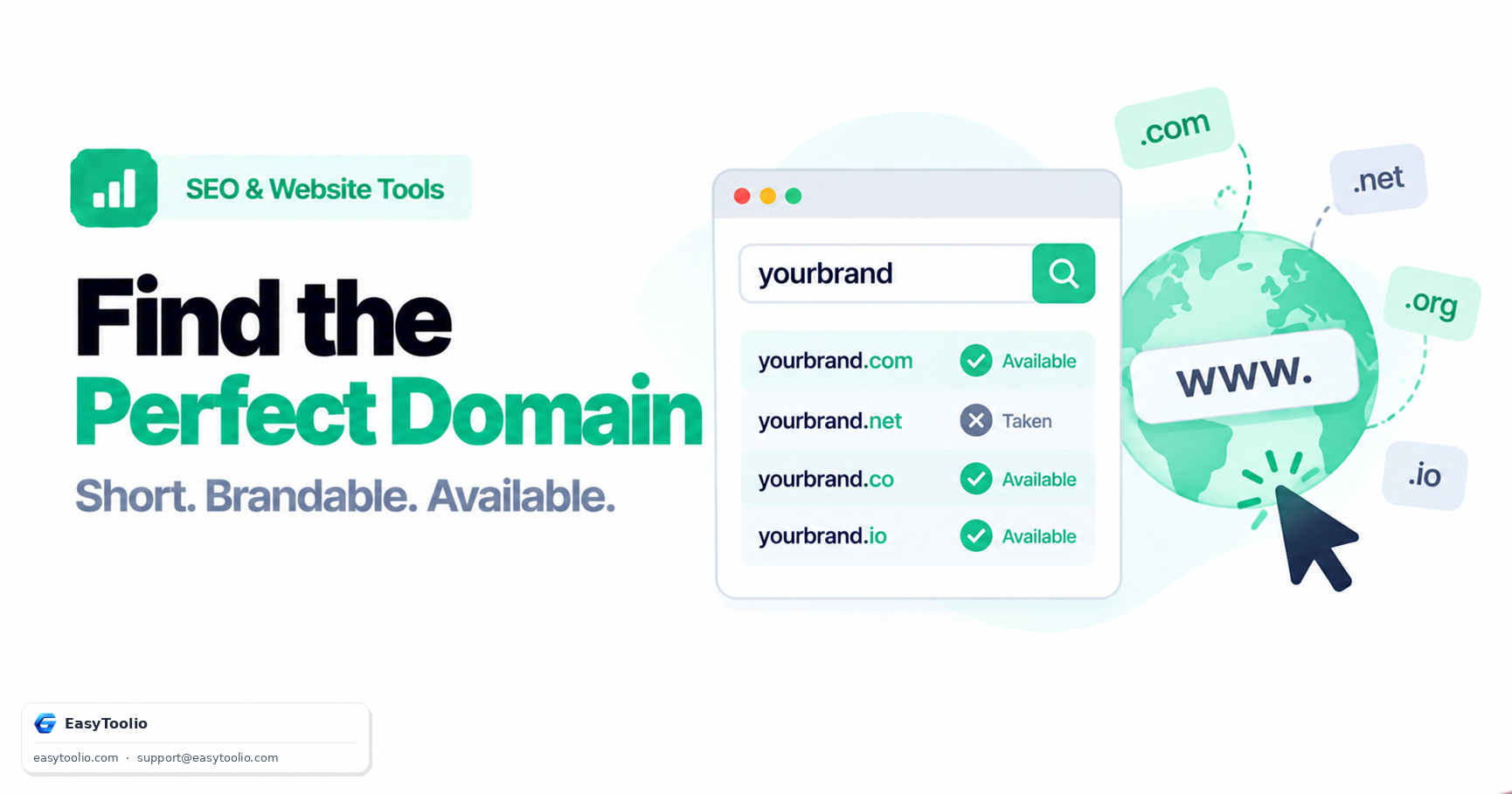
The first four strategies are just structured word combination—swap in your seed keyword and the tool mechanically produces variations by attaching common startup-style prefixes ("get", "try", "my", "the") and suffixes ("ly", "ify", "hub", "kit"), or blends two relevant words at their shared letters. The fifth step is where the availability check happens: the tool queries WHOIS or registrar availability data for each candidate across a batch of TLD extensions at once, rather than making you check one name and one extension at a time.
3. Why Checking Availability Across Multiple TLDs Matters
A domain generator that only checks .com availability gives you an incomplete picture. Here's why checking a broader set of TLDs is worth the extra step:
- A taken .com doesn't mean the brand is unusable. Plenty of well-known companies operate on
.io,.co,.app, or.dev. If your ideal.comis registered but parked or clearly unrelated to your niche, the name itself may still be viable on an alternate extension. - It does affect direct-navigation traffic. Some users will type
yourbrand.comout of habit regardless of which extension you actually market. If a competitor or an unrelated business owns that.com, you lose a slice of accidental direct traffic to them. - It affects perceived trust. Some audiences still associate
.comwith legitimacy more than newer extensions. This isn't universal—developer-facing and app-focused audiences are comfortable with.dev,.app, or.io—but it's worth weighing against your specific audience. - Registering defensively across a few extensions is cheap insurance. Even if you launch on
.io, holding the matching.com(if available) and redirecting it prevents someone else from confusing your customers later.
4. Evaluating Your Shortlist Before You Commit
Once a generator narrows things down to a handful of available candidates, run each through this manual checklist before registering:
- Trademark Conflict Search: Check your country's trademark registry (and a general web search) for the exact name plus close variants in your industry category. A domain being available for registration does not mean it's legally clear to use as a business name.
- Social Handle Availability: Check whether the matching handle is free on the social platforms your audience actually uses. A mismatch between your domain and your social handles fragments your brand identity.
- Distance from Existing Brands: If the candidate is a one-letter or one-syllable variation of an established company in your space, treat that as a red flag—both for customer confusion and for the risk of a cease-and-desist letter.
- Say It in a Sentence: Read a sample sentence aloud using the name ("Check out [name].com for free tools") and gauge whether it sounds natural or forced.
Generate keyword-based, portmanteau, and multi-TLD candidate names using our domain-name-generator, then confirm real-time registration availability and existing registrant details using domain-whois-checker.
5. Frequently Asked Questions (FAQs)
Does a WHOIS lookup showing "available" guarantee I can register the domain right now?
Generally yes for standard gTLDs, but availability can change within minutes during high-demand periods, and some registries briefly hold recently expired domains before releasing them for public registration. Always complete the registration promptly once you confirm availability.
Is a portmanteau name always better than a plain keyword domain?
Not necessarily. Portmanteau names (blended words) tend to be more distinctive and easier to trademark, but plain keyword domains can communicate what you do more directly, which sometimes matters more for SEO-driven or local businesses than for a venture-backed consumer brand.
Should I register misspellings of my chosen domain defensively?
It depends on your budget and risk tolerance. For a small business, registering one or two of the most likely typo variants is often worthwhile; chasing every possible misspelling across every TLD usually isn't a good use of budget for most projects.
References: ICANN WHOIS Data Standards, IETF RFC 3912 (WHOIS Protocol Specification).