A browser padlock icon means a lot less than most people assume. It confirms the connection between the browser and the server is encrypted — it says nothing about whether the site is trustworthy, safe from malware, or free of coding vulnerabilities. Understanding what SSL/TLS certificates actually validate, and why validation sometimes fails, matters for anyone running a site over HTTPS.
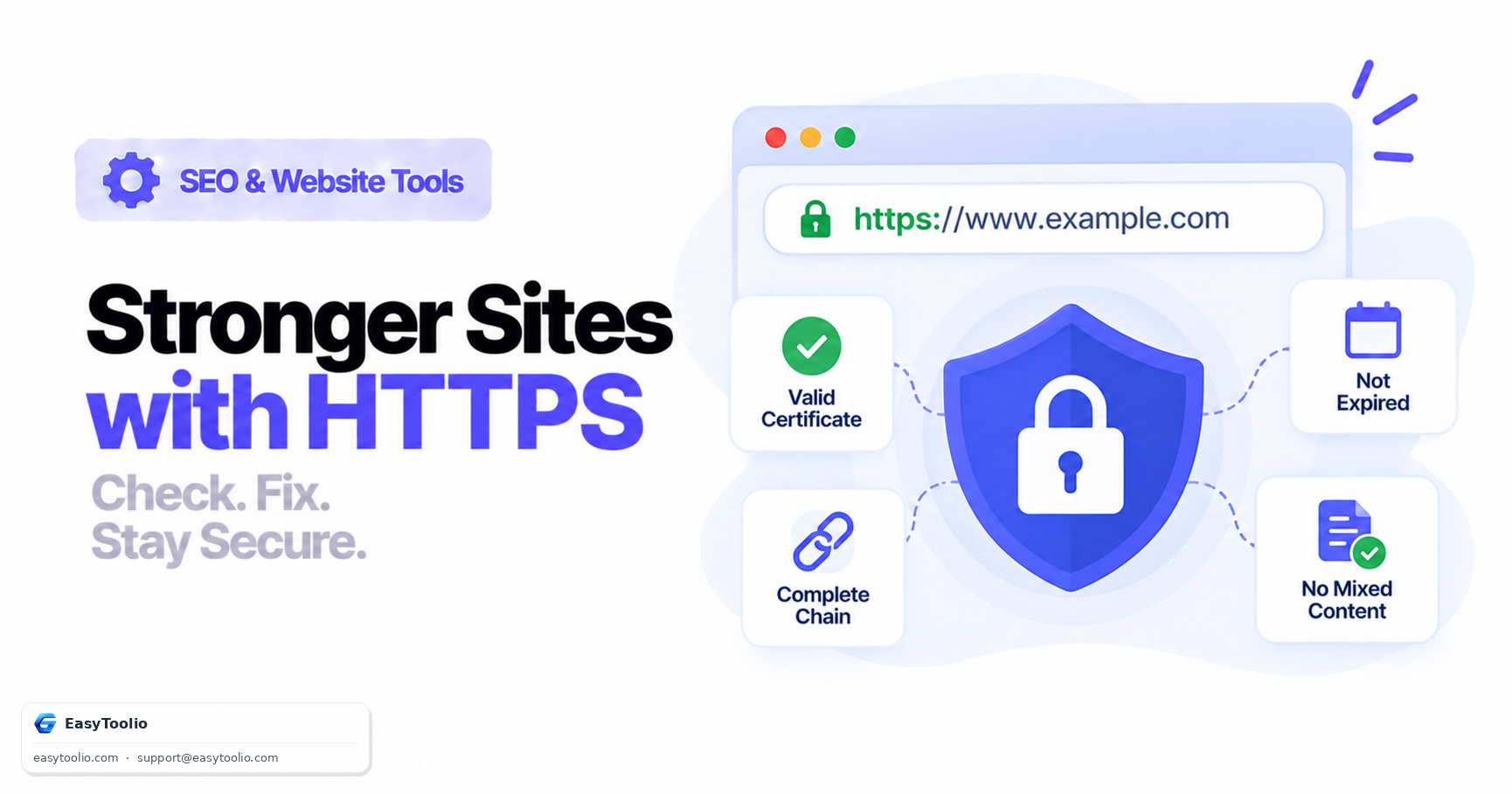
Direct answer: SSL/TLS certificate errors are almost always caused by one of four things: an expired certificate, a missing intermediate certificate in the chain the server presents, a domain mismatch between the certificate's listed hostname and the URL being accessed, or mixed content — an HTTPS page loading images, scripts, or stylesheets over plain http://. Fixing each requires a different action: renew, reconfigure the chain, reissue for the correct hostname, or rewrite the offending resource URLs to HTTPS.
What a Certificate Actually Proves
A valid SSL/TLS certificate does two things: it encrypts data in transit between browser and server, and it verifies that the server presenting the certificate controls the domain it claims to represent (for domain-validated certificates — extended-validation certificates verify more about the organization, though browsers no longer display that distinction prominently). What it does not do is protect against application-level vulnerabilities. A site can have a perfect TLS setup and still be vulnerable to SQL injection, XSS, or CSRF — encryption protects the pipe, not the code running at either end.
The Certificate Chain
Certificates are issued in a hierarchy, and browsers only trust the top of that hierarchy directly:
Root Certificate Authority (built into the OS / browser trust store)
 └── Intermediate CA Certificate (issued by the root, signs domain certificates)
      └── End-Entity Certificate (issued for your specific domain)
When a browser connects, the server must present its end-entity certificate and the intermediate certificate(s) that link it back to a trusted root. If the server only sends the end-entity certificate and omits the intermediate, most desktop browsers will still resolve the chain using cached intermediates — but mobile browsers and some strict clients won't, and the connection fails with errors like SEC_ERROR_UNKNOWN_ISSUER or "certificate not trusted." This is one of the most common silent SSL misconfigurations: it works for the person who set it up and fails for a meaningful slice of visitors.
Common Validation Errors
| Error type | Typical cause | Fix |
|---|---|---|
| Certificate expired | Renewal process failed or lapsed | Renew and reinstall; automate renewal where possible |
| Incomplete chain | Server not configured to send intermediate cert | Install the full chain file, not just the leaf certificate |
| Domain mismatch | Certificate issued for example.com, accessed via www.example.com or a subdomain |
Reissue as a multi-domain (SAN) or wildcard certificate covering all hostnames served |
| Mixed content | HTTPS page loads an http:// resource |
Rewrite resource URLs to https:// or protocol-relative // |
| Self-signed certificate | No recognized CA issued it | Replace with a certificate from a trusted public CA for any public-facing site |
Fixing Mixed Content
Mixed content happens when an HTTPS page still references sub-resources over unencrypted HTTP — usually leftover image, script, or stylesheet URLs from before a site migrated to HTTPS. Browsers block "active" mixed content (scripts, stylesheets, iframes) outright and often flag "passive" mixed content (images) with a warning. The direct fix is rewriting every hardcoded http:// reference to https://. As a safety net, you can instruct the browser to upgrade requests automatically:
Content-Security-Policy: upgrade-insecure-requests
This header tells the browser to silently rewrite any http:// sub-resource request on the page to https:// before it's sent, which catches references you might have missed in a large legacy codebase — but it's a mitigation, not a substitute for actually fixing the source URLs.
Certificate Lifespan and Renewal
Public certificate authorities are bound by CA/Browser Forum baseline requirements that cap the maximum validity period for publicly trusted TLS certificates — current industry practice keeps this well under two years, and the trend over time has been toward shorter lifespans, with free automated issuers like Let's Encrypt issuing 90-day certificates specifically to encourage automated renewal. Manually tracking expiration dates on a spreadsheet is a common cause of unexpected outages; automated renewal (via ACME clients, hosting-platform integrations, or certificate management tooling) removes that risk entirely.
Diagnosing an SSL Error as a Visitor vs a Site Owner
When a visitor hits a certificate warning, the browser's own error message usually names the specific problem — expired, untrusted issuer, name mismatch — which is the fastest starting point for diagnosis. As a site owner, the same visible error can have a less obvious underlying cause: an automated renewal job that silently failed, a load balancer serving an old certificate from one node while other nodes serve the current one, or a CDN edge that cached an outdated certificate bundle. Testing from multiple locations and clients, not just your own browser (which may have cached a previously-valid connection), helps rule out these partial-rollout issues.
Wildcard and Multi-Domain Certificates
A standard certificate covers exactly one hostname. Two other options handle broader coverage: a wildcard certificate (*.example.com) covers any single-level subdomain of a domain, and a multi-domain (SAN) certificate lists several distinct hostnames — including different root domains — in a single certificate. Choosing between a single certificate per subdomain, a wildcard, or a SAN certificate is mostly an operational tradeoff: wildcards simplify adding new subdomains without reissuing, but a compromised wildcard private key exposes every subdomain it covers at once, which is worth weighing for high-value domains.
Frequently Asked Questions
Does HTTPS improve my search rankings? Search engines have publicly treated HTTPS as a lightweight positive signal for years, but it's not a substitute for content quality or relevance — it's closer to a baseline expectation than a ranking booster at this point.
Why does my certificate work in Chrome but fail on some mobile browsers? This is the classic incomplete-chain symptom. Desktop browsers often cache intermediate certificates from other sites and can complete the chain themselves; mobile and less common browsers usually can't, so the failure only shows up there.
Is a free certificate (like Let's Encrypt) less secure than a paid one? No — the encryption strength is identical. Paid certificates from commercial CAs may add extended validation, warranty coverage, or support, but the cryptographic protection is the same domain-validation-level trust.
What's the difference between mixed content warnings and a fully broken HTTPS connection? A broken connection (expired, mismatched, or untrusted certificate) blocks the whole page and shows a full-screen browser warning. Mixed content is more subtle — the page loads over HTTPS, but specific resources are blocked or flagged, which can silently break page functionality or styling without an obvious top-level warning.
How can I check if my site has mixed content?
Load the page and check the browser's developer console for mixed-content warnings, or run an automated scan across the site's HTML for hardcoded http:// resource references.
Check certificate validity, expiration, and chain completeness with our SSL certificate checker, confirm resource URLs resolve correctly with the HTTP status checker, and inspect security-related response headers with the HTTP header analyzer.