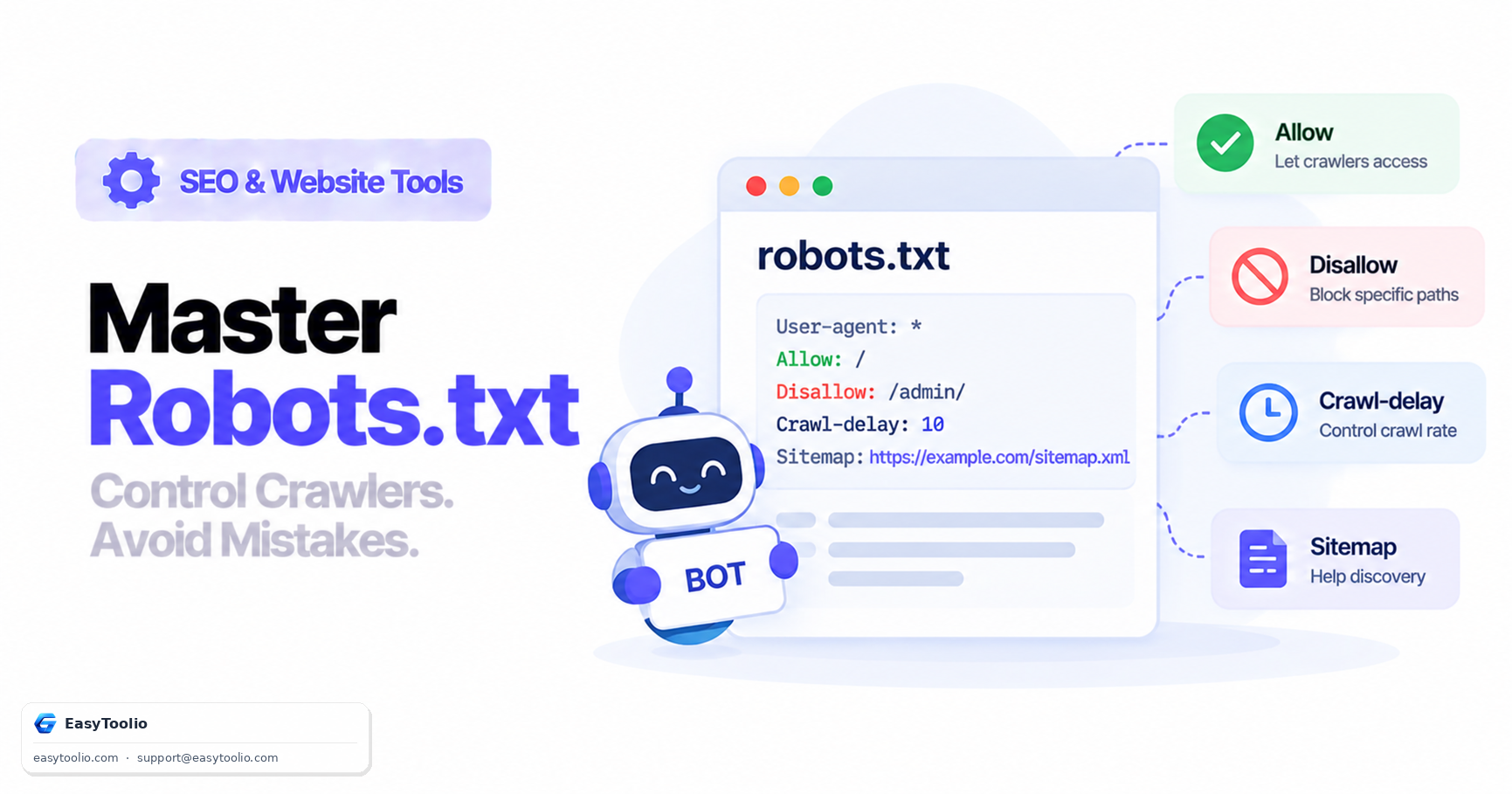
robots.txt is one of the oldest and most misunderstood files on the web. It's a plain-text file at the root of your domain (example.com/robots.txt) that gives crawling instructions to compliant bots — but "crawling instructions" is where most of the confusion starts, because it's not the same thing as "indexing instructions."
Direct answer: A robots.txt file uses User-agent, Disallow, and Allow directives to tell compliant crawlers which paths they should not request. It does not remove URLs from a search index. If a disallowed URL has external links pointing to it, a search engine can still know it exists and index it — usually with no title or description, just the bare URL — because it was never allowed to crawl the page to see a noindex tag or any other instruction. To actually keep a page out of search results, use a <meta name="robots" content="noindex"> tag (or an equivalent HTTP header), which requires the page to be crawlable so the instruction can be read.
The Governing Standard
The rules that compliant crawlers follow were formalized by the IETF as RFC 9309, the Robots Exclusion Protocol. Formalizing it didn't change much about the syntax webmasters had already been using for decades — it mainly codified existing conventions (like defaulting to allow everything when no robots.txt exists) so that crawler behavior is predictable across different search engines.
Standard Directives and Syntax
User-agent: *
Disallow: /admin/
Disallow: /checkout/
Disallow: /api/private/
Allow: /api/public/

Sitemap: https://example.com/sitemap.xml
| Directive | Purpose |
|---|---|
User-agent: |
Targets which crawler the following rules apply to (* for all, or a specific bot name like Googlebot) |
Disallow: |
Specifies a path prefix the crawler should not request |
Allow: |
Carves out an exception within an otherwise disallowed path |
Sitemap: |
Points to the XML sitemap location, helping crawlers discover it without manual submission |
Rules are evaluated by path-prefix matching, and where multiple rules could apply to the same URL, the most specific (longest) matching path generally wins — which is why an Allow rule for a subpath can carve an exception out of a broader Disallow.
Valid vs Invalid Rule Examples
| Rule | Valid? | Effect |
|---|---|---|
Disallow: /admin/ |
Valid | Blocks crawling of any URL starting with /admin/ |
Disallow: / |
Valid syntax, dangerous | Blocks the entire site from being crawled |
Disallow: (empty value) |
Valid | Disallows nothing — equivalent to allowing everything for that user-agent |
Allow: /public under Disallow: / |
Valid | Carves out /public as crawlable despite the blanket disallow |
Noindex: /page |
Not part of the standard | Google stopped honoring unsupported noindex directives in robots.txt; use a meta tag or header instead |
Common Critical Mistakes
1. Accidentally disallowing the entire site
# This blocks every compliant crawler from the entire site
User-agent: *
Disallow: /
This is an easy accident during a staging-to-production migration, when a Disallow: / rule meant to keep a staging environment out of search engines gets carried over into the live robots.txt unchanged. It's worth checking this file specifically after every deployment or domain migration.
2. Using robots.txt to hide sensitive paths
robots.txt is a public file — anyone can view example.com/robots.txt directly. Listing admin panels, internal API routes, or staging paths there doesn't hide them; it publishes a map of exactly where to look. Sensitive paths need actual authentication or access control, not a crawling directive.
3. Confusing "disallow" with "deindex"
Covered above, but worth restating because it's the most common misunderstanding: if a page is already indexed and you add a Disallow rule for it afterward, the page can remain in the index indefinitely — Google simply can no longer re-crawl it to check whether it's changed, but the old indexed version can persist.
4. Blocking CSS and JavaScript needed to render the page
Older robots.txt files sometimes block entire /assets/ or /js/ directories to save crawl budget. Modern search engines render pages much like a real browser does, so blocking the stylesheets and scripts a page depends on can prevent the crawler from understanding the page's actual layout and content — which can hurt rendering-dependent evaluation even though the HTML itself is crawlable.
5. Forgetting that subdomains need their own robots.txt
A robots.txt file only governs the host it's served from. blog.example.com and example.com are different hosts as far as the protocol is concerned, and each needs its own robots.txt at its own root if you want crawling rules to apply there too — a rule set on the main domain has no effect on a subdomain.
Testing Robots.txt Changes Safely
Because a single misplaced / can accidentally block an entire section of a site, it's worth testing rule changes against real URLs before deploying them — checking that pages you intend to keep crawlable still resolve as allowed, and that pages you intend to block are actually covered by the rule's path prefix. This is especially important after a site migration or CMS change, since generated robots.txt files sometimes carry over rules from a staging configuration without anyone reviewing them line by line.
Frequently Asked Questions
Does Googlebot respect the Crawl-delay directive?
No. Google has stated Googlebot ignores Crawl-delay in robots.txt; crawl rate for Google specifically is managed through Search Console settings instead. Some other crawlers, including Bing's, do respect it.
How do I actually remove a page from Google's index?
Allow the page to be crawled, and add a noindex directive via a meta robots tag or X-Robots-Tag HTTP header. Once Google recrawls and sees the noindex instruction, it will drop the page from the index. Only disallow the page in robots.txt afterward if you also want to stop it from being crawled going forward.
What happens if a site has no robots.txt file at all? Crawlers treat a missing robots.txt as full permission to crawl everything — it's not a barrier, it's simply the default open state.
Can different rules be set for different bots?
Yes. Multiple User-agent blocks can target specific bots (like Googlebot-Image or Bingbot) with different rules than the wildcard * block, letting you fine-tune access per crawler.
Is robots.txt case-sensitive?
Paths in Disallow/Allow rules are matched case-sensitively and must match the URL path exactly as a prefix — /Admin/ and /admin/ are treated as different paths.
Test your directives against real crawler behavior with our robots.txt tester, confirm your sitemap reference resolves correctly with the XML sitemap validator, check meta robots tags with the meta tag analyzer, and verify page response codes with the HTTP status checker.