Your <title> tag and meta description are the ad copy for your page in search results — they're what a user reads before deciding whether to click. Getting the length right matters less for hitting an exact character count than for avoiding truncation and writing something that actually earns the click.
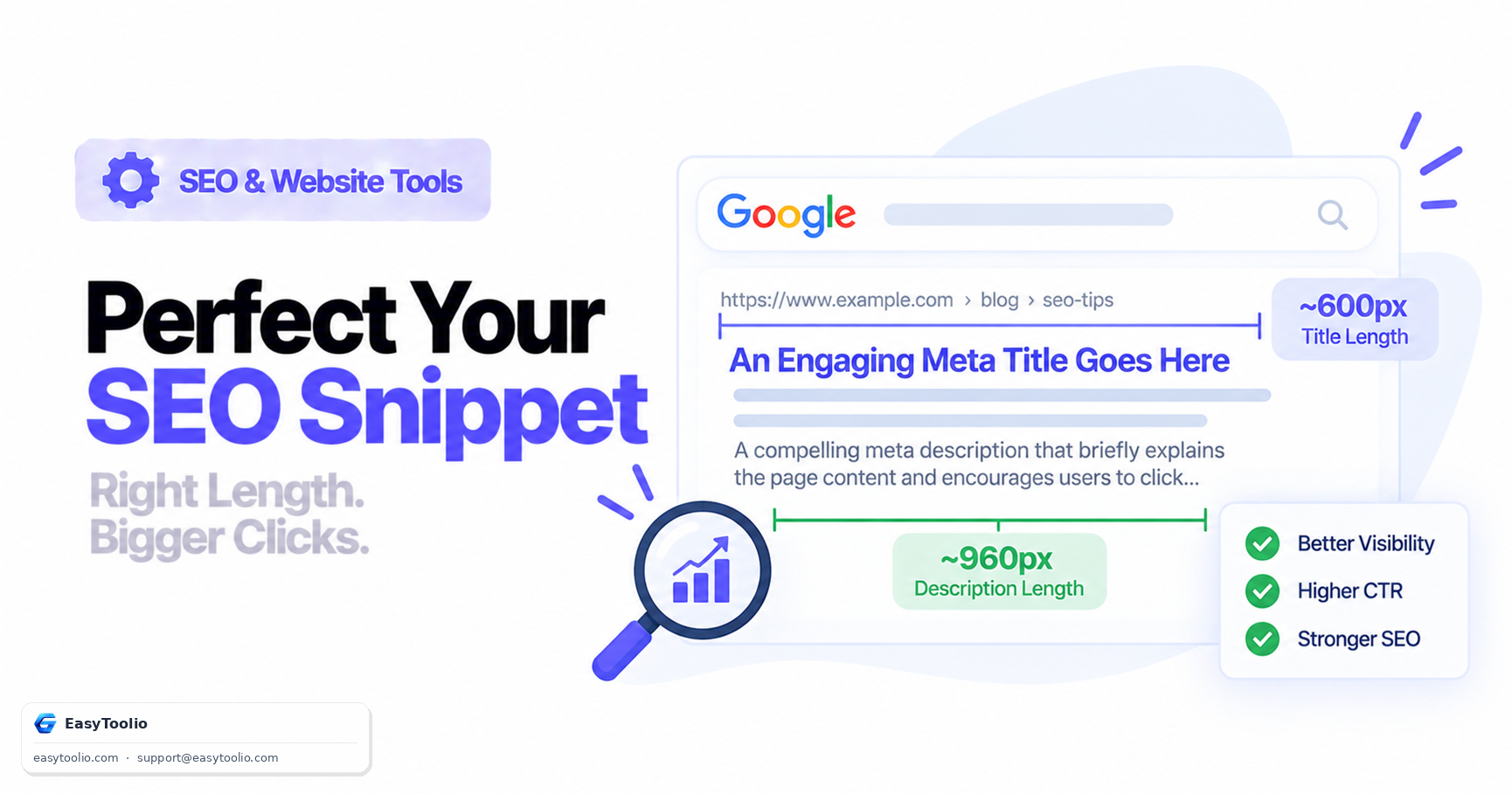
Direct answer: Keep title tags around 50–60 characters and meta descriptions around 150–160 characters as a practical target — search engines render these based on pixel width, not a strict character count, so results vary slightly depending on which letters are used (a title full of narrow letters like "i" and "l" fits more characters than one full of wide letters like "W" and "M"). Meta descriptions are not a direct Google ranking factor, but they directly influence click-through rate, and CTR is a meaningful driver of organic traffic even when it doesn't move rankings directly. Search engines also frequently rewrite a page's displayed snippet entirely, generating one from page content instead of using your declared meta description, especially when it's missing, generic, or a poor match for the specific query.
Why Pixel Width Matters More Than Character Count
Search result pages don't truncate text at a fixed character count — they truncate at a fixed pixel width, because titles and descriptions render in a proportional font where different letters take up different amounts of horizontal space. Two titles with the same character count can render at very different widths depending on letter composition. That's why character-count guidelines are approximations, not hard rules — a title of 62 characters made mostly of narrow letters might display fully, while a 55-character title full of capital letters gets clipped with an ellipsis.
| Element | Practical character target | Why |
|---|---|---|
| Title tag | ~50–60 characters | Balances descriptiveness against truncation risk across desktop and mobile |
| Meta description | ~150–160 characters | Desktop allows more width than mobile; mobile often truncates shorter |
Writing Titles That Don't Get Truncated or Rewritten
A title tag should be unique per page, front-load the primary topic or keyword, and read as a natural phrase rather than a keyword list. Avoid stuffing multiple unrelated keywords into one title — beyond risking truncation, it reads poorly and doesn't reliably help rankings.
<!-- Weak: vague, generic, easy for search engines to rewrite -->
<title>Home | My Website</title>

<!-- Stronger: specific, front-loaded, describes exactly what the page offers -->
<title>SIP Calculator - Estimate Mutual Fund Returns | EasyToolio</title>
Writing Meta Descriptions That Earn Clicks
A meta description isn't a ranking lever — treat it as ad copy. It should summarize the specific value of the page and, where relevant, include a reason to click (free, updated, interactive, comprehensive) rather than restating the title in different words.
<!-- Weak: generic boilerplate that search engines are likely to override -->
<meta name="description" content="Welcome to our website. We offer finance tools and calculators for everyone." />

<!-- Stronger: specific, actionable, matches likely search intent -->
<meta name="description" content="Calculate your monthly SIP returns with a free interactive calculator. Compare mutual fund growth against fixed deposits and see year-by-year projections." />
Handling Titles and Descriptions at Scale
On a site with hundreds or thousands of templated pages — product listings, calculator tools, location pages — hand-writing every title and description individually isn't realistic. A templated pattern ({Tool Name} - {Primary Benefit} | {Brand}) keeps titles consistent and on-brand, but it's worth building in enough variable data (the specific tool, category, or input) that pages don't end up as near-duplicates of each other. A template that produces "Calculator | EasyToolio" on fifty different pages creates exactly the duplicate-snippet problem unique titles are meant to solve — the variable portion of the template needs to carry real, page-specific information, not just fill a slot.
Mobile vs Desktop Snippet Display
Search results render differently by device, and mobile screens generally show less text before truncating than desktop does. A description that displays in full on a desktop search result may get cut off a line earlier on a phone. There's no separate "mobile meta description" to write — the same tag serves both — so the practical approach is to front-load the most important information in the first sentence, so that even a shorter truncation on mobile still delivers the key value proposition before it gets cut.
Why Search Engines Rewrite Your Snippet Anyway
Search engines frequently generate their own snippet from page content instead of using the declared meta description, particularly when:
- The meta description is missing, too generic, or duplicated across multiple pages.
- A different passage on the page matches the specific search query more precisely than the static description does.
This is normal behavior, not a penalty — it means the search engine judged a query-specific excerpt from your content as more useful than your static description for that particular search. Writing a strong, specific meta description still matters, because it's what gets shown for the majority of queries where a better in-page match doesn't clearly exist.
Frequently Asked Questions
Should every page have a unique meta description? Yes. Duplicate descriptions across pages give search engines no reason to prefer your written copy over an auto-generated snippet, and they read as low-effort to users comparing multiple results from your site.
Does a longer meta description ever get fully displayed? Occasionally, especially on desktop, but it's inconsistent — designing to the ~155-character target is safer than relying on the cases where more text fits.
Is it bad if Google rewrites my title tag in search results? It's not a penalty, but a frequently-rewritten title suggests your original title isn't matching what users are actually searching for. If you notice it happening consistently for a page, it's worth revisiting the title's phrasing and specificity.
Do keywords in the title tag still matter for rankings? Yes, a relevant, well-matched title remains one of the clearer on-page relevance signals — but it works best as a natural, specific phrase rather than a stuffed list of keyword variants.
Should meta titles and H1 headings be identical? They don't need to be identical, but they should be closely aligned. Divergence between the two can confuse users comparing the search result to the page they land on.
Check your title and description lengths against pixel-width limits using our meta tag analyzer, preview how your page appears when shared with the Open Graph checker, confirm structured data isn't conflicting with your snippet using the schema markup validator, and count characters precisely with the word counter.