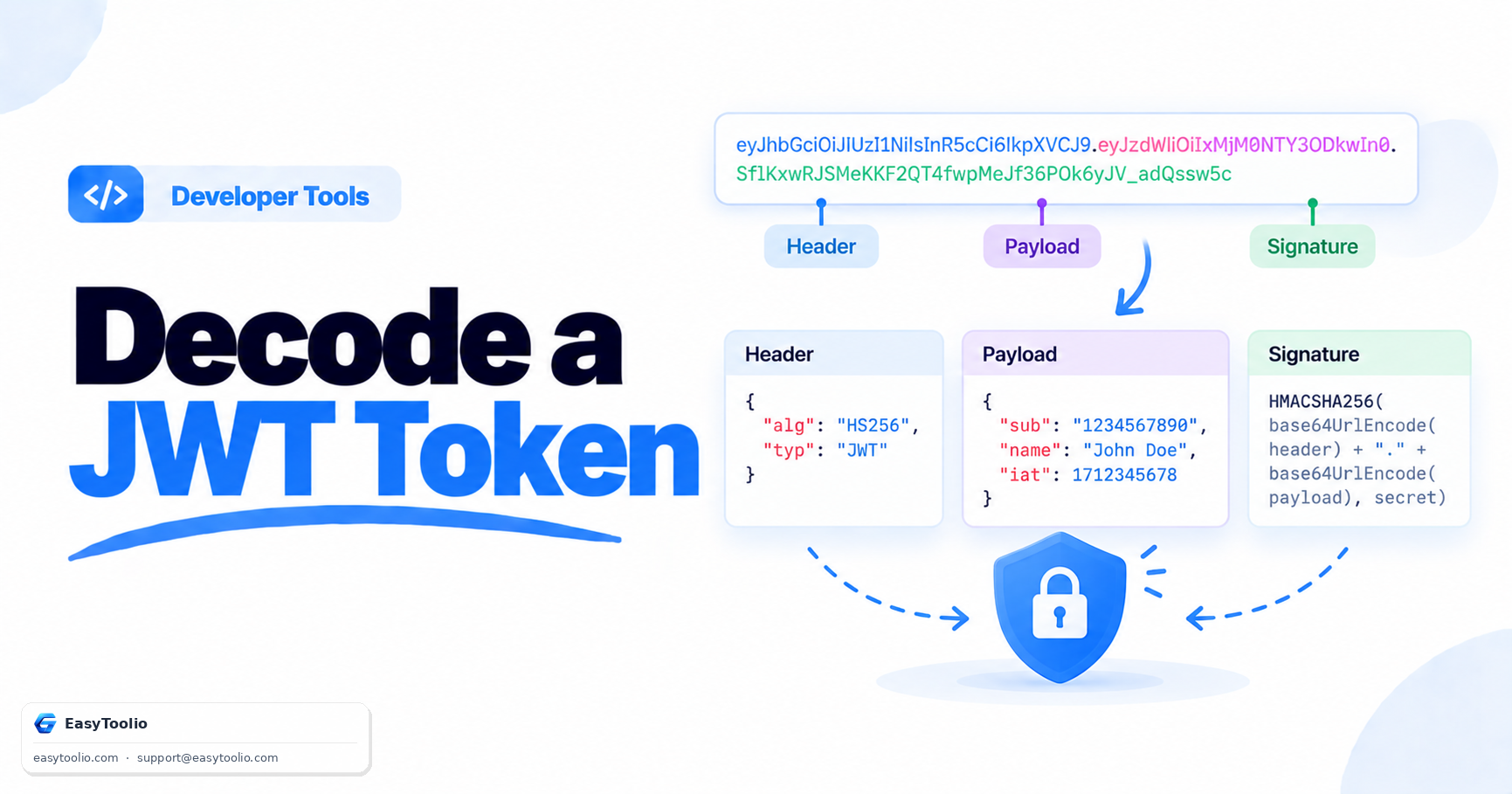
A JWT looks like an unreadable string of random characters, but it is actually just three pieces of base64url-encoded JSON stitched together with dots. Once you understand that structure, decoding one is trivial — the harder (and more important) part is understanding what decoding does not prove.
The Structure of a JWT
A JSON Web Token always has the format header.payload.signature, three segments separated by periods, each base64url-encoded. Here's a real example:
eyJhbGciOiJIUzI1NiIsInR5cCI6IkpXVCJ9.eyJzdWIiOiIxMjM0NTY3ODkwIiwibmFtZSI6IkpvaG4gRG9lIiwiaWF0IjoxNTE2MjM5MDIyfQ.SflKxwRJSMeKKF2QT4fwpMeJf36POk6yJV_adQssw5c
Decoding the first segment (the header) gives you:
{
  "alg": "HS256",
  "typ": "JWT"
}
This tells you the signing algorithm (HMAC-SHA256 in this case) and the token type. Decoding the second segment (the payload) gives you:
{
  "sub": "1234567890",
  "name": "John Doe",
  "iat": 1516239022
}
The payload holds "claims" — data about the user or session, such as subject (sub), issued-at time (iat), expiration (exp), and any custom fields the issuer added. The third segment, the signature, is not JSON at all — it's a cryptographic hash computed over the header and payload using a secret key (for HMAC algorithms) or a private key (for RSA/ECDSA), and it exists purely to detect tampering.
Base64url, Not Standard Base64
JWT segments use base64url encoding, a variant of standard Base64 that replaces + with - and / with _, and typically omits padding = characters, so the token is safe to put directly in a URL or HTTP header without extra escaping. If you try to decode a JWT segment with a plain Base64 decoder and it fails, this character substitution is usually why — you need a decoder that understands base64url specifically. The JWT Decoder on Toolio handles this automatically: paste the full token and it splits and decodes all three segments into readable JSON without any manual character replacement.
Decoding vs Verifying: The Critical Difference
This is the single most misunderstood part of JWTs: decoding a token tells you nothing about whether it is legitimate. Because the header and payload are only base64url-encoded (not encrypted), anyone can decode them — including an attacker who forged the token. Decoding just reveals the claims; it does not confirm the issuer actually created it or that the payload hasn't been altered.
Verification is a separate cryptographic step: recomputing the signature using the correct secret or public key and confirming it matches the signature segment in the token. If you're building an API that accepts JWTs for authentication, you must verify the signature server-side using a proper JWT library (like firebase/php-jwt in PHP or jsonwebtoken in Node) — never authenticate a user based on decoded payload contents alone. Decoding is for debugging and inspection; verification is for security.
Practical Use Case: Debugging an Expired Token
A common scenario: your API returns "401 Unauthorized" and you suspect the token expired. Decode the payload and check the exp claim, which is a Unix timestamp. If exp is earlier than the current time, the token has expired and the client needs to refresh it. This is a read-only debugging step — you're inspecting claims, not bypassing security — and it's exactly the kind of quick check a decoder tool is built for, versus writing a one-off script just to inspect a token during development.
Frequently Asked Questions
Q: Is a JWT encrypted? A: Not by default. Standard JWTs (JWS) are signed, not encrypted — anyone can decode the header and payload. If you need to hide the payload contents, you need an encrypted variant (JWE), which is far less common.
Q: Can I trust the claims in a decoded JWT without verifying it? A: No. Since anyone can craft a JWT with arbitrary claims and encode it correctly, the claims are only trustworthy after the signature has been cryptographically verified against the issuer's secret or public key.
Q: Why does my decoded JWT payload look cut off or garbled? A: This usually means the base64url string is missing required padding or a segment was copied incompletely. Make sure you copy the entire token, including all three dot-separated segments, before decoding.