When online gaming feels sluggish or video calls stutter, users blame "lag." However, network performance relies on three distinct, measurable parameters: Ping, Latency, and Jitter — plus a fourth, related metric, packet loss, that gets confused with all three.
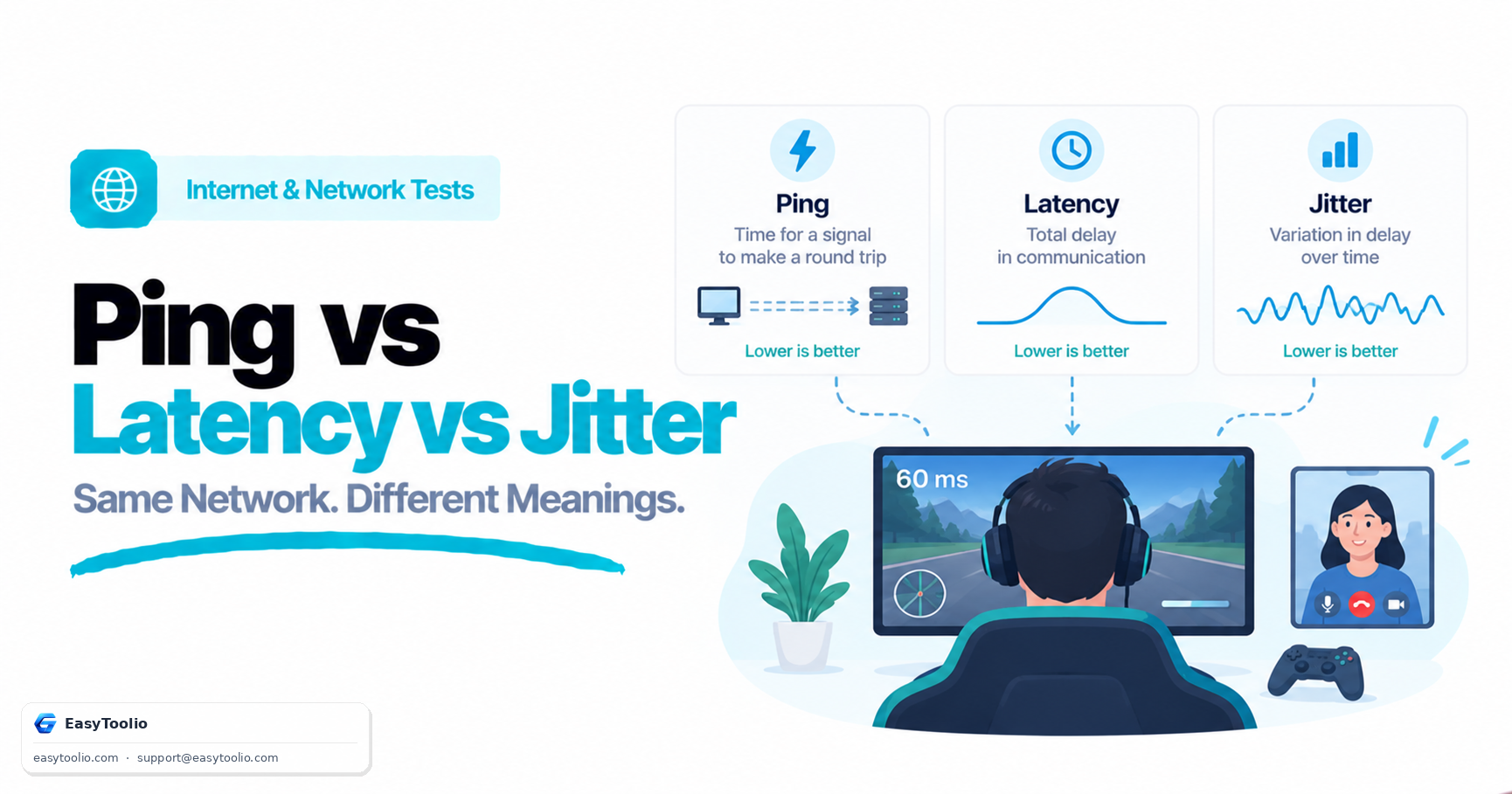
Direct Answer: Latency is the time in milliseconds (ms) it takes for a data packet to travel from sender to receiver; Ping is the network diagnostic utility (and the resulting round-trip time value it reports) used to measure latency; and Jitter is the inconsistency or variance in latency over time. High ping represents a uniform, predictable delay, whereas packet loss represents data that never arrives at all — high ping does not automatically mean packet loss is occurring, and the two require different fixes.
1. Core Network Metrics Defined
Client ──[ Packet Sent ]──────────────────────────────────► Server (15ms)
Client ◄──────────────────────────────────[ Echo Response ]── Server (15ms)
Total Round-Trip Time (Ping / Latency) = 30ms

Ping Test Samples: 30ms, 31ms, 29ms, 30ms   ──► Low Jitter (~1ms)   (Smooth)
Ping Test Samples: 30ms, 180ms, 45ms, 220ms ──► High Jitter (~85ms) (Lag Spikes)
| Metric | Measurement Unit | Good Value Range | Impact on Real-Time Use |
|---|---|---|---|
| Latency (Ping) | Milliseconds (ms) | Under ~30ms ideal, under ~50ms good | Determines the delay between an action and the server's response |
| Jitter | Milliseconds (ms) | Under ~5ms ideal, under ~15–20ms acceptable | Causes rubber-banding in games and choppy, garbled audio in calls |
| Packet Loss | Percentage (%) | As close to 0.0% as possible | Causes teleporting players, missing audio words, dropped inputs |
These are rough, commonly cited comfort thresholds rather than hard technical cutoffs — a fast-paced competitive shooter is far more sensitive to jitter than a turn-based game or a podcast-style voice call.
2. Why High Ping Is Not the Same as Packet Loss
- High Ping (High Latency): Packets arrive safely, without data corruption, but take longer to complete the round trip — often because of physical distance, extra network hops, or a slow link somewhere in the path.
- Jitter: The round-trip time itself fluctuates from one packet to the next, which is often more disruptive to real-time applications than a high but stable ping, since jitter buffers in games and calling apps struggle to smooth out unpredictable timing.
- Packet Loss: Packets are dropped entirely — typically by congested routers, a saturated link (see bufferbloat), or a weak/interfered Wi-Fi signal — and never reach their destination at all, forcing retransmission (on TCP) or simply vanishing (on UDP, which most real-time voice/game traffic uses).
A connection can have low, stable ping and still suffer from occasional packet loss, and vice versa — they are measured and caused differently, so diagnosing "lag" requires checking all three separately rather than assuming one implies the other.
3. Wi-Fi vs Ethernet Jitter Comparison
Connecting over 2.4GHz Wi-Fi introduces radio frequency interference from microwave ovens, Bluetooth devices, cordless phones, and neighboring routers on the same channel, which commonly shows up as intermittent jitter spikes rather than a constantly high ping. 5GHz and Wi-Fi 6/6E channels are less crowded and typically perform better, but still share air time with other devices. Switching to a wired Ethernet connection removes RF interference from the equation entirely, generally reducing jitter to a small fraction of a millisecond caused only by switch/router processing.
4. How Distance and Routing Affect Baseline Latency
Even on a perfect connection, latency has a physical floor: light in fiber-optic cable travels at roughly two-thirds the speed of light in a vacuum, so a round trip across a continent carries an unavoidable delay of tens of milliseconds before any router processing is even counted. This is why players routinely see lower ping to a game server in their own region than to one on another continent, regardless of how good their local connection is — no amount of local network tuning closes a distance-driven latency gap, only choosing a closer server does.
Test your latency and jitter stability using our interactive Ping Test, measure throughput with the Internet Speed Test, and check for load-induced latency spikes with the Bufferbloat Test.
5. Frequently Asked Questions (FAQs)
What causes high jitter on fiber connections?
On fiber internet, high jitter is most often caused by something inside the home network rather than the fiber line itself — commonly Wi-Fi interference, an underpowered router CPU, or active background downloads/uploads triggering bufferbloat.
Does a wired connection guarantee zero jitter?
No, but it comes close under normal conditions. Wired jitter can still occur from a congested local switch, a saturated link (bufferbloat), or faulty cabling/hardware, though these causes are far less common and easier to isolate than Wi-Fi interference.
Is 0% packet loss realistic to expect at all times?
Occasional, very low packet loss (well under 1%) can happen on any network and is often invisible in practice because TCP retransmits automatically. Sustained or higher packet loss, however, is a real problem worth investigating — usually pointing to Wi-Fi issues, a failing cable/port, or an oversaturated connection.
Why does my ping look fine in a speed test but I still feel lag in games?
Standard speed tests usually report idle or lightly loaded ping. Games generate a steady stream of small packets over a connection that may also be under load from other devices or your own downloads, which is exactly the scenario bufferbloat and jitter show up in — a loaded-latency or jitter-focused test is more representative of the in-game experience than a basic idle ping check.
References: IETF RFC 3550 (RTP: A Transport Protocol for Real-Time Applications — jitter calculation methodology).