A <script type="application/ld+json"> block can be perfectly valid JSON — no missing commas, no unquoted keys, no syntax errors of any kind — and Google's Rich Results Test will still reject it. That gap confuses a lot of developers, because a JSON linter and a schema validator are checking two completely different things. A linter checks whether the text parses as JSON. Google's Rich Results Test checks whether the content satisfies the specific required and recommended properties for whatever @type you declared.
This is a troubleshooting rundown of the specific errors that actually cause rejections in practice, not a general introduction to structured data formats.
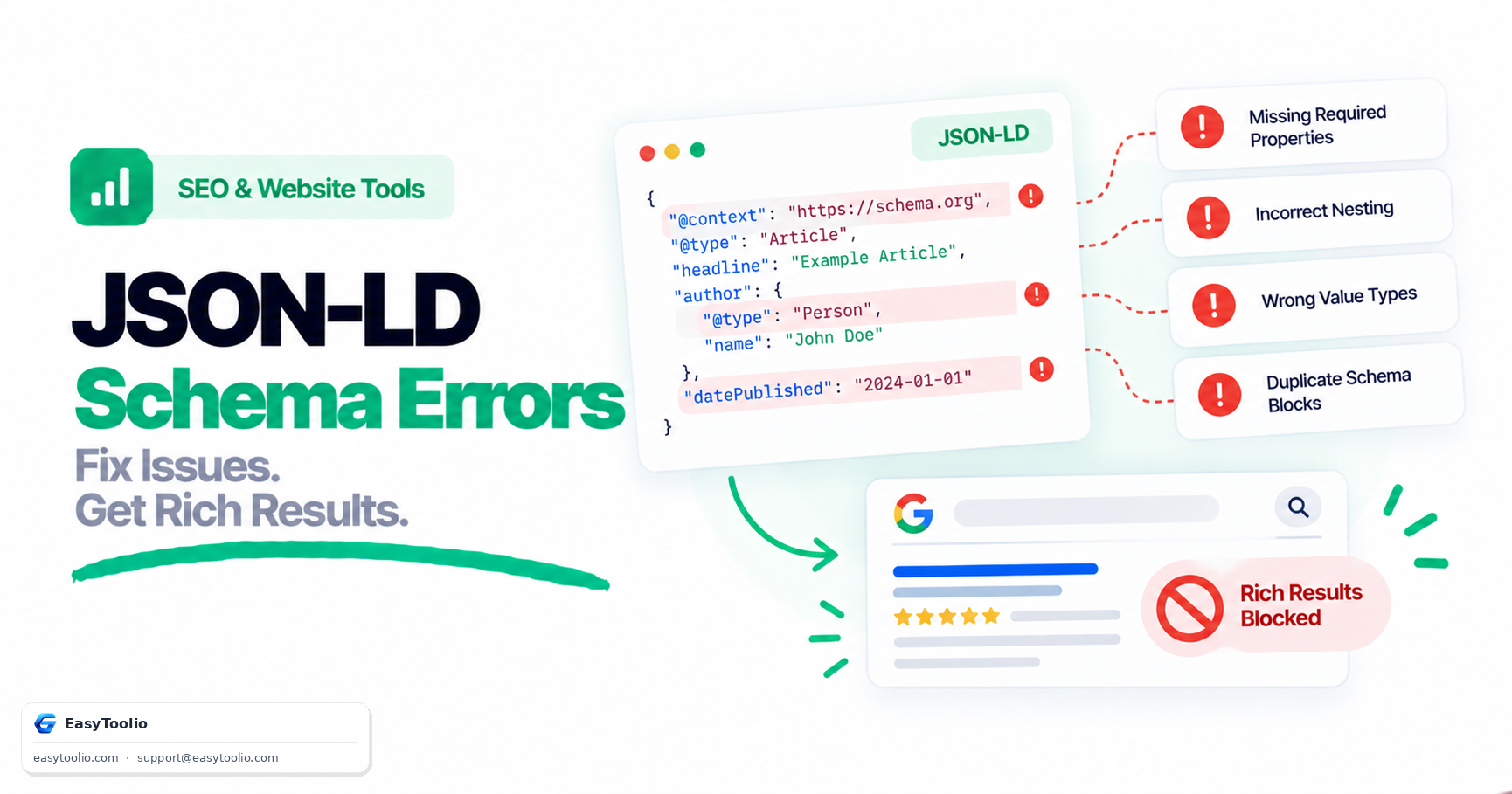
Direct Answer: The four most common causes of Rich Results Test failures on syntactically valid JSON-LD are: (1) missing required properties for the declared schema type, such as a Product without offers or an aggregateRating without a ratingValue; (2) incorrect nesting of @type and @context, where a nested entity is missing its own @type or @context appears somewhere other than the root node; (3) using a plain string where a structured object is required, such as writing "author": "Jane Doe" instead of a full Person object; and (4) duplicate or conflicting schema blocks describing the same entity differently on one page.
1. Missing Required Properties for the Schema Type
Every Schema.org type Google supports for rich results has its own list of required and recommended properties, published in Google's structured data documentation. Missing a required property produces a hard error; missing a recommended one produces a warning but does not block eligibility.
| Schema Type | Commonly Missing Required Property | Effect |
|---|---|---|
Product |
offers (or review / aggregateRating) |
No price/availability rich result, no review stars |
AggregateRating |
ratingValue or reviewCount |
Star rating snippet is dropped entirely |
Recipe |
image, recipeIngredient, recipeInstructions |
Recipe carousel eligibility fails |
JobPosting |
datePosted, hiringOrganization, jobLocation |
Job listing rich result rejected |
FAQPage |
mainEntity[].acceptedAnswer.text |
FAQ rich result does not render |
// ❌ Product missing "offers" — fails Rich Results Test
{
  "@context": "https://schema.org",
  "@type": "Product",
  "name": "Wireless Mouse"
}

// ✅ Fixed — offers block satisfies the required property
{
  "@context": "https://schema.org",
  "@type": "Product",
  "name": "Wireless Mouse",
  "offers": {
    "@type": "Offer",
    "price": "19.99",
    "priceCurrency": "USD",
    "availability": "https://schema.org/InStock"
  }
}
2. Incorrect Nesting of @type and @context
@context establishes the vocabulary (almost always https://schema.org) and should generally appear once, on the outermost object. @type must appear on every object that represents an entity — including nested objects like Offer, Person, or Organization. A common mistake is nesting a raw object without its own @type, which leaves Google unable to determine what kind of entity it is looking at.
// ❌ Nested "author" object has no @type — Google cannot identify the entity
{
  "@context": "https://schema.org",
  "@type": "Article",
  "headline": "Understanding Crawl Budget",
  "author": {
    "name": "Jane Doe"
  }
}

// ✅ Fixed — nested object declares its own @type
{
  "@context": "https://schema.org",
  "@type": "Article",
  "headline": "Understanding Crawl Budget",
  "author": {
    "@type": "Person",
    "name": "Jane Doe"
  }
}
3. Using a String Where a Structured Object Is Required
Google's documentation for many properties (author, publisher, offers, aggregateRating) explicitly requires a nested Person, Organization, Offer, or AggregateRating object — not a plain string. A string may pass a generic JSON-LD syntax check while still failing the Rich Results Test, because the validator is checking against the expected Schema.org shape, not just valid JSON.
// ❌ String value where an Organization object is expected
"publisher": "EasyToolio"

// ✅ Structured object satisfies the schema requirement
"publisher": {
  "@type": "Organization",
  "name": "EasyToolio",
  "logo": {
    "@type": "ImageObject",
    "url": "https://example.com/logo.png"
  }
}
4. Duplicate or Conflicting Schema Blocks on the Same Page
It's common for a page to end up with more than one <script type="application/ld+json"> block describing the same entity — one injected by a CMS plugin's default template, and one added manually by a developer, each with different values for headline, datePublished, or author. Google does not merge conflicting blocks; when signals disagree, the page's structured data becomes unreliable and rich results may be suppressed or an arbitrary block may be chosen. Separate types (an Article block plus a BreadcrumbList block plus a FAQPage block) can safely coexist — the problem is specifically two blocks claiming the same @type for the same entity with different data.
Run your page's JSON-LD through our schema-markup-validator before publishing — it flags missing required properties, malformed nesting, and duplicate type declarations in a single pass so you don't have to wait for Google's own crawler to surface the problem days later.
5. Frequently Asked Questions (FAQs)
Does syntactically valid JSON-LD guarantee eligibility for rich results?
No. Valid JSON only confirms the text parses correctly. Eligibility depends on satisfying the required properties Google documents for that specific @type, which a plain JSON linter has no way to check.
Why does the Rich Results Test show a "warning" instead of an "error" for a missing property?
Google separates required properties from recommended ones. A missing required property produces an error and blocks the rich result entirely. A missing recommended property produces a warning — the rich result can still appear, but it may render with fewer visible details (no star rating, no image, etc.).
Can a single page safely contain multiple JSON-LD script blocks?
Yes, as long as each block either describes a different entity or a different type — for example one block for Article, one for BreadcrumbList, and one for FAQPage. The failure mode is two blocks describing the same entity and type with conflicting values, which creates ambiguous signals rather than a clean set of complementary ones.
References: Google Search Central Structured Data Guidelines, Schema.org Vocabulary Documentation.