You're about to buy a used laptop from a stranger online, and the listing claims specs that sound almost too good for the price. Or a family member calls with a vague tech problem and can't tell you what browser, let alone what operating system version, they're running. In both situations, a device information checker gives you a fast, verifiable read on what's actually running the show — without installing anything.
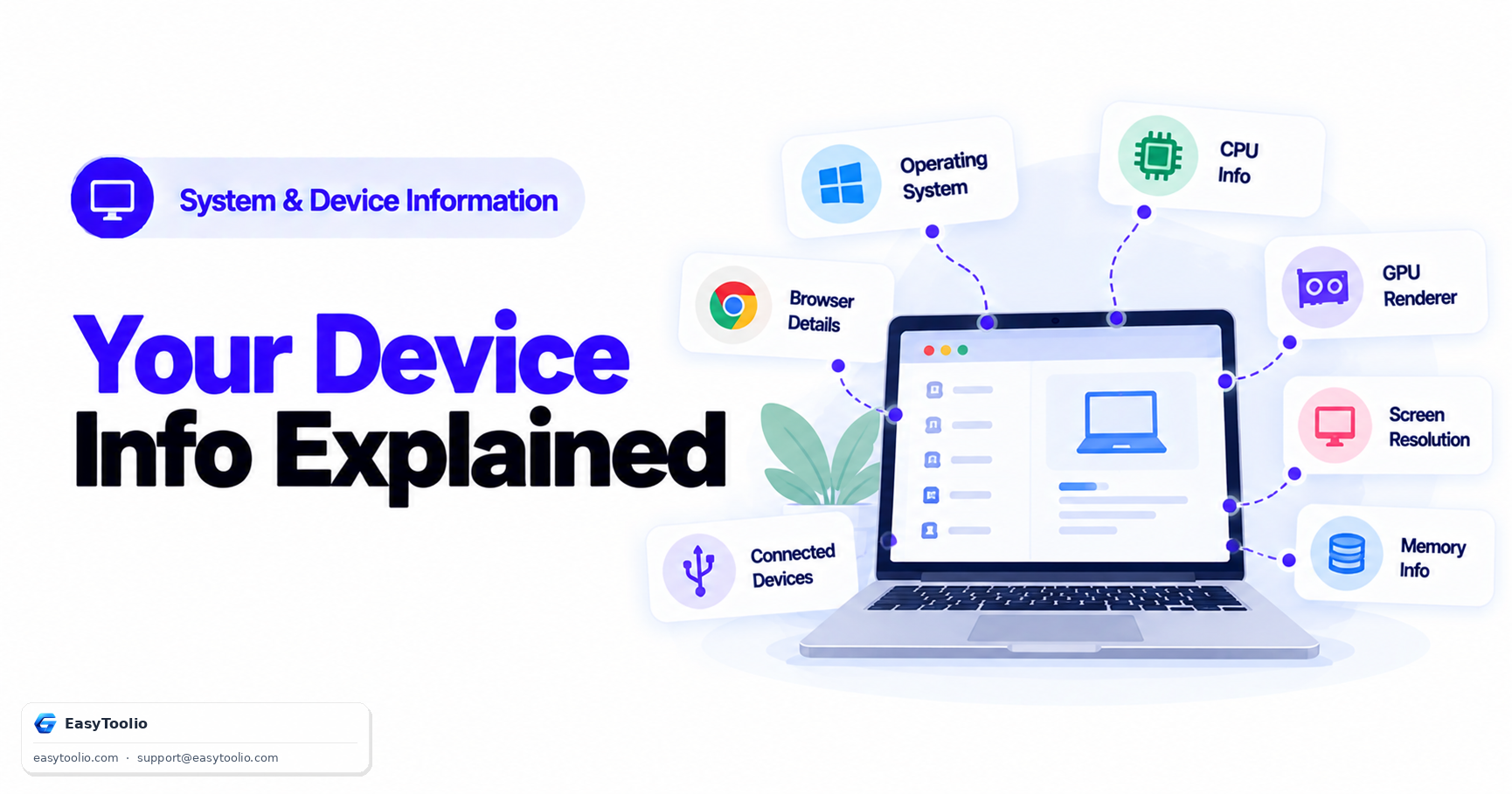
Direct Answer: A device information checker reads data your browser voluntarily exposes to any website through standard web APIs — operating system and version, browser name/version/rendering engine, screen resolution and pixel ratio, an approximate GPU renderer string via WebGL, CPU core-count hints (navigator.hardwareConcurrency), and rounded device memory estimates (navigator.deviceMemory) — all without needing installed software or elevated permissions. This differs meaningfully from a phone or computer's native "About This Device" screen, which has direct OS-level access to exact model numbers, serial numbers, and precise hardware specs that browsers deliberately withhold or generalize for privacy and fingerprinting-resistance reasons.
What a Browser Can Actually Read
Modern browsers expose a defined, limited set of device and environment properties through standard JavaScript APIs — every website you visit can technically request this same information, which is exactly what a device information checker surfaces in a readable format:
| Data Point | Source API | What It Reveals |
|---|---|---|
| Operating system & version | navigator.userAgent / User-Agent Client Hints |
General OS family and version range |
| Browser name, version, engine | navigator.userAgent |
Chrome/Firefox/Safari/Edge and rendering engine (Blink, Gecko, WebKit) |
| Screen resolution & pixel ratio | screen.width/height, devicePixelRatio |
Physical display resolution and density scaling |
| GPU renderer string | WebGL UNMASKED_RENDERER_WEBGL |
Approximate graphics card/GPU model, often generalized |
| CPU core-count hint | navigator.hardwareConcurrency |
Approximate number of logical processor cores |
| Device memory estimate | navigator.deviceMemory |
Rounded RAM tier (e.g., 4, 8 GB — not exact value) |
| Touch support | navigator.maxTouchPoints |
Whether the device supports touch input |
| Network connection type | navigator.connection (where supported) |
General connection type (wifi, cellular, effective speed tier) |
Run these checks instantly for your own device with our device information checker to see exactly what a website can detect about your setup without installing anything.
Why This Differs From a Phone's Native "About This Device" Screen
A phone or computer's built-in settings app has direct, privileged access to the actual operating system and hardware layer — it can read the exact model number, serial number, precise total RAM, exact processor model, and manufacturing details straight from the device firmware. A web browser, by design, does not get this level of access, for two deliberate reasons:
- Security: Giving every website direct hardware-level access would create an enormous attack surface, since any visited page could otherwise fingerprint or probe device internals without the user's knowledge or consent.
- Privacy/anti-fingerprinting: Browsers deliberately generalize or round several values — memory is reported in coarse tiers rather than exact megabytes, GPU renderer strings are sometimes masked to a generic label on privacy-focused browsers, and User-Agent strings have moved toward more generalized "Client Hints" specifically to reduce how uniquely identifiable a single browser fingerprint is across the web.
This means a browser-based device information checker gives you a genuinely useful approximation of your hardware and software environment, but not the exact, authoritative figures a native settings screen provides.
Practical Use Cases
- Remote tech support: Asking a non-technical user to open a device information checker and read out the results is far faster and more reliable than talking them through navigating multiple native settings menus, especially across different OS versions and phone brands.
- Verifying specs before buying used hardware: Checking the reported GPU renderer string, CPU core count, and device memory tier against a seller's claimed specifications gives you a quick sanity check before completing a purchase, though it's not a substitute for a full in-person or benchmarked inspection.
- Responsive web design and compatibility testing: Developers and QA testers use screen resolution, pixel ratio, and browser engine information to verify how a website renders across a range of real device configurations.
- General curiosity and troubleshooting: Quickly confirming which browser engine or OS version you're actually running, especially useful when diagnosing why a specific website or web app behaves inconsistently.
Common Misconceptions
- "It can see my exact model number." It generally cannot — GPU renderer strings, memory, and CPU hints are approximations or generalized tiers, not exact hardware identifiers pulled from firmware.
- "It's spying on my files or personal data." A device information checker reads only browser-exposed environment properties (screen, hardware hints, browser/OS identifiers) — it has no access to your files, other applications, or data outside the browser sandbox.
- "The numbers will always match what the seller told me." Reported values like device memory are deliberately rounded to broad tiers by the browser itself, so a small mismatch from an exact spec sheet number doesn't necessarily indicate a false claim — cross-check with reported tiers, not exact figures.
Frequently Asked Questions
Can a website see my exact amount of RAM?
No — navigator.deviceMemory deliberately reports a rounded, approximate tier (commonly values like 0.25, 0.5, 1, 2, 4, or 8 GB) rather than the precise installed RAM, specifically to reduce browser fingerprinting risk while still giving developers a rough capability signal.
Why does the GPU renderer string sometimes show a generic name?
Privacy-focused browsers and browser privacy modes sometimes intentionally mask the real GPU renderer string with a generic placeholder value to reduce how uniquely identifiable your device fingerprint is across different websites.
Is checking device information the same as a virus or malware scan?
No — a device information checker only reads standard, publicly exposed browser environment properties for informational purposes. It has no capability to scan for malware, access your file system, or interact with installed applications outside the browser.
Does this work the same way on mobile browsers as desktop browsers?
The same general categories of information (OS, browser, screen specs, hardware hints) are available on both, though mobile browsers often report even more generalized or restricted values for certain fields (like GPU details) due to stricter default privacy settings on mobile operating systems.
Can I trust the reported CPU core count for gaming or performance decisions?
It's a reasonable rough indicator (navigator.hardwareConcurrency reports logical core count) but shouldn't be treated as a precise performance benchmark — actual real-world performance also depends on CPU generation, clock speed, thermal design, and other factors not exposed to the browser at all.
References: MDN Web Docs (Mozilla) on Navigator API properties including hardwareConcurrency and deviceMemory; W3C User-Agent Client Hints specification; WebGL specification on renderer information exposure.