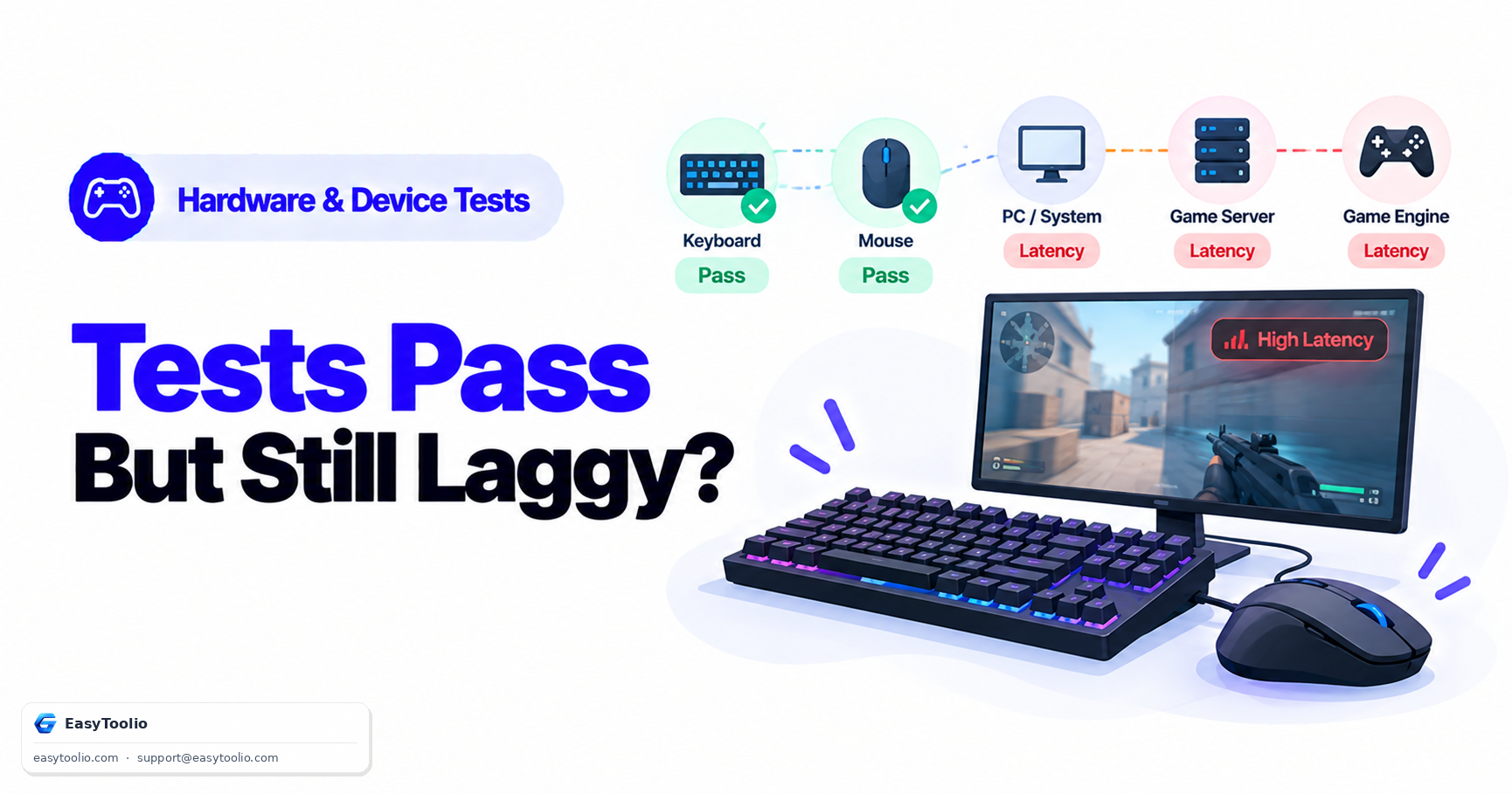
You run a polling rate test and your mouse checks in at a clean 1000Hz. You run a rollover test and every key you press registers correctly, no ghosting, no dropped inputs. By every individual measurement, your gear is performing exactly as advertised. Yet in an actual match, your aim still feels a half-step behind, your movement still feels like it's arriving late — and it's confusing when the hardware itself keeps testing out perfectly clean.
Direct Answer: Passing individual hardware tests doesn't rule out system-level input lag because each test isolates one variable in a controlled environment, while in-game "feel" is the sum of several separate latency sources stacked together that no single test captures at once: the display's own input lag (the time between the GPU rendering a frame and the pixels actually changing on screen, which is separate from and additional to your polling rate), the interaction between USB polling interval and the game engine's tick rate and rendered frame rate (a high polling rate can't help if the game only reads input once per rendered frame), background software adding its own polling or processing overhead, and V-Sync or frame-buffering settings adding a further, sometimes substantial, layer of latency. A clean result from a mouse polling rate test or a keyboard rollover test confirms the device itself is healthy — it says nothing about the other four or five stages between your press and the photon hitting your eye.
The full input-to-photon pipeline
[Your finger moves]
        |
[Mouse sensor samples motion]          <- polling rate test checks THIS link only
        |
[USB reports movement to PC]
        |
[OS/driver processes input]            <- background software overhead can add delay here
        |
[Game engine reads input on its tick]  <- capped by game's tick rate, independent of polling rate
        |
[Game engine renders a frame]          <- capped by your FPS
        |
[GPU finishes frame, sends to display] <- V-Sync/buffering can hold this frame back
        |
[Display actually changes the pixel]   <- display's own input lag, separate from refresh rate
        |
[Photon reaches your eye]
Each individual hardware test — polling rate, rollover, DPI accuracy — verifies one link near the top of this chain, in a clean, isolated test harness with no game engine, no rendering pipeline, and no display processing involved. The game-feel latency you notice is the accumulated delay across every link below it, and a fast top link cannot compensate for a slow one further down.
Polling rate stacks against tick rate — and the lower one wins
A 1000Hz mouse reports its position roughly once per millisecond. That's excellent — as an isolated capability. But the game engine only reads input on its own tick schedule, and many games only process new input once per rendered frame. If a game is rendering at 100 FPS (a 10ms frame interval) and only reads mouse state once per frame, then having the mouse report position every 1ms doesn't shrink the effective delay below that 10ms frame interval — the engine simply wasn't going to look more often than that regardless of how fast the mouse could tell it. The polling rate test correctly reports the mouse is capable of 1000Hz; it has no way of knowing, or reporting on, what the game on top of it will actually do with those extra samples.
| Component | What it controls | Can it be "fixed" by upgrading the other? |
|---|---|---|
| Mouse polling rate | How often the mouse reports position | No — a faster mouse can't force the game to read more often |
| Game tick rate / FPS | How often the game processes input and renders | No — a faster game can't extract data the mouse hasn't sent yet |
Both need to be reasonably high together for polling rate improvements to actually translate into feel; either one being the bottleneck caps the benefit of improving the other.
Display input lag is invisible to a rollover or polling test entirely
Refresh rate (how many times per second a display can update) and input lag (how long after receiving a signal the display actually changes the pixel) are different specifications, and a display can have a high refresh rate alongside meaningfully high input lag if its internal image processing pipeline is slow. A keyboard rollover test confirms every key you pressed was correctly registered by the system — it has no visibility into the display at all, since that's an entirely separate device further down the pipeline, well past where the hardware test's measurement ends.
Background software adds a polling tax you don't see in a clean test
Overlay software, RGB lighting utilities, macro managers, and some anti-cheat or telemetry processes can poll input devices or intercept input events themselves, adding small amounts of processing overhead before your input reaches the game. A hardware test run on a relatively quiet system won't reproduce whatever background load happens to be running during an actual gaming session, so a device can test cleanly in isolation and still be delayed slightly by software running only during real play.
V-Sync and frame buffering: a deliberate latency trade-off
V-Sync, and multi-frame buffering more generally, intentionally hold a rendered frame back to synchronize its display with the monitor's refresh cycle, trading a small amount of added latency for the elimination of screen tearing. This is a deliberate, configurable design choice rather than a defect, but it adds a real, sometimes multi-frame delay between when the game engine decided what to show you and when it actually appeared — a delay no keyboard, mouse, or polling test could ever detect, since it happens entirely on the rendering and display side of the pipeline.
Why this means testing each piece separately is still worth doing
None of this makes device-level tests pointless — quite the opposite. A mouse polling rate test and keyboard rollover test correctly rule out the device itself as the cause, which narrows the search considerably. Combined with a reaction time test to establish your own baseline neural response speed, you can start isolating whether perceived lag is coming from you, the device, or the several system stages in between — but only the device stages, not the whole chain, get confirmed by the device tests alone.
Frequently Asked Questions (FAQs)
If my mouse tests at 1000Hz, why would I still notice input lag in a specific game?
Because that game may only process input once per rendered frame, meaning its own frame rate — not your mouse's polling rate — sets the effective ceiling on how quickly your movements are reflected, regardless of how many extra samples the mouse is capable of sending.
Does turning off V-Sync always fix the feeling of lag?
It typically reduces one specific source of added latency (frame buffering for synchronization) at the cost of potential screen tearing, but it does not address display input lag, game tick rate limitations, or background software overhead, which are separate stages in the same pipeline.
How can I tell if the lag is coming from my hardware or the display?
Isolated tests like polling rate and rollover checks rule the input devices in or out first. If those pass cleanly and the feel is still off, the display's own input lag specification (distinct from its refresh rate) and the game's rendering/V-Sync settings become the more likely remaining causes, since they sit later in the pipeline than anything a keyboard or mouse test measures.
Reference: USB Implementers Forum (USB-IF), USB Human Interface Device (HID) specification, governing polling and report intervals.