In competitive esports (Counter-Strike, Valorant, Overwatch, and similar titles), mouse hardware configuration directly affects how smooth and immediate your aim tracking feels. Two settings get conflated constantly, but they measure completely different things: DPI (sensitivity) and polling rate (how often the mouse talks to your PC).
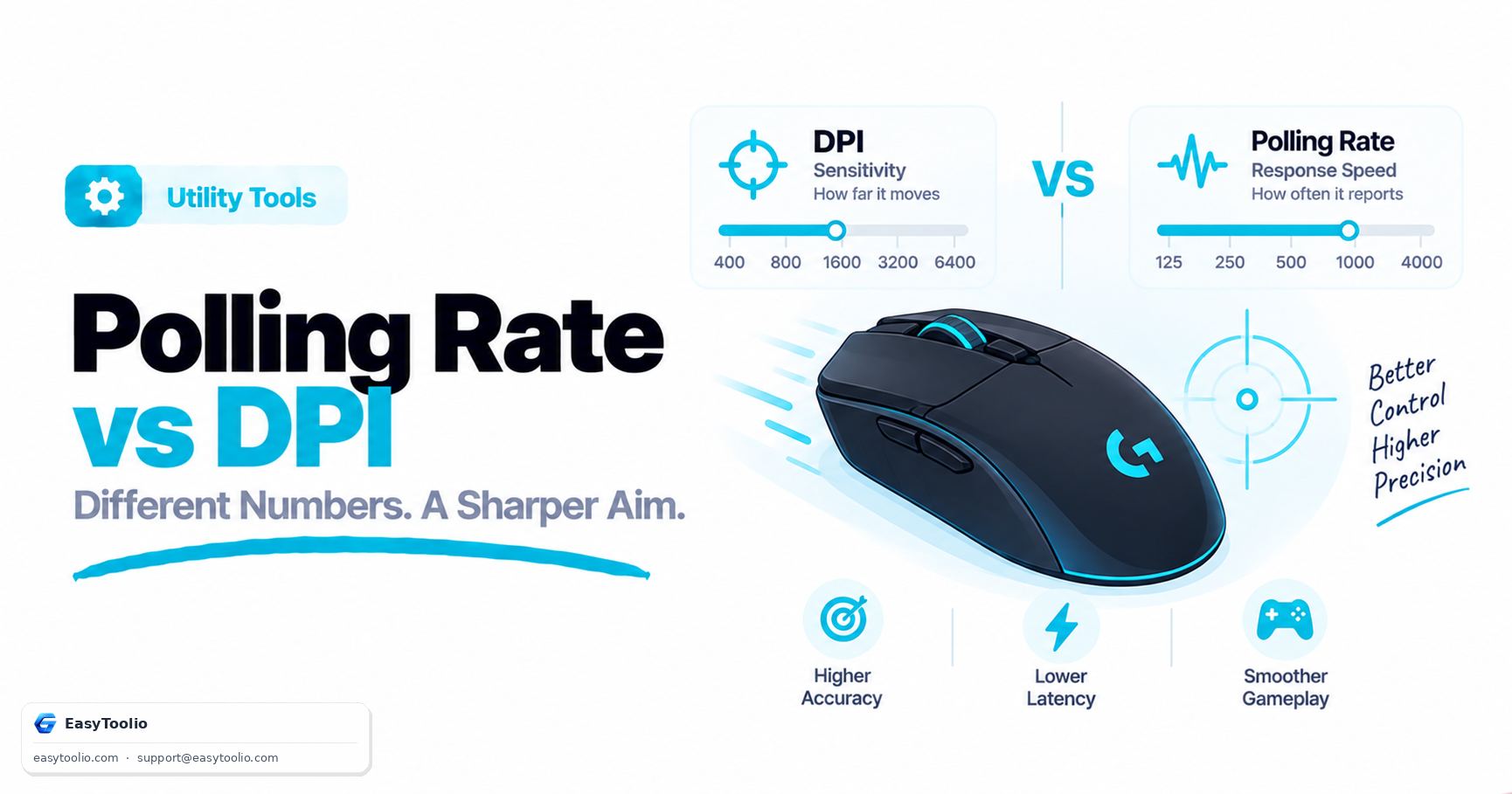
Direct Answer: DPI (Dots Per Inch), sometimes called CPI (Counts Per Inch) at the sensor level, controls how far the cursor moves on screen per inch of physical mouse movement — it's a sensitivity setting. Polling rate (Hz) controls how often the mouse reports its position to the computer each second, independent of sensitivity. A 1000Hz mouse sends an update roughly every 1 millisecond; an 8000Hz mouse sends one roughly every 0.125 milliseconds. Higher polling rate reduces the delay between a physical movement and the cursor reflecting it — it does not make the cursor move farther or make your aim inherently more accurate.
1. Polling Rate and Report Delay
The relationship is a simple inverse: Delay (ms) ≈ 1000 ÷ Polling Rate (Hz).
| Polling Rate | Reports per Second | Approx. Delay Between Reports | Typical CPU Overhead | Common Use Case |
|---|---|---|---|---|
| 125 Hz | 125 | ~8 ms | Minimal | Older or budget mice, default USB spec |
| 500 Hz | 500 | ~2 ms | Low | Casual and everyday gaming |
| 1000 Hz | 1,000 | ~1 ms | Moderate | Long-standing esports baseline |
| 4000 Hz | 4,000 | ~0.25 ms | High | High-refresh-rate gaming setups |
| 8000 Hz | 8,000 | ~0.125 ms | Very high | Enthusiast peripherals paired with capable CPUs |
This delay is only one link in the full input chain — sensor response, USB transmission, game engine polling, and display refresh all stack together. Going from 1000Hz to 8000Hz shaves off roughly seven-eighths of a millisecond in the best case, which is real but small compared to typical human reaction time (over 150ms) or a 60Hz monitor's frame interval (~16.7ms).
2. DPI vs. In-Game Sensitivity: How They Actually Combine
The cursor's real-world sensitivity is the product of DPI × in-game sensitivity multiplier, not either one alone. That's why two very different DPI values can feel identical if the in-game multiplier is adjusted to compensate.
Worked example: Player A runs 800 DPI with an in-game sensitivity of 0.5. Player B runs 1600 DPI with an in-game sensitivity of 0.25. Both produce the same effective sensitivity (800 × 0.5 = 400 "counts", 1600 × 0.25 = 400 "counts"), so their in-game aim feels the same distance-for-distance — the difference is in smoothness, not speed.
- Very low DPI (under ~400) with a high in-game multiplier can produce visible "steps" in cursor movement on some sensors, since fewer raw counts are being interpolated by software.
- Very high DPI (well above a sensor's rated optimum, often in the 6400+ range on many sensors) can introduce jitter or smoothing artifacts, because the sensor is reporting more positional noise than genuine movement.
- Most competitive players land in a moderate DPI range (400–1600) with the in-game sensitivity doing the fine-tuning — this isn't a hard rule, but it reflects where most sensors perform most predictably.
3. How Browser-Based Tools Estimate Polling Rate
A browser can't read raw USB HID report timing directly, so testing tools approximate polling rate by timestamping consecutive pointer events:
pointermove event fires ──► record event.timeStamp ──► compute Δt vs previous event ──► estimated Hz ≈ 1000 / Δt
This works well for confirming the common tiers — 125Hz, 500Hz, and 1000Hz are easy to distinguish this way. At very high rates (4000Hz–8000Hz), browser and OS event-loop scheduling can itself become the bottleneck, so a browser estimate may under-report the true hardware rate even when the mouse is genuinely polling that fast. Dedicated desktop utilities that read the raw HID stream are more accurate for verifying ultra-high polling rates.
4. Practical Setup Advice
- Match polling rate to your monitor's refresh rate as a starting point. There's little practical benefit to polling far beyond what your display can show, though some players still prefer higher rates for input feel even below their monitor's refresh rate.
- Watch for CPU overhead at very high polling rates. On lower-end or older CPUs, processing thousands of interrupts per second alongside a demanding game can contribute to stutter — if you notice frame-time spikes after enabling 4000Hz+ polling, step back down.
- Pick a DPI you can be consistent with, then tune sensitivity in-game. Consistency in muscle memory matters more than the specific DPI number.
- Use a clean mousepad surface and USB port. Sensor tracking quality and cable/port quality affect real-world precision as much as either setting alone.
Test your sensor's DPI accuracy with our mouse DPI test, verify your actual polling rate with the mouse polling rate test, check overall tracking and button response with the mouse tester, and fine-tune effective sensitivity using the eDPI calculator or mouse sensitivity converter. For raw click-speed benchmarking, see the click speed test and APM test, or run a full device hardware check.
Frequently Asked Questions
Does higher polling rate make my aim more accurate?
Not directly. It reduces the delay between a physical movement and the cursor updating on screen, which can make tracking feel smoother, but it doesn't change sensor accuracy or add "skill." Accuracy comes from sensor quality, DPI/sensitivity tuning, and practice.
Can an 8000Hz polling rate cause stuttering in games?
It can, particularly on older or budget CPUs, because the system has to service thousands of mouse interrupts per second on top of running the game. If you notice stutter after switching to a very high polling rate, try 1000Hz or 2000Hz instead.
What DPI do professional players use?
There's a wide range, and pro settings are a personal preference reflecting years of muscle memory rather than a universal optimum — treat published pro settings as a reference point to experiment from, not a target to copy exactly.
Is a higher DPI always better?
No. Past a sensor's optimal range, higher DPI can introduce positional noise (jitter) rather than added precision. Most sensors have a "sweet spot" range specified by the manufacturer where tracking is most accurate.
Why does my mouse feel different on a new PC with the same DPI setting?
Effective sensitivity also depends on Windows pointer settings, in-game sensitivity multipliers, and display resolution/scaling — if any of those differ between machines, the same DPI number can feel noticeably different.