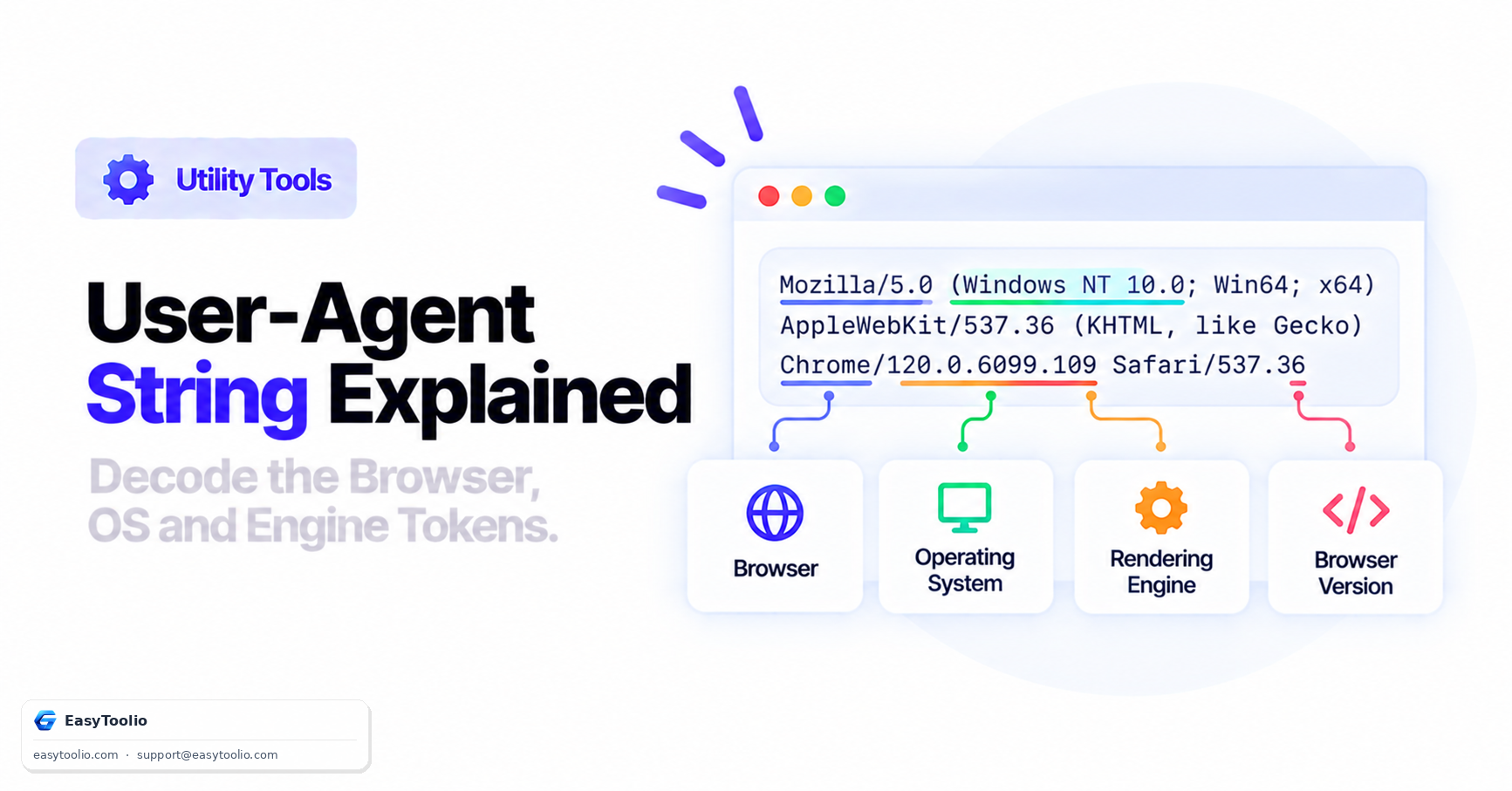
Whenever your web browser requests a web page, it includes an HTTP header named User-Agent. This string identifies your browser, operating system, and rendering engine to the web server — and it's one of the oldest and messiest pieces of the web platform, shaped by two decades of "browser wars" workarounds.
Direct Answer: A User-Agent string is a structured but historically messy sequence of tokens identifying the client software making a request — for example Mozilla/5.0 (Windows NT 10.0; Win64; x64) AppleWebKit/537.36 (KHTML, like Gecko) Chrome/122.0.0.0 Safari/537.36. Modern browsers are actively reducing how much detail this string reveals and are shifting toward User-Agent Client Hints (Sec-CH-UA), a structured, opt-in alternative designed to improve privacy and reduce passive browser fingerprinting.
Anatomy of a Chrome User-Agent String
Mozilla/5.0 (Windows NT 10.0; Win64; x64) AppleWebKit/537.36 (KHTML, like Gecko) Chrome/122.0.0.0 Safari/537.36
| Token | Meaning |
|---|---|
Mozilla/5.0 |
A historical compatibility prefix dating back to Netscape Navigator; virtually every modern browser includes it purely for legacy compatibility, regardless of actual engine. |
(Windows NT 10.0; Win64; x64) |
Operating system and architecture — Windows 10/11, 64-bit. |
AppleWebKit/537.36 |
The underlying rendering engine lineage. Chrome's Blink engine is a fork of WebKit, so it still reports this token for compatibility. |
(KHTML, like Gecko) |
A double-legacy compatibility marker referencing KHTML (WebKit's ancestor) and Gecko (Firefox's engine), included so older scripts that check for either still detect support. |
Chrome/122.0.0.0 |
The actual browser identity and version. |
Safari/537.36 |
A final compatibility token, since Chrome's engine lineage traces through WebKit/Safari; many older mobile sites check for this token to serve modern CSS. |
Why Every Browser Claims to Be "Mozilla" and "Safari"
This layering is a direct result of history: sites once used simple string checks (if UA contains "Mozilla") to decide whether to serve modern JavaScript. As new engines launched, each one added the tokens of its predecessors to avoid being blocked by outdated detection scripts. The result is that nearly every modern desktop browser's User-Agent string contains Mozilla/5.0, AppleWebKit, KHTML, like Gecko, and Safari, regardless of which browser or engine actually rendered the page.
Comparing User-Agent Strings Across Browsers
| Browser | Distinguishing Token | Rendering Engine |
|---|---|---|
| Chrome | Chrome/[version] |
Blink |
| Firefox | Gecko/[date] Firefox/[version] |
Gecko |
| Safari | Version/[version] Safari/[version] (no Chrome token) |
WebKit |
| Edge | Edg/[version] appended after the Chrome token |
Blink (Chromium-based since 2020) |
| Mobile Safari (iOS) | Mobile/[build] Safari/[version] |
WebKit (all iOS browsers, including Chrome for iOS, must use WebKit per App Store policy) |
A key parsing gotcha: because Edge, Opera, Brave, and many other Chromium-based browsers all include a Chrome/ token for compatibility, naive User-Agent parsing that only checks for "Chrome" will misidentify all of them as Google Chrome. Reliable parsing has to check for the most specific token last in the string (Edg/, OPR/, Brave/), not the first one it finds.
Modern Replacement: User-Agent Client Hints
Client Hints replace the single monolithic User-Agent string with a set of structured HTTP headers, split into low-entropy headers sent by default and high-entropy headers a site must explicitly request:
# Default low-entropy headers, sent on every request
Sec-CH-UA: "Chromium";v="122", "Not(A:Brand";v="24", "Google Chrome";v="122"
Sec-CH-UA-Mobile: ?0
Sec-CH-UA-Platform: "Windows"
# High-entropy headers, only sent if the site opts in via Accept-CH
Sec-CH-UA-Platform-Version: "15.0.0"
Sec-CH-UA-Full-Version-List: "Chromium";v="122.0.6261.94", "Google Chrome";v="122.0.6261.94"
This design means a site only receives detailed version and platform data if it explicitly asks for it — a meaningful privacy improvement over the old model where a single, information-dense User-Agent string was sent to every server on every request by default.
Why User-Agent Detection Is Unreliable for Security
The User-Agent header is entirely client-supplied and unauthenticated — nothing prevents a browser, script, or command-line tool from sending any string it wants. This has two practical consequences:
- Feature detection beats User-Agent sniffing. Modern front-end development checks whether a specific API or CSS feature exists (
if ('IntersectionObserver' in window)) rather than parsing the User-Agent string to infer what the browser supports, because that inference breaks the moment a browser changes its UA string format, or a user spoofs it. - Never use User-Agent as a security control. Restricting access "only to real Googlebot" by checking for
Googlebotin the User-Agent string is trivially bypassed, since any scraper can set that exact string. Legitimate bot verification requires reverse-DNS or IP-range checks, not User-Agent inspection.
Practical Uses for User-Agent Parsing
- Analytics — understanding the browser/OS/device mix of your visitors.
- Debugging — reproducing a bug reported by a user on a specific browser version.
- Responsive delivery — serving a mobile-optimized asset bundle (though feature detection and CSS media queries are now the preferred, more reliable approach).
- Bot and crawler identification — as a first-pass filter, always combined with more reliable verification.
Parse any User-Agent string into its component tokens instantly using our User-Agent parser, inspect your own browser's detailed hardware and software profile with browser info, check display metrics in the screen resolution checker, and inspect raw request headers with the HTTP header analyzer.
Frequently Asked Questions
Can a User-Agent string be spoofed?
Yes. It's an unauthenticated HTTP header fully controlled by the client. Developer tools in every major browser let you override it, and command-line tools like cURL can set any arbitrary value (curl -A "CustomBot/1.0").
Why do all browsers include "Mozilla" in their User-Agent, even Chrome and Safari?
It's a legacy compatibility token dating back to early browser detection scripts that checked for "Mozilla" as a proxy for "modern browser." Removing it would break countless older scripts still checking for that substring, so every major browser keeps it for backward compatibility.
Is User-Agent Client Hints supported in all browsers?
No. It's supported in Chromium-based browsers (Chrome, Edge, Opera, Brave). Firefox and Safari have not adopted the full Client Hints API as of this writing and continue to rely on the traditional User-Agent string, so any parsing logic needs to handle both models.
How do I detect a mobile device from a User-Agent string?
Look for tokens like Mobile, Android, or iPhone/iPad. This is reasonably reliable for broad device-class detection, but for actual layout decisions, CSS media queries and viewport-based responsive design are more robust than User-Agent sniffing.
Does changing my User-Agent string improve privacy?
Marginally, and mostly by making your browser blend into a common statistical group rather than stand out. It does nothing on its own against more sophisticated fingerprinting techniques that combine dozens of other signals — see our browser fingerprinting guide for how tracking works even when the User-Agent is disguised.
References: W3C User-Agent Client Hints Specification, IETF RFC 9110.