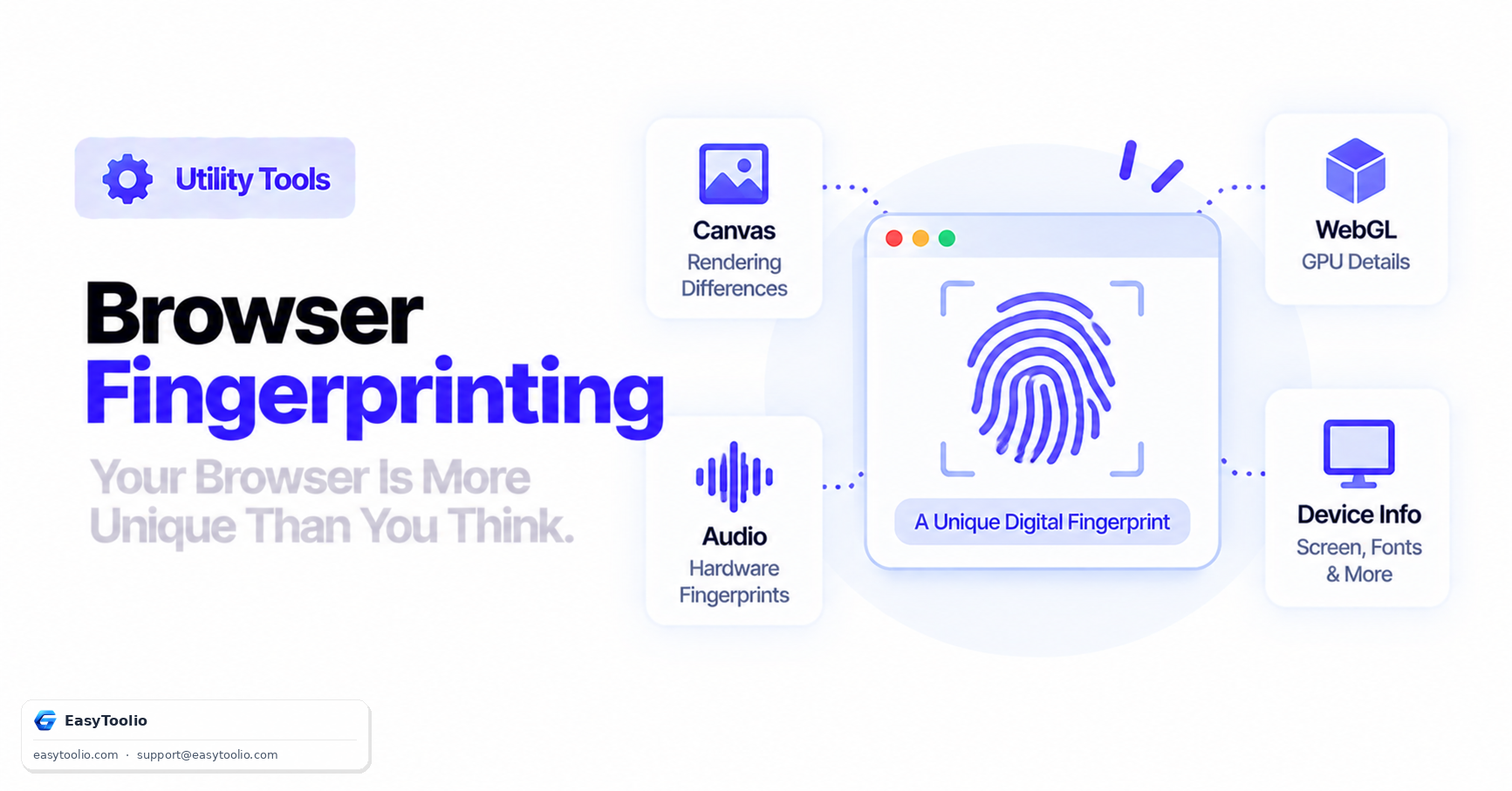
Even when users clear cookies, browse in Incognito or Private mode, or use a VPN, advertising networks and fraud-prevention systems can often still recognize and track a specific browser across sessions and sites using browser fingerprinting — a technique that needs no cookies or local storage at all.
Direct Answer: Browser fingerprinting is a stateless tracking technique that combines dozens of passively observable browser and device signals — including HTML5 Canvas rendering output, WebGL GPU hardware details, Web Audio API processing characteristics, installed system fonts, screen resolution, time zone, and installed browser extensions — into a single hash that is often unique, or nearly unique, to one specific device and browser installation. Because none of this relies on cookies or storage, clearing your browser data does nothing to change your fingerprint.
Why Fingerprinting Works Without Cookies
Cookies are files the browser voluntarily stores and sends back; deleting them removes the tracking identifier entirely. Fingerprinting instead measures how your specific hardware and software configuration behaves when asked to perform small, deterministic tasks — rendering a canvas drawing, processing an audio signal, reporting GPU capabilities. Two devices with even slightly different graphics drivers, font sets, or hardware will often produce measurably different outputs to the exact same script, and the combination of many such measurements — each only weakly identifying on its own — becomes highly identifying together.
Canvas Rendering Output ──┐
WebGL GPU Parameters ─────┼──► Combined & Hashed ──► Fingerprint ID (e.g. "9f8e7d6c5b4a...")
AudioContext Signature ───┤
Installed Fonts ──────────┘
Core Fingerprinting Vectors Explained
1. Canvas Fingerprinting
A script draws hidden text or shapes onto an off-screen HTML5 <canvas> element, then reads back the resulting pixel data. Microscopic differences in GPU antialiasing, font hinting, and graphics driver rendering produce subtly different pixel values across devices, even when the drawing instructions are identical. The pixel data is then hashed into a compact identifier.
2. WebGL Fingerprinting
Scripts query the graphics card driver through WebGL parameters like UNMASKED_RENDERER_WEBGL, which can reveal the exact GPU model and driver version (e.g. ANGLE (NVIDIA, NVIDIA GeForce RTX 4070 Direct3D11 vs_5_0 ps_5_0)). This alone can narrow a device down to a specific hardware/driver combination shared by relatively few other users.
3. AudioContext Fingerprinting
The Web Audio API is used to generate and process a synthesized audio signal entirely in software — no sound is ever played aloud. Tiny floating-point rounding differences introduced by the specific audio hardware, drivers, and even CPU architecture produce a measurably different output waveform across devices, which is hashed the same way as canvas output.
4. Font Enumeration
Scripts measure the rendered width of test strings in dozens of font names; if a font is installed, the browser renders it at its own characteristic width rather than falling back to a default font. The resulting list of "which fonts are installed" is often distinctive, especially on desktop systems where users have installed design or productivity software with bundled fonts.
5. Hardware and Configuration Signals
Screen resolution, color depth, installed browser plugins, time zone offset, system language, number of CPU cores (navigator.hardwareConcurrency), and available device memory all contribute additional weakly-identifying bits that combine with the above into a fuller fingerprint.
How Identifying Is a Browser Fingerprint?
No single signal above is highly identifying on its own — many people share the same screen resolution or time zone. The power of fingerprinting comes from combining many independent weak signals: the Electronic Frontier Foundation's original Panopticlick research found that the large majority of desktop browsers tested had a combined fingerprint that was unique or nearly unique among all the browsers the project had ever measured. Mobile devices, which are far more hardware-homogeneous (fewer GPU/OS/font combinations across the whole population), are generally somewhat harder to fingerprint uniquely than desktop browsers — though still far from anonymous.
Fingerprinting vs. Cookies: A Direct Comparison
| Property | Cookies | Browser Fingerprinting |
|---|---|---|
| Requires local storage? | Yes | No |
| Survives clearing browser data? | No | Yes |
| Survives Incognito/Private mode? | No (cleared on close) | Often yes, since hardware signals don't change |
| User can see/delete it directly? | Yes, via browser settings | No — it's recomputed fresh from device behavior each visit |
| Blocked by disabling third-party cookies? | Yes | No — fingerprinting doesn't depend on cookies at all |
Privacy Protections and Their Real-World Effectiveness
| Countermeasure | Mechanism | Effectiveness | Trade-off |
|---|---|---|---|
| Firefox / Brave fingerprinting resistance | Injects subtle randomized noise into Canvas and AudioContext output on each session | High — defeats exact-match tracking across sessions | Rare visual/rendering quirks on some sites |
| Tor Browser | Standardizes window size, fonts, and disables/limits high-entropy APIs so all users look alike | Highest — designed specifically to make individual users indistinguishable within the Tor user population | Rigid window size, some site features degraded |
| Disabling JavaScript | Blocks Canvas, WebGL, and AudioContext script execution entirely | High for those specific vectors | Breaks the majority of modern interactive websites |
| VPN or IP masking alone | Hides network-level IP address | None against fingerprinting | Fingerprinting operates independently of IP address |
Note that VPNs specifically do nothing against fingerprinting — they hide where your connection comes from, not what device is making it, and fingerprinting relies entirely on device/browser behavior rather than network origin.
Practical Takeaways
- Clearing cookies and using Incognito mode do not stop fingerprinting — both leave every hardware and rendering signal fully intact.
- Browser choice matters — Firefox and Brave both ship active fingerprinting resistance by default in their standard privacy settings; mainstream Chrome does not.
- The more "unusual" your configuration, the more identifiable you are — ironically, an unusual combination of fonts, extensions, and settings intended to increase privacy can sometimes make a browser stand out more, not less, unless it also actively randomizes its fingerprint.
Inspect your own browser's hardware signals, canvas support, and device metrics using our browser info tool, check your display and viewport parameters with the screen resolution checker, parse your User-Agent string in the User-Agent parser, and run a complete device and privacy audit with the full device check.
Frequently Asked Questions
Does clearing browser cookies stop browser fingerprinting?
No. Cookies are locally stored data files that can be deleted. Fingerprinting instead measures passive hardware and browser rendering characteristics that remain constant regardless of cookie or cache state.
Does using a VPN prevent browser fingerprinting?
No. A VPN changes your visible IP address and network location, but fingerprinting relies entirely on browser and device behavior — canvas rendering, GPU parameters, installed fonts — none of which a VPN alters.
Is browser fingerprinting illegal?
Legality varies by jurisdiction. In the EU, fingerprinting for tracking purposes generally falls under the same consent requirements as cookies under the ePrivacy Directive and GDPR. It is commonly used for both legitimate purposes (fraud detection, bot prevention) and third-party advertising tracking, which regulators increasingly scrutinize.
Can I completely prevent my browser from being fingerprinted?
Not entirely while keeping full site functionality, since fingerprinting draws on dozens of normal browser capabilities. You can substantially reduce fingerprintability using Tor Browser or a browser with active fingerprinting resistance (Firefox, Brave), which either standardize or randomize the signals that make fingerprints unique.
Why is my fingerprint different every time I visit the same site in Firefox?
If Firefox's fingerprinting resistance or randomization features are enabled, some APIs (like Canvas and AudioContext) deliberately return slightly different, randomized output on each browsing session specifically to prevent long-term tracking via a stable fingerprint.
References: W3C Privacy Interest Group (Targeting Browser Fingerprinting), Electronic Frontier Foundation Panopticlick research.