Most "AI for developers" writing stops at the demo. This one assumes you are going to put GPT-6 Astra behind a real endpoint, at real volume, and that someone will ask you what it costs and why it failed the one time it failed.
Direct Answer: For development work on GPT-6 Astra (gpt-6-astra), five things matter more than the benchmark scores. One: reasoning effort (low, medium, high, xhigh, max) is your main latency-and-cost dial, because reasoning tokens are billed as output at $50 per million. Two: strict-mode Structured Outputs guarantees your JSON conforms to your schema, but does not protect you against refusals or truncation at the 128,000-token output cap — you must still check finish_reason and the refusal field. Three: the agentic gains are real (Terminal-Bench 4.0 at 57.7% versus 37.3% for GPT-5.6 Sol, per OpenAI's launch tables) and come from a tool surface that includes a hosted shell, apply-patch, computer use and MCP. Four: the 922,000-token input cap is not a substitute for retrieval — recall is 96.3% in the 512K–1M band, not 100%. Five: prompt caching (0.1× on cached reads) and the Batch API (50% off) are the two largest cost levers, and both are configuration rather than code.
What actually changed for coding work
The GPT-5.6 line was already competent at writing a function. The Astra gains are in the parts of engineering that are not writing a function: navigating a repository, running commands, reading the output, correcting course, and finishing.
OpenAI's launch tables put Terminal-Bench 4.0 at 57.7% against Sol's 37.3% — a benchmark that is multi-step and stateful, which is why the gap there is so much larger than on Agents' Last Exam (59.3% vs 53.6%). These are vendor-reported figures, but the pattern is worth planning around: Astra's advantage grows with the number of dependent steps in the task.
Worth separating out one number you will see quoted alongside this: SRE-Bench, where Astra scores 88.0% single-attempt against Sol's 55.9%, is a cybersecurity benchmark that tests reverse engineering of compiled binaries, not general development. It is a genuine and large gap, but do not read it as a prediction about how well the model will refactor your codebase.
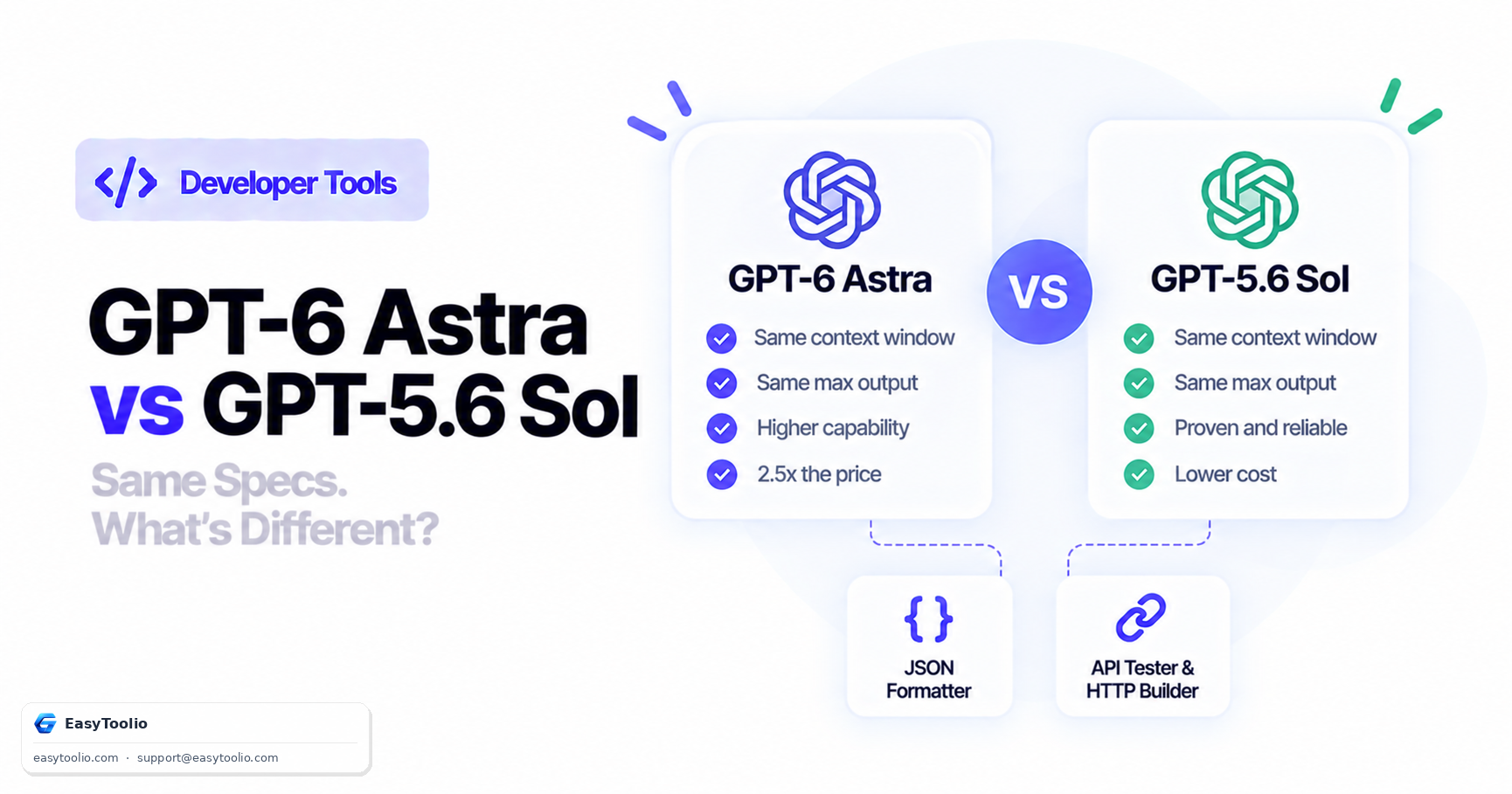
The corollary matters for your architecture. If you have decomposed your problem into many small, independent, single-shot model calls, you are in the regime where Astra's advantage is smallest and its 2.5× price premium is hardest to justify. If you have one long agentic run, you are in the regime where it is largest.
Reasoning effort is your main cost dial
Astra exposes reasoning effort at low, medium, high, xhigh and max. Reasoning tokens are billed as output tokens, at $50 per million. This makes effort the highest-leverage parameter in your request.
| Effort | Use it for | Cost characteristic |
|---|---|---|
low |
Classification, extraction, format conversion, routing | Lowest reasoning-token spend |
medium |
General coding assistance, code review, most application work | Sensible default |
high |
Multi-file changes, debugging with an unclear cause | Noticeably more output tokens |
xhigh |
Architectural reasoning, hard algorithmic problems | Expensive; use selectively |
max |
Genuinely hard one-off problems | Reserve for cases you have already failed at lower effort |
The mistake teams make is setting high globally because it produced a better demo, then discovering that 80% of their traffic is classification that would have been fine at low. Set effort per route, not per application. Note that Astra's documented list does not include the none option that gpt-5.6-sol exposes, so if you have a path that genuinely wants zero reasoning overhead, that path may belong on Sol.
Structured Outputs: read the guarantee carefully
Strict mode is the single biggest reliability win available to you, and it is routinely over-trusted. OpenAI's guide states that with "strict": true the model "will always generate responses that adhere to your supplied JSON Schema," which removes an entire class of bugs — omitted required keys, hallucinated enum values, invented field names.
from openai import OpenAI

client = OpenAI()

schema = {
    "type": "object",
    "properties": {
        "severity": {"type": "string", "enum": ["low", "medium", "high"]},
        "component": {"type": "string"},
        "summary": {"type": "string"},
    },
    "required": ["severity", "component", "summary"],
    "additionalProperties": False,
}

response = client.chat.completions.create(
    model="gpt-6-astra",
    reasoning_effort="medium",
    messages=[
        {"role": "system", "content": "Triage the incident report."},
        {"role": "user", "content": report_text},
    ],
    response_format={
        "type": "json_schema",
        "json_schema": {"name": "triage", "schema": schema, "strict": True},
    },
)

choice = response.choices[0]

# Strict mode does NOT cover these two cases. Check them explicitly.
if choice.message.refusal:
    raise ModelRefusal(choice.message.refusal)

if choice.finish_reason == "length":
    raise TruncatedResponse("hit the output token cap before closing the JSON")

data = json.loads(choice.message.content)
Three limits the guarantee does not cover:
- Refusals. The model can decline for safety reasons and return a
refusalfield instead of schema-conforming content. This is programmatically detectable, and if you only ever readmessage.contentyou will getNoneand a confusing crash. - Truncation. If generation hits your
max_tokensor the 128,000-token ceiling mid-object, you get invalid JSON. Strict mode constrains what the model may emit, not that it finishes. Checkfinish_reason. - Wrong-but-valid content. OpenAI's own guidance is that "Structured Outputs can still contain mistakes." Schema conformance is a syntax guarantee, not a correctness guarantee. A
severityof"low"on a critical incident is perfectly schema-valid.
Also note that strict mode supports much of JSON Schema but not all of it — some keywords are unavailable for performance and technical reasons, so validate your schema against the current guide rather than assuming an arbitrary schema will be accepted.
When output does come back malformed — which happens most often when you have not used strict mode, or when you are working with a model response you did not generate yourself — our JSON Formatter will pretty-print it so you can find where the structure breaks, and the JSON Validator will report the exact parse error and position. We wrote a dedicated walkthrough of the model-specific failure modes in How to Read and Debug JSON Returned by an AI Model.
The agentic tool surface
Astra supports a considerably wider set of tools than a chat-completions mental model suggests:
| Tool | What it gives you |
|---|---|
hosted_shell |
Command execution in a managed sandbox |
apply_patch |
Structured file edits rather than "here is the whole file again" |
code_interpreter |
Run code, analyse data, produce artefacts |
computer_use |
Drive a GUI — click, type, scroll, read the screen |
web_search |
Current information past the 30 April 2026 cutoff |
file_search |
Retrieval over your uploaded documents |
mcp |
Connect your own Model Context Protocol servers |
tool_search |
Select from a large tool catalogue without stuffing every definition into the prompt |
apply_patch and tool_search deserve specific attention because both are cost optimisations disguised as features. apply_patch means a one-line change costs you one line of output tokens instead of an entire regenerated file — at $50 per million output tokens on a large file, that difference is not marginal. tool_search means you stop paying input tokens for fifty tool definitions on every single call.
Two cautions when you wire these up. First, tool definitions are billed as input tokens on every request that carries them, so a bloated tool schema is a permanent tax. Second, the moment your agent has both web_search and a write-capable tool, you have built a prompt-injection surface: a web page can contain instructions. Astra is markedly more resistant here than Sol (8.5% versus 27.0% attack success on the Gray Swan indirect-injection evaluation) but 8.5% is not zero. Keep destructive actions behind a confirmation step.
Long context is not a retrieval strategy
With a 922,000-token input cap it is tempting to stop building retrieval and just send the repository. Two reasons not to.
Recall is high but not perfect. OpenAI reports MRCR v2 8-needle retrieval at 100% in the 256K–512K band and 96.3% in the 512K–1M band. Excellent numbers — and 96.3% means roughly one needle in twenty-seven is missed at the top of the range. Whether that is acceptable depends on whether a miss is a slightly worse answer or a silent data error.
The cost is linear and immediate. 900,000 input tokens is $9.00 per call at $10 per million. Fine once. At 10,000 calls a month it is $90,000, and almost all of it is re-sending the same context. Retrieval that sends 20,000 relevant tokens instead costs $0.20 per call. If the context genuinely is static across calls, prompt caching drops the repeat cost to $0.90 per call at the 0.1× cached rate — still ten times the retrieval approach, but a 90% saving over doing nothing.
The practical rule: use long context for genuinely one-off whole-corpus analysis, use retrieval for anything you will do repeatedly, and use caching whenever a large prefix is stable.
Cost control that actually works
In rough order of impact per hour of effort:
- Prompt caching. Cached input reads bill at 0.1× the standard rate ($1.00 rather than $10.00 per million). Writes cost 1.25×, so a prefix written once and reused once already costs 1.35× versus 2× uncached — it pays off on the second call. The minimum cacheable prefix is 1,024 tokens and entries persist at least 30 minutes after the last write or reuse. Full mechanics in Prompt Caching Explained.
- The Batch API. A 50% discount with a 24-hour completion window. Anything not user-facing — backfills, evaluations, bulk enrichment, nightly report generation — should be here.
- Model tiering. Astra $10/$50, Sol $4/$20, Terra $2/$12, Luna $0.20/$1.20. Route each step to the cheapest model that passes your evaluation for that step. This usually beats every other optimisation combined. Our AI Token Counter & API Cost Calculator prices the same workload across all of these side by side, so you can see what a tiering change is actually worth before you build it.
- Reasoning effort per route, as above.
apply_patchover full-file regeneration, wherever you are editing files.- Trim your tool definitions. They are input tokens on every call.
Tier 1 rate limits are 500 requests and 500,000 tokens per minute, with a 1,500,000-token batch queue; higher usage tiers scale to 15,000 RPM and 40,000,000 TPM. If you are architecting around throughput, check which tier you are actually on before assuming headroom.
A debugging checklist
When a call misbehaves, work through this in order:
- Read the raw response, not your wrapper's version of it. Fire the request through our API Tester with the same payload and look at the whole body. Half of all "the model is broken" reports are a client library swallowing a field.
- Check
finish_reason.lengthmeans truncation, and truncation explains most unparseable output. - Check
message.refusal. A nullcontentwith a populatedrefusalis a refusal, not a bug. - Inspect
usage. Confirm your input token count matches expectation, and checkcached_tokensto see whether caching is working at all. Paste the block into the JSON Formatter if it is dense. - Validate the payload against your schema in the JSON Validator before blaming the model — a malformed request schema produces confusing model behaviour rather than a clean error.
- Test your extraction patterns separately. If you are pulling structured fragments out of prose with a regular expression, verify the pattern in the Regex Tester against real model output rather than against the output you hoped for.
- Reproduce at
loweffort. If the failure disappears at higher effort it is a capability problem; if it persists it is a prompt or schema problem.
Frequently Asked Questions (FAQs)
Does GPT-6 Astra support streaming and function calling?
Yes — streaming, structured outputs, function calling, file search, image input, web search and prompt caching are all supported.
Are reasoning tokens billed differently from normal output tokens?
Reasoning tokens are billed at the output rate, so $50 per million on Astra. This is why reasoning effort is a cost setting and not just a quality setting.
Can I use GPT-6 Astra with the Batch API?
Yes, and the 50% discount applies with a 24-hour completion window. Tier 1 gives you a 1,500,000-token batch queue limit.
Should I use Astra for a code-completion feature?
Probably not. Completion is latency-sensitive and bounded, which is the profile where Astra's advantage is smallest and its price premium hardest to justify. Route completion to Luna or Terra and save Astra for the agentic work.
How do I stop an agent from acting on instructions embedded in a web page?
Treat all tool-returned content as untrusted data rather than instructions, keep write-capable and destructive tools behind explicit confirmation, and scope credentials to the minimum the task needs. Astra's improved injection resistance reduces the risk but does not remove it.
The short version
Astra is a strong model for long, stateful, tool-using engineering work and an expensive one for everything else. Set reasoning effort per route. Use strict-mode structured outputs, but still check finish_reason and refusal. Do not let the 922,000-token window talk you out of retrieval. Turn on caching and batching before you optimise anything else.
If you are sizing the bill before you build, GPT-6 Astra API Cost Explained works through the token math with real examples. If you are still deciding whether to upgrade at all, GPT-6 Astra vs GPT-5.6 Sol has the comparison, and GPT-6 Astra Explained covers the model itself. If you are weighing how much to delegate to an agent rather than an autocomplete tool, AI Coding Agents vs Code Autocomplete covers the verification trade-off.
Sources: OpenAI API model reference for gpt-6-astra (pricing, caps, reasoning-effort levels, tool surface, rate limits); OpenAI guides on structured outputs, prompt caching and the Batch API; OpenAI GPT-6 Astra system card (prompt-injection figures). Benchmark scores are OpenAI's launch-table figures (vendor-reported); the SRE-Bench definition is from Vals AI.