Quick Response (QR) codes, standardized under ISO/IEC 18004, are two-dimensional matrix barcodes widely used for marketing, Wi-Fi onboarding, payment processing, and inventory tracking.
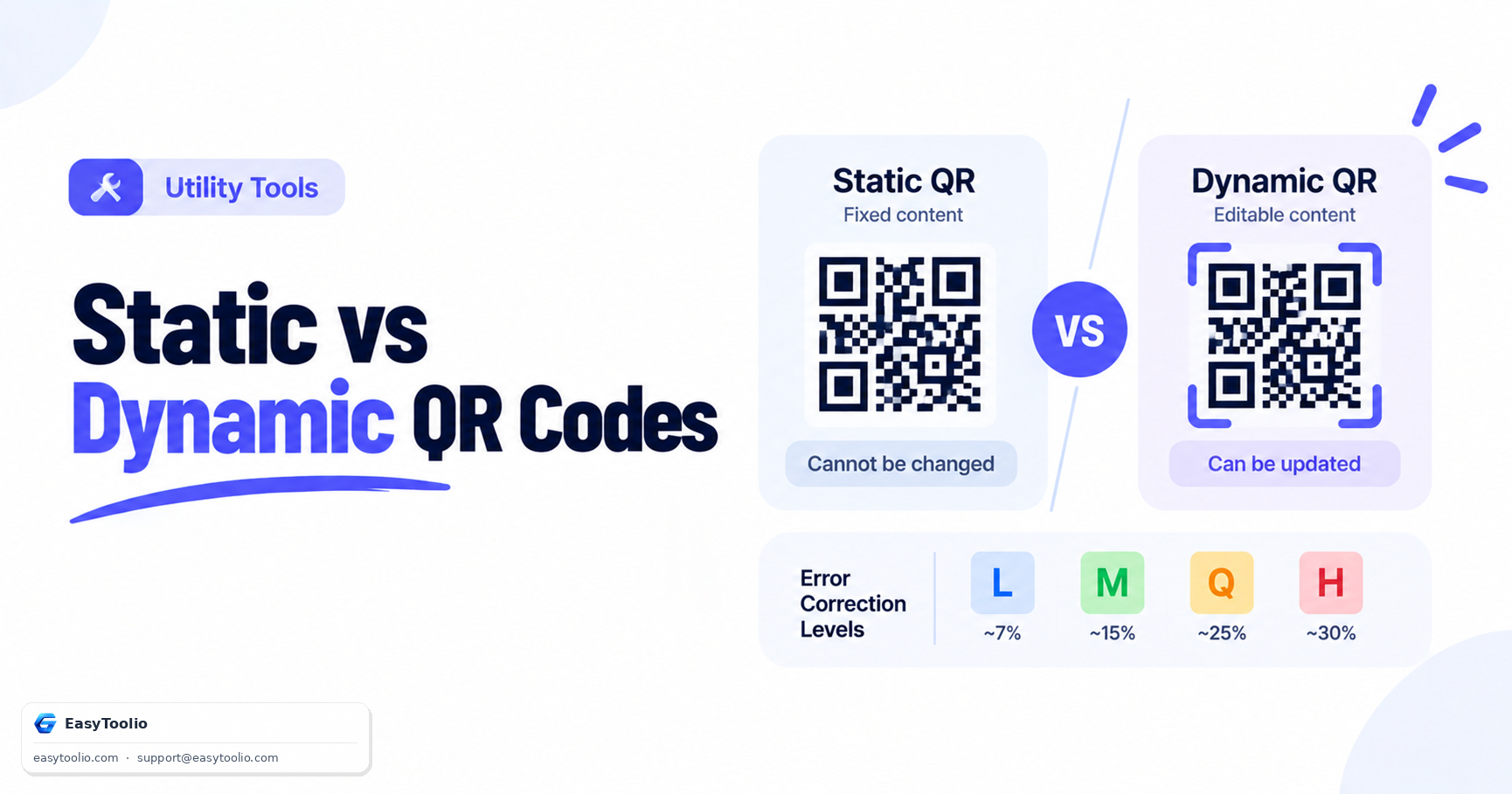
Direct Answer: A static QR code encodes your destination data — a URL, Wi-Fi password, plain text, or contact card — directly into the black-and-white module grid; once generated, the encoded content can never be changed. A dynamic QR code instead encodes a short redirect URL that points to a server, which then forwards scanners to a destination you can update at any time, and which can log scan analytics. Free client-side QR code generators — including this one — create static QR codes, since dynamic redirection requires an ongoing server subscription to host the redirect and analytics database.
Static vs. Dynamic QR Codes: Full Comparison
| Feature | Static QR Code | Dynamic QR Code |
|---|---|---|
| Data storage | Encoded directly in the matrix modules | Short redirect URL (e.g. https://qr.link/xyz) pointing to a server |
| Editable destination? | No — permanent once printed or saved | Yes — destination can be changed anytime, even after printing |
| Scan analytics? | No | Yes — server logs scan count, time, and approximate location |
| Works offline forever? | Yes — no server dependency | No — breaks permanently if the redirect service shuts down |
| Data capacity used | Full payload consumes capacity directly | Only a short URL is encoded, leaving room for higher error correction |
| Cost | Free to generate, no ongoing cost | Usually requires a paid subscription for the redirect service |
| Best for | Printed materials that never change (product packaging, static Wi-Fi cards) | Marketing campaigns needing updates or scan tracking |
The core tradeoff: static QR codes are permanent and free but inflexible; dynamic QR codes are flexible and trackable but depend on a third party staying online indefinitely. If that redirect service ever shuts down or the subscription lapses, every printed dynamic QR code silently breaks — worth weighing before printing thousands of static materials vs. building a dynamic campaign.
How QR Codes Actually Store Data
A QR code isn't a picture of your data — it's a structured grid of black-and-white "modules" arranged according to strict rules defined in ISO/IEC 18004. Each QR code contains:
- Position detection patterns — the three large squares in three corners, used to locate and orient the code.
- Alignment patterns — smaller squares (in larger versions) that help correct for warping and skew.
- Timing patterns — alternating black/white lines that establish the module grid's coordinate system.
- Format and version information — encodes which error correction level and QR version (size) is used.
- Data and error correction codewords — the actual payload, encoded using Reed-Solomon error correction across the remaining modules.
Reed-Solomon Error Correction Levels
QR codes use Reed-Solomon error correction, which adds redundant codewords so a scanner can reconstruct the full payload even if part of the code is dirty, torn, or covered with a logo:
| Level | Data Recoverable | Matrix Density (for a given payload) | Best Use Case |
|---|---|---|---|
| L (Low) | ~7% | Lowest density — easiest to scan, highest data capacity | Clean digital screens, long URLs where capacity matters most |
| M (Medium) | ~15% | Standard density | Default choice for most print material and business cards |
| Q (Quartile) | ~25% | Higher density | Outdoor posters or labels exposed to weather and wear |
| H (High) | ~30% | Highest density — lowest data capacity | Codes with a logo or graphic overlaid in the center |
Worked Example: Choosing an Error Correction Level
Suppose you're encoding a 40-character URL for a printed flyer that will be handled, folded, and possibly get coffee stains:
- Level L maximizes how much extra text you could add later, but a torn corner could make the code unreadable.
- Level M is a safe middle ground for indoor print material.
- Level Q or H trades away some data capacity for real resilience — worth it any time the code will be handled physically or needs a logo overlay.
The same 40-character payload takes noticeably more modules (a denser, more complex-looking grid) at Level H than at Level L, because roughly four times more redundant data is packed in alongside the payload. This is why logo-embedded QR codes always use Level H — the logo physically obscures the center of the grid, and only Level H's 30% recovery margin reliably survives that obstruction.
QR Code Data Capacity Limits
Capacity depends on both the QR version (a size class from 1 to 40, where higher versions have more modules) and the encoding mode:
| Encoding Mode | Character Set | Max Capacity (Version 40, Level L) |
|---|---|---|
| Numeric | Digits 0–9 only | 7,089 characters |
| Alphanumeric | 0–9, A–Z (uppercase), and a limited symbol set | 4,296 characters |
| Byte | Full 8-bit byte values (UTF-8 text, binary data) | 2,953 bytes |
| Kanji | Shift JIS double-byte characters | 1,817 characters |
Version 40 is the largest, densest QR code (177×177 modules) and is rarely practical for smartphone scanning — most real-world QR codes stay well under 300 characters of payload to remain reliably scannable from typical distances.
When to Choose Static vs. Dynamic
Choose a static QR code when:
- The destination will never need to change (a fixed Wi-Fi password, a vCard, a permanent product URL).
- You want a code that works forever with zero ongoing cost or dependency.
- You don't need scan analytics.
Choose a dynamic QR code when:
- You're running a marketing campaign and want to A/B test or update the landing page after printing.
- You need to know how many times, when, and roughly where the code was scanned.
- The underlying URL might change (e.g., a seasonal promotion page that gets replaced each quarter).
Generate customized static QR codes for URLs, Wi-Fi credentials, and text using our QR code generator, scan any QR code from an image file or your webcam with the QR code scanner, generate 1D product barcodes with the barcode generator, and scan retail barcodes using the barcode scanner. For a deeper look at how the scanning side of this process works — including why some codes fail to scan — see our guide on how QR code scanners decode a matrix.
Frequently Asked Questions
What is the maximum data capacity of a QR code?
A Version 40 QR code (the largest defined size) can store up to 7,089 numeric characters or 4,296 alphanumeric characters at the lowest error correction level. In practice, keep payloads under roughly 300 characters for reliable smartphone scanning at typical print sizes.
Can I convert a static QR code into a dynamic one later?
No — a static QR code's data is baked into the printed pattern itself. To get dynamic behavior, you must generate a brand-new dynamic QR code pointing to a redirect service, which will have a different pattern than the original static code.
Do dynamic QR codes expire?
They can. Since dynamic QR codes rely on a third-party redirect server, if the service provider's subscription lapses or the company shuts down, every printed dynamic QR code pointing to it stops working permanently — even though the printed pattern itself never changes.
Which error correction level should I use by default?
Level M is a reasonable default for most printed material. Use Level H specifically when embedding a logo, and Level L only when you need maximum data capacity on a clean, undamaged digital display.
Is a static QR code less secure than a dynamic one?
Not inherently. Security risk in QR codes comes from the destination content (a malicious URL), not from whether the code is static or dynamic. Always verify the destination before scanning an unfamiliar QR code, since a URL can be swapped after printing on a dynamic code without any visible change to the printed pattern.
References: ISO/IEC 18004:2015 (Information technology — Automatic identification and data capture techniques — QR Code bar code symbology specification).